$299.99
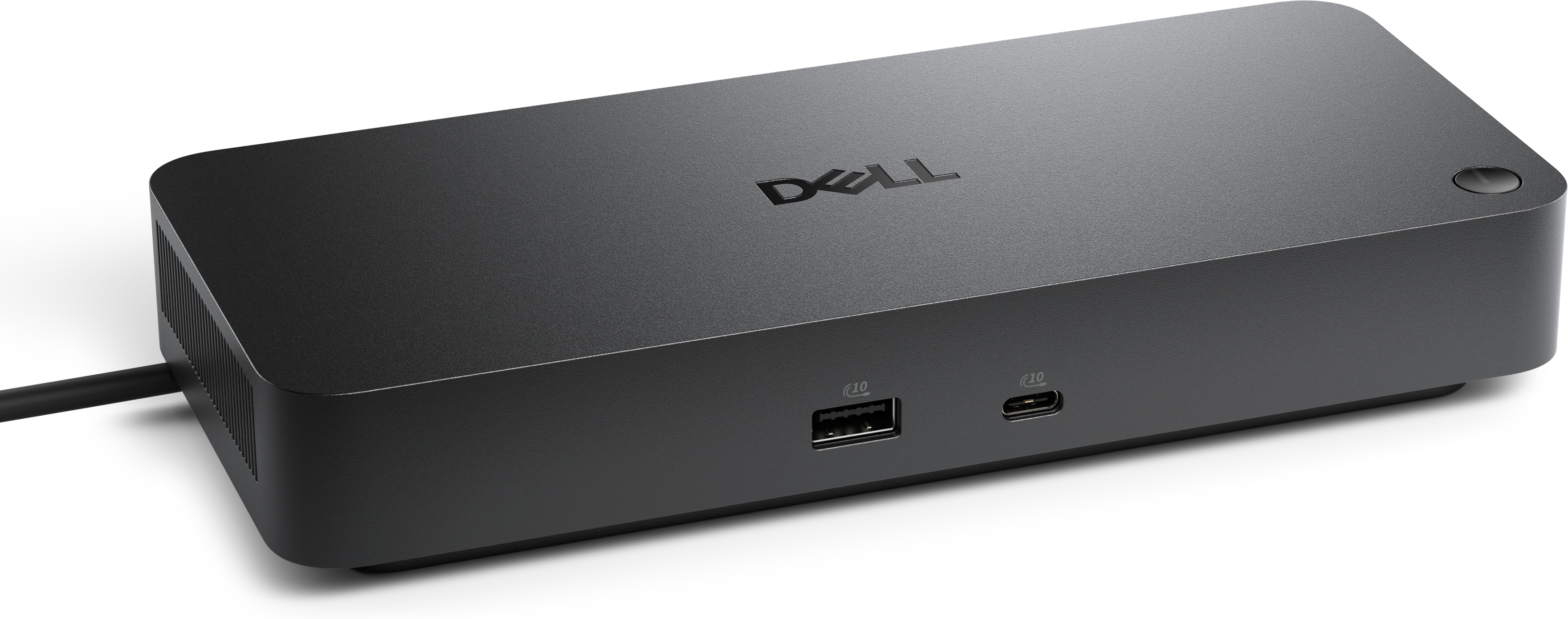
A Thunderbolt 4 dock delivering up to 130W of power for a powerful, streamlined workspace.
Enhance your connectivity and productivity with our comprehensive range of Thunderbolt accessories. Designed to deliver high-speed data transfer, versatile connectivity options, and seamless integration with your devices, these accessories are perfect for both professional and personal use. Whether you need docking stations, cables, adapters, or hubs, our selection of Thunderbolt accessories ensures that you can maximize the potential of your technology setup. Explore our collection to find the ideal solutions that meet your needs and elevate your digital experience.
A Thunderbolt 4 dock delivering up to 130W of power for a powerful, streamlined workspace.
A versatile Thunderbolt 5 smart dock delivering up to 300W power with remote management capabilities.
Thunderbolt accessories help turn a compatible laptop or desktop into a more capable workspace without filling a desk with separate connections and power cords. Built around the USB-C connector, Thunderbolt technology is designed for high-speed data transfer, display support and device charging through a single connection, making it especially useful for people who move between locations or keep a streamlined setup at home. A docking station can connect a computer to multiple displays, USB peripherals, memory card readers, audio equipment and wired internet through one primary cable, while a compact hub can add a few extra ports when you need to connect a mouse, keyboard, flash drive or other everyday accessory. For creative professionals, engineers, photographers and anyone working with large files, Thunderbolt can provide the bandwidth needed to move information quickly between a computer and compatible external equipment. It is also helpful for multitaskers who want a laptop to behave more like a desktop when they return to a home office: one cable can restore a familiar arrangement of screens, accessories and charging, rather than requiring a careful search behind the desk for several individual plugs. Before choosing an accessory, check the ports on the computer and the devices you plan to connect. USB-C and Thunderbolt connectors share a similar shape, but their capabilities can differ, and not every USB-C port supports Thunderbolt features. Computer specifications, operating system requirements and display limitations can affect the number of screens, resolution and refresh rate supported. A Thunderbolt 3, Thunderbolt 4 or Thunderbolt 5 accessory may also have different requirements, so matching the accessory to the computer is an important part of creating a reliable setup. Those who use an older computer or legacy peripheral may benefit from an adapter that bridges different generations or connection types. Explore Thunderbolt 3 Adapters when compatibility with an earlier Thunderbolt connection is part of the setup.
A docking station is often the most versatile choice for a full workstation. Depending on its design, it may provide several downstream Thunderbolt ports, USB-A and USB-C connections, display outputs, an audio connection, a memory card slot and power delivery to the host computer. This makes it useful for a professional who arrives at a desk with a laptop, connects one cable and immediately has access to a large monitor, webcam, keyboard and other equipment. A hub is generally smaller and more travel-friendly, making it a practical companion for a laptop bag, classroom, shared office or flexible workspace. When comparing these accessories, look beyond the number of ports. Consider whether the unit can deliver enough power to charge the computer while it is in use, whether it supports the display resolution you prefer, and whether its ports can operate at the speeds your peripherals require at the same time. Cable length and cable certification also matter. A short, properly rated cable can reduce clutter and help maintain dependable performance, while a longer cable may be more convenient when a monitor or accessory sits farther from the computer. Thunderbolt cables can support high bandwidth, but their capabilities vary by generation, length and construction, so selecting a cable rated for the intended connection helps prevent unexpected limits. Adapters can also make it easier to connect equipment with older video, USB or Thunderbolt interfaces, though an adapter cannot add capabilities that the computer itself does not support. For example, a computer with limited display support may not drive additional monitors simply because a dock has several video outputs. Reading the technical specifications for the computer, dock, adapter and connected displays together gives a clearer picture of how the complete setup will perform.
Thunderbolt accessories suit a wide range of routines. A designer may use a dock to keep a laptop connected to a color-accurate monitor, input devices and creative equipment, while a student or remote worker may appreciate a compact hub for connecting a webcam, headset and external display in a small room. Someone who frequently presents can use an adapter to connect a laptop to a meeting-room display, projector or other presentation equipment, reducing the need to carry several different cables. A home office user may value a single-cable arrangement that leaves the desk looking calm and uncluttered, especially during the cooler months when work, study and entertainment often take place indoors. These accessories can also be thoughtful gifts for a college student, photographer, frequent traveler, hybrid professional or anyone upgrading from a basic laptop setup to a more capable workstation. The best choice depends on the recipient’s computer, preferred displays and daily accessories, so checking those details before purchasing is worthwhile. For a travel-focused setup, prioritize a lightweight hub, durable construction and the ports most often used away from home. For a permanent desk, a dock with broad connectivity and host charging may be more convenient. Users working with high-resolution displays should confirm supported resolution, refresh rate and the number of screens, while those connecting multiple peripherals should review total bandwidth and power requirements. Thunderbolt accessories are most effective when every part of the connection is compatible, from the computer’s port and operating system to the cable and connected device. With the right combination, a single compact accessory can simplify charging, expand connectivity, support high-speed transfers and make a laptop feel ready for a complete desktop experience.
Add the products you would like to compare, and quickly determine which is best for your needs.