$659.99
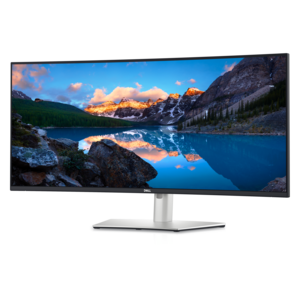
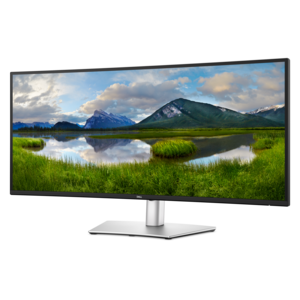
A curved ultrawide WQHD monitor with USB-C power delivery up to 90W and RJ45 Ethernet connectivity.
Ultrawide USB-C monitors deliver a seamless blend of expansive screen real estate and modern connectivity, making them an ideal choice for both productivity and entertainment. Designed to simplify your workspace, these monitors offer a streamlined solution for multitasking, immersive viewing, and easy device integration. Explore a wide selection of ultrawide USB-C monitors to find the perfect fit for your home office, creative studio, or gaming setup.
A curved ultrawide WQHD monitor with USB-C power delivery up to 90W and RJ45 Ethernet connectivity.
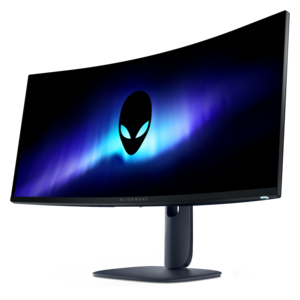
An ultrawide curved WQHD+ monitor with IPS Black technology, expansive color coverage, and integrated USB-C hub.
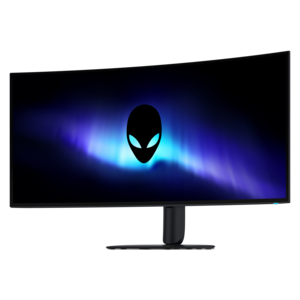
An ultrawide QD-OLED gaming monitor delivering 240Hz speed, immersive visuals, and a striking modern design.
Ultrawide USB-C monitors combine a wide display with a versatile connection that can carry video, data, and laptop charging through one compatible cable. That combination creates room for a more organized workday: a spreadsheet can stretch across the center of the screen while email and reference documents remain visible alongside it, without a bezel dividing the workspace. A 21:9 aspect ratio provides more horizontal space than a conventional 16:9 display, while a 32:9 screen extends the workspace further for layouts that would otherwise span two monitors. Common resolutions include 3440 × 1440 for 21:9 displays and 5120 × 1440 for 32:9 displays. At those resolutions, both formats provide the same number of vertical pixels, but the wider format accommodates substantially more content from side to side. A 49-inch 32:9 display is approximately equivalent in screen area to two 27-inch 16:9 displays placed together, making desk dimensions an important part of the fit. For someone editing a video timeline, comparing architectural drawings, or keeping a code editor beside a preview window, that uninterrupted width can make related tasks easier to follow. Screen size alone does not determine how sharp text will appear; resolution, pixel density, viewing distance, and operating system scaling all contribute. Higher pixel density can make small lettering and fine lines appear more refined, while scaling settings help keep menus and controls comfortably readable. Ultrawide screens also provide an expansive setting for compatible games and films, although content created for narrower aspect ratios may display with bars at the sides rather than filling the panel. The format suits home offices, creative workspaces, study areas, and shared household desks where one display needs to support several activities. As a gift for a college student, remote professional, or dedicated gaming enthusiast, an ultrawide USB-C monitor is most useful when its dimensions and connection requirements match the recipient’s existing computer and workspace.
USB-C describes the connector, but the features carried through that connector depend on the monitor, computer, and cable. A single-cable desktop setup requires a computer port that supports video output, typically through DisplayPort Alternate Mode or a compatible Thunderbolt connection, along with a cable rated for the necessary functions. A USB-C port intended only for data transfer will not automatically send a picture to the screen. Likewise, charging requires the monitor to support USB Power Delivery at a level suitable for the connected laptop. Power delivery in the 65W to 100W range can suit many everyday productivity laptops, but more demanding computers may need additional power, especially during intensive workloads. A lower-wattage connection may charge slowly, maintain the battery only during lighter tasks, or leave the computer dependent on its own power adapter. The practical benefit of a compatible setup is straightforward: arriving at a desk and connecting one cable can bring the larger screen and attached peripherals into use while supplying power to the laptop. Monitor models with a built-in USB hub can accommodate accessories such as a keyboard, mouse, or webcam, reducing the number of connections made directly to the computer. Hub functionality varies, and some connections require a separate upstream cable. An integrated KVM switch, when included, allows a shared keyboard and mouse to control two connected computers, which can be useful when alternating between a work laptop and a personal desktop. Picture-by-picture support is a separate feature that can show inputs from two computers simultaneously; neither capability should be assumed from the ultrawide format alone. Supported resolution and refresh rate also depend on the complete connection path. At higher display settings, some configurations divide connection bandwidth between video and USB data, affecting peripheral transfer speeds. These distinctions matter most in workspaces where the monitor serves as both a display and a central connection point, rather than simply adding a larger picture.
Physical design and panel characteristics shape how an ultrawide USB-C monitor feels during daily use. Flat panels provide a straight viewing surface, while curved panels angle the outer edges toward the viewer, which can make a very wide screen feel more cohesive from a centered seating position. The Curved Ultrawide Monitors category brings that wraparound shape to the same broad workspace, with the degree of curvature influencing how closely the display surrounds the viewing position. Neither shape eliminates the need for sufficient desk depth: a wide panel positioned too close can require frequent head movement to see content at the edges. A stable stand with height, tilt, and swivel adjustments makes it easier to position the screen with its upper edge at or slightly below eye level, depending on posture and personal needs. For a monitor arm, the mounting pattern, weight capacity, and supported screen dimensions must all match; an especially wide or curved panel can place greater demands on the arm than its weight alone suggests. Housing materials, often a combination of plastic and metal components, contribute to weight and finish, while base construction and hinge stability affect how securely the screen holds its position. Image quality depends on the panel as well as the workspace lighting. IPS panels generally provide consistent color across wide viewing angles, VA panels often emphasize native contrast, and OLED panels offer deep blacks and fast pixel response, with additional care considerations for prolonged static imagery. Color-sensitive work benefits from appropriate color-space coverage and calibration, while gaming benefits from suitable refresh rates, response times, and adaptive-sync compatibility. Matte surfaces can soften reflections, though thoughtful placement away from direct window glare still matters. Routine care is simple: power off the display, remove dust gently with a clean microfiber cloth, and follow the manufacturer’s cleaning directions without spraying liquid directly onto the panel. Keeping vents clear, leaving slack in cables, and lifting the monitor by its supported structure rather than pressing on the screen help protect a workspace centerpiece intended for regular, sustained use.
Add the products you would like to compare, and quickly determine which is best for your needs.