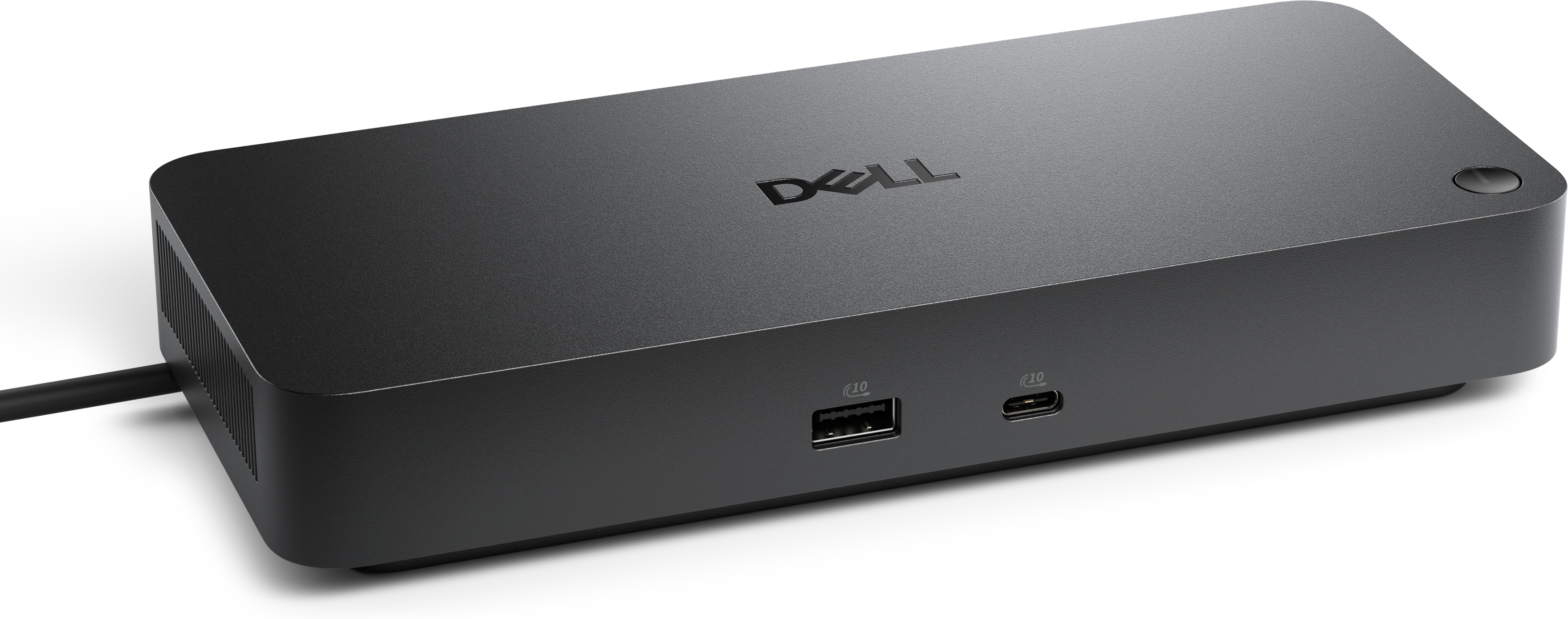
$169.99
A professional docking station delivering 130W power and versatile connectivity for streamlined productivity.
Universal docking stations for Mac offer a streamlined way to connect your laptop to multiple devices and displays, making it easier to create an efficient workspace at home or in the office. Designed for compatibility with a wide range of peripherals, these docking solutions help maximize productivity and minimize cable clutter. Explore a selection of universal docking stations for Mac that support seamless integration with your technology setup, ensuring you stay connected and organized throughout your workday.
A professional docking station delivering 130W power and versatile connectivity for streamlined productivity.
A versatile Thunderbolt 5 smart dock delivering up to 300W power with remote management capabilities.
Universal docking stations for Mac help turn a compact computer into a more complete workspace by bringing monitors, keyboards, mice, storage, wired internet, audio equipment, and other accessories together through one central connection. Instead of reaching behind a desk to swap cables or relying on a small collection of adapters, you can connect your Mac to a dock and keep everyday peripherals ready for use. This setup is especially useful for people who move between a home office, a classroom, a studio, and a shared workspace. A single cable can provide access to a larger display, a full-size keyboard, a more comfortable mouse, and reliable network connectivity, while the Mac remains easy to disconnect when it is time to work elsewhere. Universal docks can also help create a cleaner desk, with fewer loose cables spread across the work surface and more room for notebooks, creative materials, or a cup of coffee during a long project. When comparing options, begin with the ports and devices you use most. HDMI and DisplayPort connections are common choices for external monitors, while USB-A ports remain useful for older accessories such as webcams, flash drives, printers, and input devices. USB-C ports can support newer peripherals, charging, data transfer, or display output depending on the dock and its specifications. An Ethernet port may provide a steady wired connection for video meetings, large file transfers, and cloud-based work, while an audio jack can simplify connections to headphones, speakers, or a microphone. If you regularly work with photographs, video, or music, card readers and high-speed storage connections may be especially valuable.
Monitor support deserves careful attention before choosing a universal docking station for Mac. The number of displays you can use depends on the Mac model, its processor configuration, the dock’s video technology, the operating system, and the resolution and refresh rate of each monitor. Many Mac computers with standard M-series processors support one external display natively, while configurations with Pro or Max processors may support multiple external displays; capabilities can vary by model, so checking the computer’s technical specifications is an important step. If you want two or more extended monitors from a base configuration that does not support them natively, look for a dock that uses DisplayLink technology. DisplayLink docks generally require a software driver and may offer additional display flexibility, but the driver should be installed and configured as directed before relying on the setup for work or presentations. Also confirm whether a dock mirrors the same image across monitors or creates separate extended desktops, since extended displays provide more space for arranging documents, timelines, reference material, and communication windows. Resolution and refresh rate matter as well. A dock may support one combination of high-resolution displays but have different limits when several monitors are connected at once. Check the specifications for the exact arrangement you plan to use, including the type of cable required and whether the monitor connection uses HDMI, DisplayPort, USB-C, or an adapter. For a more focused look at workspace setups, explore Docking Stations for Multi-Monitor Workflows.
Power delivery is another practical consideration. A dock that supplies power through the same cable used for data and display connections can reduce desktop clutter and help keep a MacBook charged throughout the day. Many docks provide roughly 85W to 140W of power delivery, but the useful amount depends on the dock, its power adapter, and the computer being connected. Compare the dock’s power output with the charging needs of your specific MacBook Air or MacBook Pro configuration, and remember that the dock’s total power budget may be shared among connected devices. High-powered accessories, external drives, and multiple displays can affect available power, so a dock with additional headroom may be a sensible choice for a demanding workstation. Physical design also affects everyday comfort. A compact dock can fit neatly beside a laptop in a small workspace or slide into a travel bag, while a larger desktop station may offer more ports, stronger cable management, and a stable place for frequent connections. Some designs can position a laptop at a more comfortable viewing angle, helping align the screen with an external monitor and reduce the need to bend the neck during extended sessions. Universal docking stations can be thoughtful gifts for remote workers, college students, photographers, designers, teachers, and anyone who shifts between portable and desktop-style computing. They are particularly useful when a recipient has accumulated several accessories but still connects each one separately. Before choosing a gift, note the recipient’s Mac model, processor family, preferred monitor arrangement, charging requirements, and most-used peripherals. A well-matched dock can make a familiar computer feel more capable, turning a temporary table into a productive workstation during cooler months, a permanent home office into a more organized space, or a travel setup into something that feels ready the moment the single cable is connected.
Add the products you would like to compare, and quickly determine which is best for your needs.