USB 3.0 Adapters
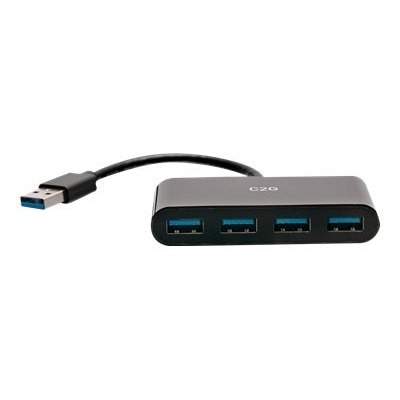
Upgrade your connectivity options with USB 3.0 adapters, designed to help you streamline data transfer and expand compatibility across your devices. Whether you're connecting peripherals, transferring files, or enhancing your workstation setup, these adapters offer versatile solutions for both home and office environments. Discover a wide selection of USB 3.0 adapters that make it easy to connect and power your favorite electronics efficiently and reliably.
This product is not available
Check out the following recommendations.




USB 3.0 Adapters
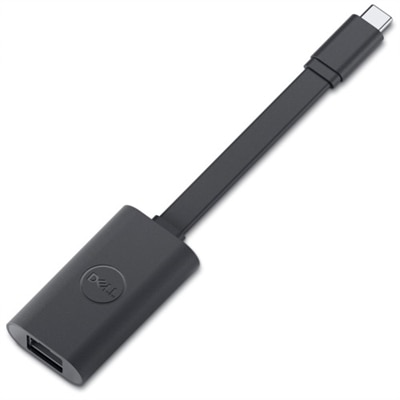
USB 3.0 adapters are a practical way to connect familiar peripherals to newer computers, especially as laptops and desktops increasingly use a mix of USB-C and USB-A ports. A USB 3.0 adapter can connect an older USB-A flash drive, keyboard, mouse, printer, card reader, external hard drive, or game controller to a computer with a compatible USB-C port. Depending on the adapter style, it may also change the connector type or gender on a cable, helping resolve the common mismatch between a device and the available port. USB 3.0 is designed for data transfer speeds of up to 5 Gbps, although actual performance depends on the computer, connected device, cable, file type, and other hardware involved. A fast solid-state drive may transfer files more quickly than an older thumb drive, while a basic keyboard or mouse uses very little bandwidth. Adapters are generally compact enough to keep in a laptop sleeve, desk drawer, or travel pouch, making them useful for work, school, commuting, and home offices. They can be especially helpful when moving between an older desktop setup and a newer laptop: a familiar USB-A accessory does not need to be replaced simply because the computer uses USB-C. Before choosing an adapter, check both ends carefully. One side should match the port on the computer, while the other should match the plug on the accessory or cable. A USB-C-to-USB-A adapter is different from a USB-A-to-USB-C adapter in both direction and physical design, and a small connector does not automatically indicate support for every function. Some adapters are intended primarily for data, while charging performance can vary by design, connected power source, and device requirements. If a setup includes several USB-C accessories or a computer with limited connectivity, browsing USB C Adapters can help compare connector configurations suited to newer systems.
The best adapter depends on the devices you use most often and the space around your ports. A short, low-profile adapter is convenient for a flash drive or wireless receiver and can reduce cable clutter on a compact laptop. A cable-style adapter may be more comfortable when a larger accessory would block neighboring ports or place strain on a side-mounted connector. For a desk setup, consider the position of the computer, the reach of the connected cable, and whether nearby ports remain accessible after the adapter is plugged in. If you regularly transfer photos, presentations, or video files, look for USB 3.0 compatibility on the computer, adapter, cable, and connected storage device; a single slower component can limit the overall result. For everyday accessories such as a mouse, keyboard, webcam, or printer, transfer speed is usually less important than a secure fit and dependable connection. Portability also matters. Someone who works in different locations may appreciate a lightweight adapter that lives in a laptop bag, while a home user may prefer a multi-adapter set for keeping one near a desk, television, or charging area. Build quality, connector fit, and strain relief are worth considering because adapters are often plugged in and removed repeatedly. A snug connection should not require excessive force, and the adapter should sit securely without wobbling. Keep in mind that USB 3.0 adapters do not automatically provide video output, network connectivity, memory-card access, or high-power charging; those functions require an adapter designed to support them, and the host computer must also support the relevant feature. Compatibility notes are particularly important for phones, tablets, monitors, docking setups, and accessories that draw more power than a basic peripheral. Checking the computer’s available ports and the accessory’s required connection before ordering can prevent an inconvenient mismatch.
These adapters can make a thoughtful, useful gift for a student setting up a new laptop, a family member replacing an older computer, or anyone who carries a collection of dependable USB accessories from one device to another. They are small enough to add to a technology kit without taking up much room, yet they can solve a problem at the moment it matters: opening files from a familiar flash drive, connecting a full-size keyboard, importing photos from a camera accessory, or using a trusted mouse with a slim notebook. They also make sense for shared households where different computers use different port types. For the most reliable everyday experience, match the adapter to the intended connection, choose USB 3.0 support when faster transfers are useful, and confirm whether charging or other specialized functions are required. Keeping an extra adapter in a travel bag or desk drawer can save time when a presentation, project, or personal file is stored on a USB-A device and the available computer offers only USB-C. With the right connector and realistic expectations about speed and supported functions, a USB 3.0 adapter provides a simple bridge between established accessories and current computers.
FAQs:
USB 3.0 adapters offer significantly faster data transfer speeds compared to previous USB versions, supporting up to 5 Gbps. They also provide greater compatibility with a wide range of devices, making it easy to connect peripherals like external hard drives, keyboards, and monitors to your laptop or desktop.
Yes, USB 3.0 adapters are backward compatible, allowing you to connect older USB 2.0 or USB 1.1 devices to modern computers equipped with USB 3.0 ports. This ensures you can continue using your existing peripherals without any issues.
A USB 3.0 desktop adapter is useful for expanding the number of available USB ports on your desktop computer. Devices such as external storage drives, printers, webcams, and gaming accessories can all benefit from the increased bandwidth and connectivity options provided by these adapters.
A USB 3.0 ethernet adapter allows you to connect your laptop or desktop to a wired network, offering more stable and faster internet speeds compared to wireless connections. This is especially helpful for streaming, online gaming, or video conferencing where a reliable connection is essential.
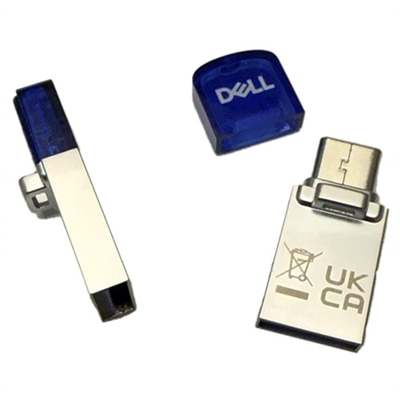
A USB 3.0 OTG (On-The-Go) adapter enables direct data transfer between USB devices, such as connecting a smartphone to a flash drive without needing a computer. Standard USB adapters are typically used for connecting peripherals to computers, while OTG adapters are designed for device-to-device communication.