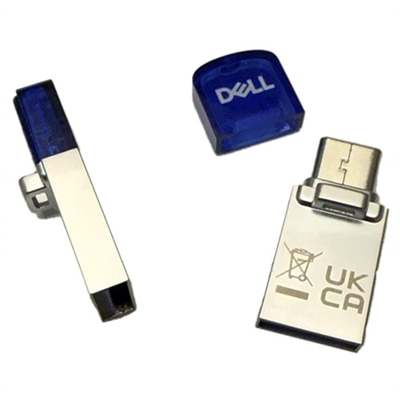
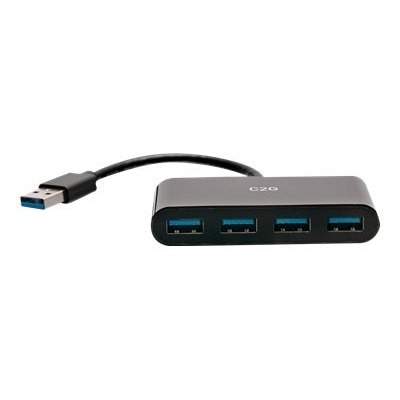
USB A Adapters
USB A adapters offer a simple solution for connecting a wide range of devices and peripherals to your computer or laptop. Whether you’re looking to expand your connectivity options or streamline your workspace, these adapters make it easy to bridge the gap between various technologies. Explore a diverse selection of USB A adapters designed to support seamless data transfer and efficient charging, helping you get more done with the devices you use every day.
This product is not available
Check out the following recommendations.




USB A Adapters
USB-A adapters connect devices, cables, and ports that do not otherwise fit together, helping familiar accessories work with different computer connections. USB Type-A is the flat, rectangular connector commonly found on keyboards, mice, printers, and charging cables. An adapter may pair that shape with USB-C, micro-USB, or another USB-A connection, depending on its intended purpose. The important distinction is what plugs into what: a USB-C male to USB-A female adapter plugs into a compatible USB-C port and provides a receptacle for a USB-A accessory. That arrangement can keep a comfortable keyboard or reliable wired mouse useful alongside a laptop with fewer traditional ports. Other designs connect to a USB-A port to support a compatible cable or peripheral with a different connector. Connector shape alone, however, does not establish whether a connection supports charging, data transfer, or both. The adapter, cable, computer, and connected device all contribute to what the finished connection can do. USB-A adapters suit everyday settings ranging from a student’s small desk to a shared home office or a workstation used for photo editing. A compact adapter can travel in a laptop sleeve for connecting a presentation remote, while a short cable-style adapter can leave more room for a bulky accessory beside an occupied port. For someone moving between a desktop computer and a lightweight laptop, these small accessories can make an existing setup easier to carry forward without replacing otherwise useful equipment. They can also be thoughtful practical gifts for a college student or a family member setting up a workspace, provided the recipient’s port types and intended accessories are known. Their value is often straightforward: keeping the keyboard that feels right, making room for a connector that is awkwardly positioned, or bringing a frequently used peripheral into a different setup with less rearranging of the desk.
Fit involves more than matching two connector names. A male connector is the plug that inserts into a port; a female connector is the receptacle that accepts a plug. Both ends need to match the intended connection, and descriptions such as “USB-A to USB-C” can be incomplete without those details. USB-A plugs fit in one orientation, so they should enter without being forced. A snug connection helps prevent interruptions, but excessive pressure can damage a plug or the device’s port. Physical clearance matters, too. On a laptop with closely spaced connections, a wide adapter housing may block the neighboring port even when the electrical connection is compatible. A narrow housing or short flexible lead can provide a more comfortable fit. Right-angle USB-A adapters redirect a cable through a bend, making them useful behind a monitor with a USB hub or along the edge of a crowded desk. The direction of that bend matters because port orientation varies between devices; a connector that points neatly downward in one setup may point toward an obstruction in another. Cable-style adapters offer some flexibility in positioning, though the cable should rest comfortably rather than hang under tension. Couplers and extension adapters serve different purposes, and matching connector shapes does not make every cable combination appropriate. USB-A adapters should not be used to link two computers through ordinary USB-A cables; that task requires purpose-built transfer hardware. Materials also influence everyday handling. Molded plastic housings are lightweight, while metal housings can provide a firm outer shell. Neither material by itself establishes connection quality, data performance, or long-term durability. Secure connector mounting, well-fitted seams, and strain relief where a cable meets its housing are useful construction details. For an adapter that travels daily, a compact shape without exposed cable stress points may be convenient. For one that stays at a desk, clearance and freedom from sideways pressure on the computer’s port may matter more.
Performance depends on the USB capabilities supported throughout the connection, not simply on whether the plugs fit. USB-A describes a connector shape rather than a particular speed. Some adapters support USB 2.0 data rates, while others support faster standards. USB 3.0 has a theoretical signaling rate of up to 5 Gbps, but actual transfer speeds are lower and depend on the connected equipment, cable quality, and workload. For compatible higher-speed peripherals, USB 3.0 Adapters provide a related category to consider alongside the connector requirements of the setup. A basic keyboard or mouse generally does not need that extra bandwidth, whereas a compatible high-resolution camera may have more demanding requirements. Port color can offer a clue, but the stated specifications are more dependable than color alone. Charging deserves similar attention: an adapter does not increase the power a USB-A port can supply, and adding a USB-C connection does not automatically provide USB-C Power Delivery or laptop charging. A cable or adapter intended only for charging may not carry data at all. Likewise, a simple connector adapter does not turn a USB-A port into a native video output. Connecting a display through USB-A requires a dedicated graphics adapter with its own compatibility requirements and, in many cases, software. Basic connector adapters typically do not need separate drivers, although the attached peripheral may still require software or operating system support. For dependable daily use, connections should stay clean, dry, and free from unnecessary strain. Disconnect an adapter by holding its housing rather than pulling the cable, and avoid leaving a rigid adapter attached when sliding a laptop into a snug bag. Dust on the exterior can be removed with a soft, dry cloth; liquids and metal tools should stay away from the contacts. Frayed cable jackets, bent plugs, loose connections, or unusual heat are reasons to stop using an adapter. A small pouch or dedicated pocket can protect spare adapters from debris and pressure during travel. With an appropriate fit and supported connection type, a USB-A adapter becomes an unobtrusive part of the workspace, keeping everyday accessories connected without adding much bulk to a desk or bag.
FAQs:
A USB A adapter allows you to connect a wide range of devices such as external hard drives, flash drives, keyboards, mice, printers, cameras, and other peripherals that use a standard USB A connector. This makes it easy to use your existing accessories with laptops or desktops that may only have USB-C or other port types.
When selecting a USB A adapter for your laptop, consider the types of ports your laptop has and what devices you plan to connect. Look for adapters that support the correct standards, such as USB 3.0 for faster data transfer, and check if you need additional features like pass-through charging, multiple ports, or compatibility with specific operating systems.
Yes, some USB A adapters function as hubs, allowing you to connect multiple USB devices simultaneously. These multi-port adapters or hubs are ideal for expanding your laptop’s connectivity, especially when you need to use several peripherals at the same time.
Most USB A adapters are designed to be plug-and-play and work seamlessly with both Windows and Mac operating systems. However, it’s always a good idea to check the product details for any specific compatibility notes, especially if you use a less common operating system.
A USB A adapter is typically used to convert or extend connectivity between different port types, like USB-C to USB-A. A hard drive cable, on the other hand, is designed specifically for connecting storage devices such as external drives or SSDs to your computer, often using USB A connections. Some adapters may combine both functions, but they generally serve different purposes.