$199.99
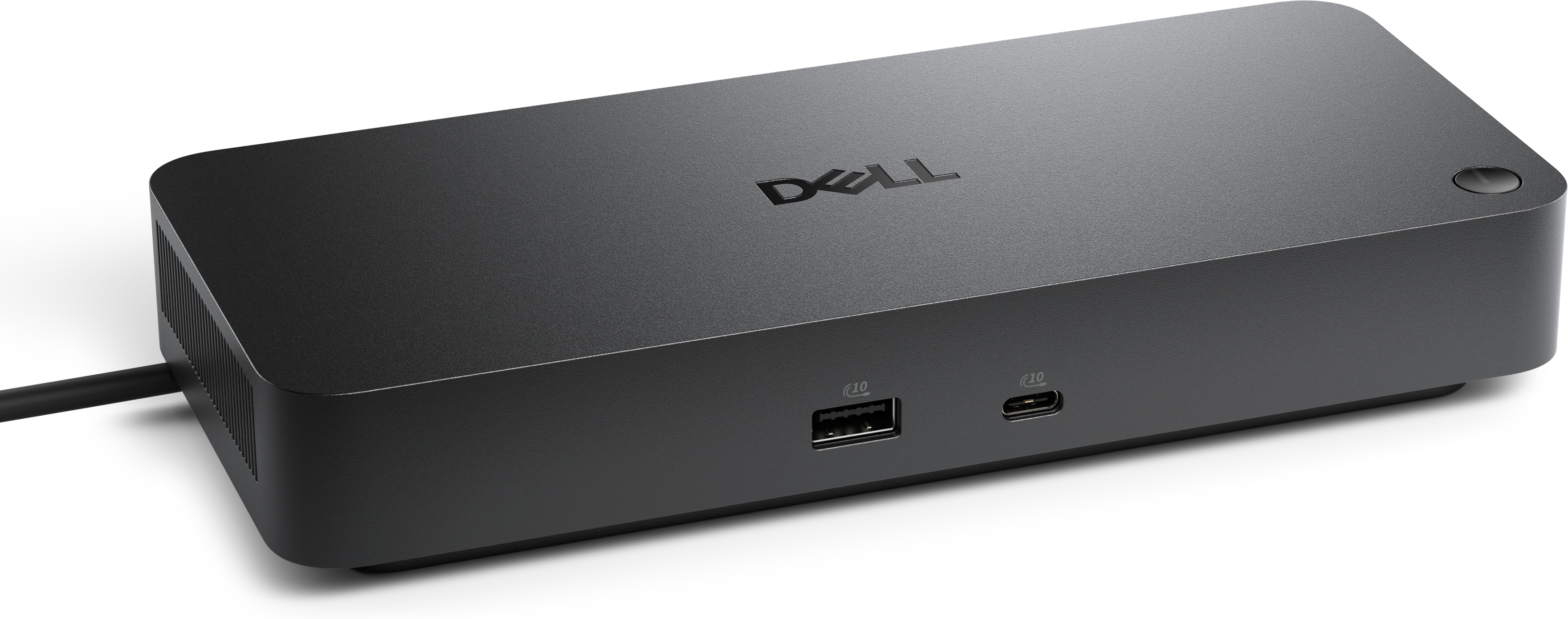
A professional docking station delivering 130W power and versatile connectivity for streamlined productivity.
USB-C Docking Stations for Laptops provide a streamlined solution for expanding connectivity and enhancing productivity in any workspace. With a single USB-C connection, these docking stations make it easy to connect multiple devices, organize your desktop, and keep your laptop charged. Ideal for both home offices and professional environments, USB-C Docking Stations for Laptops help create an efficient and clutter-free setup, supporting a seamless transition between work, entertainment, and everything in between.
A professional docking station delivering 130W power and versatile connectivity for streamlined productivity.
A smart docking station offering up to 130W USB-C power delivery and remote management capabilities.
A Thunderbolt 4 dock delivering up to 130W of power for a powerful, streamlined workspace.
A powerful Thunderbolt 5 dock delivering up to 300W power for demanding workloads.
A versatile Thunderbolt 5 smart dock delivering up to 300W power with remote management capabilities.
USB-C docking stations have become an essential accessory for anyone seeking to streamline their workspace and maximize the versatility of their laptop. Whether you’re setting up an efficient home office, outfitting a collaborative workspace, or simply looking to enhance your productivity on the go, these docking stations offer a seamless way to connect multiple devices using just a single cable. The convenience of USB-C technology allows for rapid data transfer, reliable power delivery, and support for high-resolution displays, all while reducing cable clutter. Many users appreciate the ability to instantly connect to external monitors, keyboards, mice, and wired internet connections, transforming a portable laptop into a fully equipped workstation with ease. As the days grow longer and work routines shift between indoor and outdoor settings, the flexibility to move your laptop from a home office to a shared work environment—and reconnect with a single plug—can make a significant difference in daily productivity.
When choosing a USB-C docking station, it helps to consider your unique needs and the devices you use most often. Professionals who regularly work with large files, creative assets, or video conferencing equipment will value docking stations that offer robust power delivery—typically between 65W and 100W or more—to ensure their laptop stays charged during demanding tasks. For those who rely on multiple monitors, compatibility with single, dual, or even triple display setups is crucial. Some laptops, such as certain MacBooks, may have native limitations on external displays, so it’s wise to check for support of technologies like DisplayLink if you need to expand beyond one screen. The variety of ports available can make a docking station particularly versatile: USB-A ports accommodate legacy accessories, SD card slots are a must for photographers and content creators, and Gigabit Ethernet ports deliver stable, high-speed internet connections for uninterrupted video calls or large downloads. As routines shift with the seasons—whether you’re catching up on work during a quiet afternoon or powering through projects as the weather cools—having a reliable docking station can keep your workspace organized and efficient.
USB-C docking stations also make thoughtful gifts for students heading back to school, remote workers upgrading their home setups, or anyone who appreciates a tidy and adaptable workspace. Their universal appeal crosses professional and personal boundaries, making them a practical choice for a wide range of users, from busy executives to creative hobbyists. For those looking to further enhance their productivity, pairing a docking station with compatible displays can create a truly immersive and organized workstation. Explore options for integrated setups and discover more about USB C Docking Monitors to find the right combination for your needs. With the right docking station, adapting your laptop to any environment—be it a bustling office, a cozy study nook, or a shared family workspace—becomes effortless, supporting your work and creativity through every season.
Add the products you would like to compare, and quickly determine which is best for your needs.