USB Cables For Tablets
Stay connected and keep your devices powered with a wide selection of USB cables for tablets. Whether you need to sync data, charge on the go, or connect to other devices, finding the right cable is essential for seamless tablet use. Explore various lengths and connector types designed to suit different tablet models and charging needs. Discover reliable options that help you make the most of your tablet experience every day.
This product is not available
Check out the following recommendations.




USB Cables For Tablets
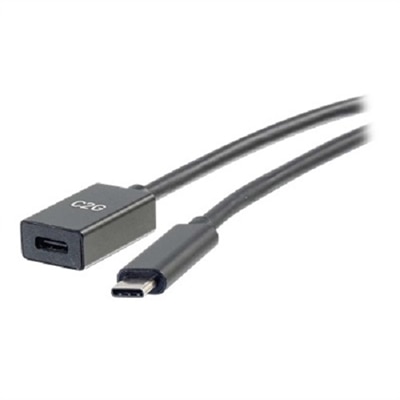
USB cables for tablets connect a device to a compatible power adapter, computer, or accessory for charging, data transfer, or both. The right connection depends on the tablet’s port, the port at the other end, and the capabilities needed for everyday use. Many newer tablets have an oval, reversible USB-C port, while older models may use Micro-USB or a device-specific connector. A USB-C to USB-C cable fits compatible USB-C ports at both ends; a USB-A to USB-C cable connects a USB-C tablet to the familiar rectangular USB-A port found on some computers and power adapters. These configurations are not interchangeable at the source, even when the tablet end looks identical. Connector shape alone also does not establish charging speed or data performance. Two cables with the same plugs can support different power levels and transfer rates, making the cable’s stated specifications more useful than its appearance. For shoppers comparing connections within a particular tablet family, USB C Cables For iPad Pro provides a related category to explore alongside the device’s compatibility requirements. Fit includes more than choosing the correct connector: a thick protective case can leave a narrow opening around the charging port, so a bulky connector housing may prevent the plug from seating fully. A properly matched plug should fit securely without force, with enough clearance that the case does not push it sideways. For a tablet used to review documents at a desk, stream a cooking lesson on a kitchen stand, or keep a passenger entertained on a long trip, those small physical details affect how comfortably the cable works. A dependable connection lets the tablet stay positioned where it is useful rather than balanced awkwardly beside an outlet. Matching both ends of the cable and accounting for the case, stand, and charging location gives USB tablet cables a practical role across home, school, and work.
Charging performance comes from the complete connection: the tablet, cable, and power source must support compatible charging capabilities. A cable described as fast charging cannot make an underpowered adapter deliver more power or make a tablet accept more than its designed limit. USB Power Delivery, commonly called USB PD, is used by many USB-C devices to negotiate supported power levels with a compatible charger. Cable power ratings indicate what a cable can carry, not a promise that a connected tablet will charge at that rate. A higher-rated compatible cable does not force extra power into the device. For USB-C charging above 60 watts, a properly rated 5-amp cable with electronic identification is generally required, although many tablets operate below that threshold. The device’s charging requirements remain the deciding factor. Data capability deserves separate attention, especially for students moving class projects, photographers transferring images, or professionals syncing documents with a computer. Some cables are intended only for charging, while others support both charging and data; among data-capable cables, transfer speeds can vary considerably. A USB-C connector does not automatically mean high-speed transfers or video output. Connecting a tablet to a monitor requires a tablet that supports video output through its port, along with a cable or adapter designed for that function. Length is another useful distinction. A short cable keeps a portable battery connection tidy inside a travel bag or reduces excess cord beside a desktop charging station. A cable around three feet long often suits a nearby desk outlet, while six- or ten-foot lengths can provide more reach from a wall adapter to a sofa or bedside table. Extra length should still match the required power and data specifications. It should also leave a little slack at the tablet without trailing across a walkway, catching beneath a chair wheel, or pulling against the connector when the screen is tilted.
Materials and construction influence how a tablet charging cable feels in daily use and how well it tolerates repeated handling. Smooth plastic or elastomer jackets can be flexible, easy to wipe clean, and comfortable to coil, while braided fabric exteriors add texture and may help resist abrasion against bag linings or desk edges. A braided finish alone does not establish durability; the quality of the internal conductors, insulation, connector assembly, and strain relief also matters. Strain relief is the flexible section where the cord meets the plug, a common stress point when a tablet is used while connected. Reinforcement in this area can help distribute bending rather than concentrate it at a sharp angle. Slim connector housings may work better with recessed case openings, and right-angle designs can reduce protrusion in some setups, although their orientation needs to suit the tablet and its surroundings. For frequent commuters, a supple cable that forms loose loops can be easier to pack than a stiff cord that springs open in a bag. At home, keeping a dedicated cable beside a reading chair or homework desk can reduce the repeated packing and unplugging that comes with moving one cord between several rooms. Routine care is simple but worthwhile: disconnect by holding the plug rather than tugging the cord, avoid tight wraps around the power adapter, and keep cables away from spills, hot surfaces, and pinching furniture. A soft tie can hold a loose coil without creating a hard crease. Inspect the jacket and connector occasionally, and stop using a cable with exposed wires, broken housing, scorch marks, or unusual heat. Cleaning should follow the manufacturer’s directions, with the cable unplugged and moisture kept away from the contacts. As a practical gift for a college student, frequent traveler, or relative who uses a tablet for reading and video calls, a cable is most useful when its connector, length, and capabilities match an established routine. The best fit is a cable that reaches comfortably, supports the intended tasks, and stands up to the way the tablet is actually used.
FAQs:
Most modern tablets use USB-C cables for charging and data transfer due to their fast speeds and reversible design. However, some older tablets may require a micro USB cable, so it's important to check your device’s port before selecting a cable.
Yes, many tablets support USB OTG (On-The-Go) adapters, allowing you to connect external devices such as flash drives, keyboards, or cameras directly to your tablet for expanded functionality and convenient file transfers.
Certified USB charging cables, such as those with USB-IF or USB Power Delivery (USB-PD) certification, ensure optimal charging speeds and reliable data transfer for your tablet, helping to protect your device and maximize performance.
USB cables for tablets make a practical gift for students, professionals, travelers, and anyone who relies on their tablet for work, learning, or entertainment. They are especially useful for people who use multiple devices or frequently travel.
Accessories such as USB OTG adapters, cable organizers, and multi-port charging hubs can enhance your tablet experience by making it easier to connect peripherals, keep your workspace tidy, and charge multiple devices efficiently.