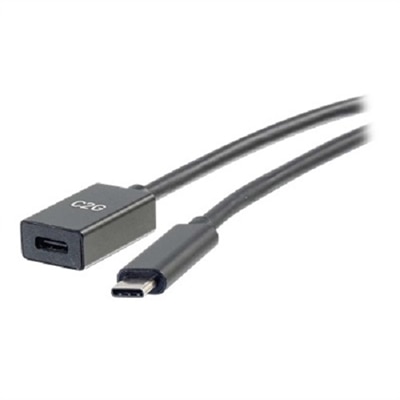
USB C Cables For iPad Pro
Find the perfect connection for your device with a wide selection of USB C cables for iPad Pro. Designed to support seamless charging and data transfer, these cables are compatible with a variety of accessories and power adapters. Whether you need a reliable cable for work, travel, or everyday use, discover options that help keep your iPad Pro powered and connected wherever you go. Explore durable and convenient solutions to suit your needs.
This product is not available
Check out the following recommendations.




USB C Cables For iPad Pro
USB-C cables for iPad Pro can look similar at a glance, but their capabilities may differ considerably. The best choice depends on whether the cable will mainly charge the tablet, transfer files, connect to a display, or handle several of these tasks at once. For everyday charging beside a bed, in a home office, or on a kitchen counter, a dependable USB-C to USB-C cable with appropriate power delivery support is often all that is needed. Check the wattage rating of the cable alongside the output of the power adapter; a cable rated for higher power can provide useful flexibility when paired with compatible charging equipment, while the tablet itself will draw only the amount it is designed to accept. Cable length also shapes the daily experience. A shorter cord keeps a travel pouch tidy and reduces extra loops on a desk, while a longer cable can make it easier to use an iPad Pro from a sofa, reading chair, or bedside table without stretching the connector. Braided coverings, reinforced ends, and strain relief can be valuable for a cable that will be plugged in and unplugged several times a day. A sturdy exterior does not make a cable indestructible, though, so gentle handling, loose coiling, and keeping the connector free of dust and lint can help preserve a reliable connection.
Data performance becomes more important when an iPad Pro is used for creative work, school projects, business presentations, or large file transfers. Basic USB-C charging cables may support only modest syncing speeds, even when they fit the same port as a faster cable. If the cable will connect an iPad Pro to a compatible monitor, choose one that clearly lists the bandwidth and display capabilities required for the intended resolution and refresh rate. High-bandwidth USB-C specifications can support faster transfers and advanced display connections, but every part of the setup must be compatible, including the iPad Pro, monitor, adapter, dock, and software. A cable that supports power delivery is not automatically a high-speed data cable, and a cable that carries video is not necessarily rated for the highest display resolution. Reading the technical details before purchasing helps avoid a common frustration: a cord that charges perfectly but does not deliver the expected transfer speed or external-screen support. For general file syncing and accessories, a cable identified with USB data performance may be sufficient. For demanding workflows involving high-resolution media, large creative projects, or an external display, look for clearly stated transfer rates, power capacity, and video support rather than relying on appearance alone. The same careful approach is useful when choosing accessories for other USB-C computers; shoppers comparing options for a notebook can explore USB C Cables for MacBook Pro.
A USB-C cable for iPad Pro can be useful for students carrying a tablet between classes, professionals moving from a home workspace to a conference room, artists connecting to a larger screen, or families sharing one charging area. It can also be a practical gift for someone who uses an iPad Pro every day, particularly when an older cord has become frayed, too short, or difficult to keep track of. A spare cable in a travel bag can prevent the familiar scramble through drawers before a flight, while another kept near a desk can make it easier to maintain a regular charging routine. During warmer travel days and the cooler months that follow, a durable cable can move from a home office to a hotel room, library table, or living-room workspace without taking up much room. For gifting, consider the recipient’s habits rather than choosing by length alone: a frequent traveler may prefer a compact cable with a protective carrying pouch, a home user may appreciate extra reach, and a designer or video editor may need stronger data and display support. It is wise to confirm the connector type at both ends, the power rating, the data speed, the desired cable length, and whether video output is needed. Keep in mind that a USB-C cable does not replace a compatible power adapter or guarantee that every monitor and accessory will work with every iPad Pro configuration. Matching the cable to the complete setup delivers more dependable charging, cleaner workspaces, and fewer interruptions when the tablet needs power or a connection to a larger screen.
FAQs:
When choosing a USB-C cable for your iPad Pro, prioritize cables that support fast charging and high-speed data transfer. Look for reinforced connectors, durable braided or woven exteriors, and compatibility with the latest USB-C standards to ensure reliable performance for both charging and connecting to accessories.
Yes, most USB-C cables designed for iPad Pro are compatible with other USB-C devices such as laptops, smartphones, and tablets. This makes them a versatile accessory for anyone looking to streamline their charging and connectivity setup.
Durable cables are less likely to fray or break with frequent use, especially if you travel often or regularly connect your iPad Pro to monitors, hubs, or external storage. A well-constructed cable can withstand daily wear and tear, ensuring long-term reliability.
A high-speed USB-C cable allows for faster charging and quicker data transfers, which is especially useful for tasks like moving large files, editing high-resolution media, or connecting your iPad Pro to external displays for multitasking or presentations.
Absolutely. USB-C cables are practical gifts for students, professionals, or anyone who owns an iPad Pro. They are universally useful, easy to pair with other devices, and help ensure that the recipient can keep their device powered and connected wherever they go.