USB C Cables
Upgrade your connectivity with a wide selection of USB-C cables designed to keep your devices powered and ready for anything. Whether you need reliable charging, seamless data transfer, or versatile compatibility, these cables offer dependable performance for laptops, smartphones, tablets, and more. Explore options that fit your needs and enjoy the convenience that USB-C cables bring to your everyday tech experience.
This product is not available
Check out the following recommendations.
Related Products
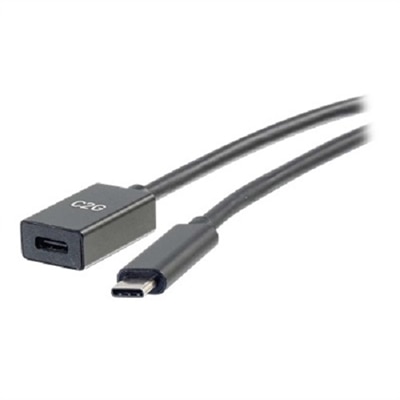


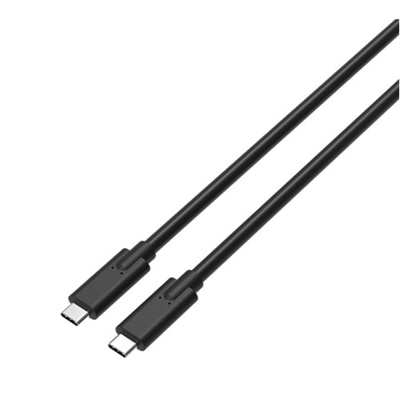
USB C Cables
USB C cables are versatile accessories for charging, connecting and expanding the everyday technology many people use at home, at work or while traveling. Their small, oval-shaped connectors are reversible, so they can be inserted in either direction without the familiar pause and flip associated with older USB plugs. A single cable may connect a laptop to a power adapter, charge a phone or tablet, transfer photos from a camera, link accessories to a desktop computer or send video to a compatible monitor. Because USB-C describes the connector shape rather than one universal level of performance, cables can differ considerably in what they support. Some are intended mainly for basic charging and slower data transfer, while others are designed for high-wattage Power Delivery, faster file transfers or display output. Browsing a selection of USB Cables makes it easier to find a cable suited to the devices already in your setup. Before choosing, check the specifications for both the cable and the device. The charging speed depends on the cable, the power adapter and the device working together, and a high-capacity adapter cannot make a cable exceed its rated limit. For everyday charging, a cable that matches the required wattage may be all that is needed. More demanding laptops and other high-performance devices may require USB-C Power Delivery support at a higher rating, with some compatible cables supporting power levels up to 240W. A cable with an electronic marker, often called an e-marker, can help identify higher-capacity capabilities to compatible equipment. The included or separate power adapter also matters, since the cable alone does not provide power.
Data performance is another important consideration. A cable used to move documents, photos or video between devices should list its supported transfer standard and speed rather than relying on the USB-C label alone. Basic cables may be suitable for charging and occasional file transfers, while cables supporting USB 3.x or USB4 can provide faster movement of large files when the connected devices also support those standards. The slowest component in the connection determines the practical result, so pairing a high-speed cable with an older port may not deliver the cable’s maximum capability. For a display connection, look for explicit support for video output, DisplayPort Alt Mode or the relevant USB4 capability. A USB-C port may handle charging and data without supporting video, and a cable designed only for power may not carry a display signal. Resolution, refresh rate and the number of connected displays can also affect compatibility, particularly for high-resolution screens. Length is equally practical. A short cable keeps a desk, nightstand or travel bag neat and can reduce tangles, while a longer cable offers flexibility when an outlet or monitor sits farther away. Extra length can be useful beside a sofa or shared workspace, although unusually long cables may have different performance limits. Braided coverings can add resistance to everyday bending, and reinforced strain relief at each connector can help a frequently handled cable hold up over time. Even with a durable exterior, avoid sharp bends, pulling from the cord or wrapping it tightly around a power adapter. Keep connector ends clean and inspect the cable if charging becomes intermittent, data transfers stop unexpectedly or the connector feels loose. These simple habits are particularly helpful for a cable that moves between a home office, a classroom, a vehicle and a travel bag as the seasons change.
USB C cables suit a wide range of people because they solve small but recurring problems: a missing charging cord, a cable that is too short for a desk, an extra connection for a travel kit or a reliable way to link newer devices. Students can keep one in a backpack for charging during a long day of classes, while remote workers may use separate cables at a desk and in a mobile workspace so an essential cord is less likely to be left behind. Families often appreciate having clearly labeled lengths for bedside charging, shared work areas and entertainment spaces. They can also be a practical gift for someone setting up a new laptop, organizing a home office or preparing for a trip, especially when the cable specifications match the recipient’s devices. A thoughtful selection starts with the connection at both ends: a USB-C-to-USB-C cable is common for newer power adapters, laptops, monitors and mobile devices, while a cable with a different connector on one end may be appropriate for older charging equipment or a particular accessory. Consider how the cable will be used most often, whether that means charging only, combining charging with data transfer, moving large files, or connecting a compatible display. Check the device manufacturer’s requirements for power, transfer speed and video support, then choose a cable rated to meet or exceed those needs. Keeping a spare in a work bag or luggage can prevent a simple forgotten accessory from interrupting a presentation, a study session or a long journey. With the right combination of connector type, length, power rating, data capability and construction, a USB C cable becomes an unobtrusive part of a dependable setup—ready to provide a clean connection when the weather turns cooler and routines move between home, work and travel.
FAQs:
When choosing a USB-C cable for connecting your laptop to a monitor, look for cables that support DisplayPort Alt Mode to ensure video transmission, and check that the cable can handle the resolution you need, such as 4K or 8K. Additionally, select a cable with sufficient power delivery (PD) if you want to charge your laptop through the same connection. A dell usb c cable for monitor or dell monitor type c cable is often optimized for these purposes.
Yes, most USB-C cables are designed to handle both charging and data transfer. However, data transfer speeds can vary; for faster transfers, look for cables rated USB 3.2 Gen 2 or USB4/Thunderbolt 4, which support speeds up to 40Gbps. Always check the specifications to ensure the cable meets your requirements.
While USB-C cables share a common connector, not all cables support the same features. Some may only handle charging, while others support high-speed data transfer or video output. For tasks like connecting to a monitor or transferring large files, make sure to choose a cable with the right certification and capabilities.
Braided USB-C cables offer enhanced durability compared to standard plastic-coated cables. They are more resistant to tangling, fraying, and general wear and tear, making them ideal for frequent travelers or anyone who regularly plugs and unplugs their devices.
To connect a USB-C device to a computer with only USB-A ports, you can use an adapter. A convenient solution is to use a USB C To USB A Adapter, which allows you to bridge the gap between newer USB-C devices and legacy USB-A ports.