USB C Cables For Apple Devices
Upgrade your connectivity with USB-C cables for Apple devices, designed to keep your favorite tech powered and ready for anything. Whether you’re syncing data, charging on the go, or connecting to accessories, these versatile cables offer seamless compatibility with a range of Apple products. Explore a variety of lengths and styles to find the perfect fit for your everyday needs, and enjoy reliable performance that complements your Apple experience.
This product is not available
Check out the following recommendations.
Related Products
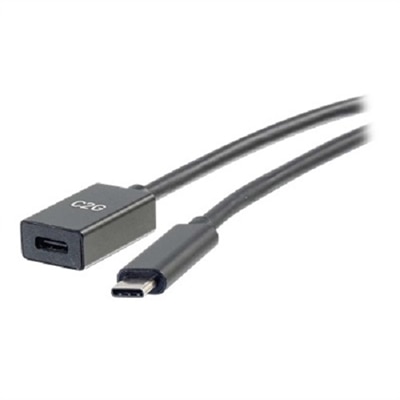


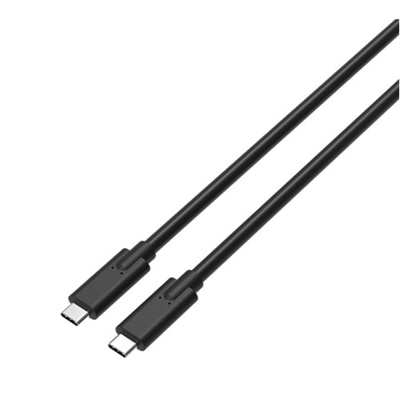
USB C Cables For Apple Devices
USB-C cables for Apple devices can support everyday charging, data transfer, and connections between compatible electronics, but the right choice depends on the port found on each device and the way the cable will be used. Newer iPhone models and many recent iPad and Mac computers use USB-C ports, so a USB-C to USB-C cable is typically the most direct match. Older iPhone generations and some older iPad models use a Lightning port, which calls for a USB-C to Lightning cable when connecting to a USB-C wall charger, laptop, vehicle port, or power bank. Checking both ends before ordering can prevent the familiar frustration of opening a new cable and discovering that one connector does not fit. It is also worth considering cable length. A shorter cord can keep a nightstand or desk tidy, while a longer cable provides comfortable reach from a floor-level outlet, a seat on a train, or a power bank tucked inside a bag. For travel, a compact cable with a flexible jacket is easy to coil into a pouch without taking up much room. At home, a longer, reinforced cable can make it easier to use a phone while it charges from an outlet behind a sofa or bedside table. Connector construction matters as well: molded strain relief and a sturdy outer covering can help a cable withstand repeated bending near the plug, where everyday wear often begins. A cable that is labeled for charging alone may be perfectly suitable for powering a phone overnight, replenishing a tablet during a commute, or keeping wireless accessories ready for the day. People who move large photo libraries, video files, or other data between an Apple device and a computer should look beyond charging wattage and review the cable’s data-transfer specification. Many standard charging cables use USB 2.0 data speeds of up to 480 Mbps, which is adequate for routine syncing and device backups, while high-speed USB 3 or Thunderbolt-compatible cables are designed for faster transfers on devices that support those standards. A faster cable cannot increase the capability of a device that does not support high-speed transfer, so matching the cable to the device and intended task helps avoid paying for performance that will not be used.
Power delivery is another useful point of comparison. A cable’s wattage rating indicates how much power it is designed to carry, but the actual charging speed is also determined by the device, charger, and charging protocol working together. A 60W USB-C cable can be a practical choice for phones, tablets, and many everyday laptop needs, while higher-wattage cables, including options rated up to 240W, may be more appropriate for compatible computers and demanding setups. For a phone or tablet, a certified cable from a dependable source can provide consistent charging and reliable synchronization. For a laptop, look for a cable with a wattage rating that meets or exceeds the computer’s requirements, especially when charging while the device is in use. Those connecting an Apple device to an external display, dock, or professional workstation should also check whether the cable supports video output and the necessary data standard; not every USB-C cable carries display signals, and a cable intended only for basic charging may not work for that purpose. This collection can suit students organizing a backpack, commuters keeping a spare cord at work, families sharing charging stations, and travelers preparing for cooler months on the road. A spare cable can also be a thoughtful practical gift for someone setting up a home office, replacing a worn cord, or moving into a new space. Keeping one by the bed, another in a work bag, and a third near a frequently used charger can reduce cable swapping and make daily charging feel effortless. For Mac laptop owners seeking a more focused selection, USB C Cables for MacBook Pro can help narrow the search. Before choosing, confirm the device model, identify whether its port is USB-C or Lightning, decide whether the priority is charging, syncing, display connectivity, or a combination of tasks, and select a suitable length and durability level. That simple check helps ensure the cable fits the device, supports the desired performance, and remains useful through busy mornings, long journeys, and the changing routines of the seasons.
FAQs:
Using a USB C cable with Apple devices offers faster charging, higher data transfer speeds, and greater compatibility with modern Apple products such as the latest iPhones, iPads, and MacBooks. These cables are also more durable and versatile, making them ideal for everyday use at home, work, or while traveling.
Yes, many USB C cables are designed to support a wide range of Apple devices, including iPads and MacBooks. This means you can often use the same cable to charge both devices, provided the cable supports the required power delivery for each device.
When selecting a USB C cable for Apple devices, look for features such as reinforced or woven designs for added durability, support for fast charging, and compatibility with high-wattage power adapters. Some users also prefer cables with extended lengths for added convenience.
Yes, an adapter iphone to type c is available to connect older iPhones with a Lightning port to USB C accessories. This allows you to continue using your existing devices and accessories even as you upgrade to newer technology.
Absolutely. USB C cables make practical and thoughtful gifts for anyone who uses Apple devices, especially students, professionals, or travelers who rely on their devices daily. A high-quality cable can help ensure their devices stay charged and connected wherever they go.