$2799.00
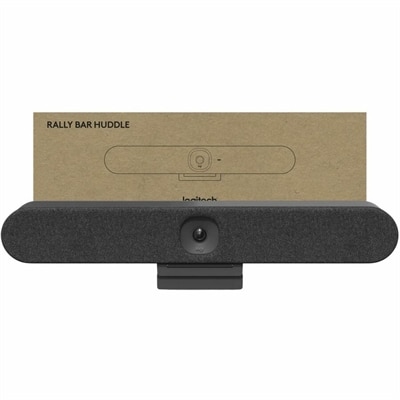
A studio-quality conferencing system with modular audio, voice clarity, cable management, and premium finishes.
In today's fast-paced digital world, staying connected is more important than ever, and video conferencing tools have become essential for seamless communication across distances. Whether you're collaborating with colleagues, catching up with family, or hosting virtual events, these tools provide a reliable platform for face-to-face interactions without the need for travel. Discover a range of cutting-edge options that cater to various needs, ensuring crystal-clear audio and video quality to enhance your virtual meetings. Elevate your remote communication experience with our selection of advanced video conferencing tools designed to keep you connected effortlessly.
A studio-quality conferencing system with modular audio, voice clarity, cable management, and premium finishes.
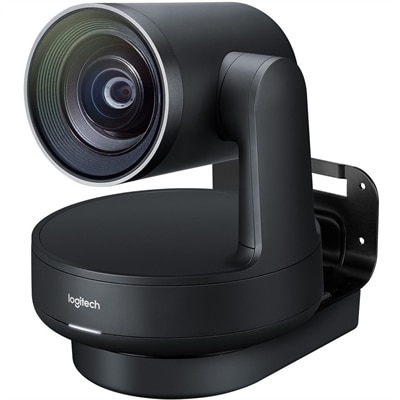
A 1080p conference camera with full-duplex speakerphone audio, autofocus, remote pan-tilt-zoom, and echo cancellation.
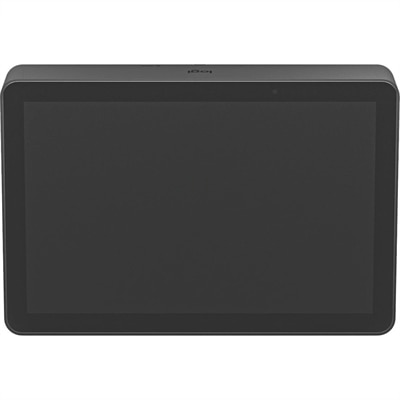
A graphite PoE touch controller offering one-touch meeting joining and secure cable retention for conferencing rooms.
Video conferencing tools bring face-to-face communication to home offices, classrooms, consultation rooms and shared workspaces, helping people stay connected when travel, distance or busy schedules make in-person meetings difficult. A complete setup may include a laptop or desktop with a capable processor, a built-in or external camera, a microphone, speakers or a headset, and a monitor large enough to display participants, shared documents and presentation materials without constant window switching. Software is equally important. Popular meeting platforms can support browser-based calls, scheduled invitations, screen sharing, chat, file collaboration, recording, captions, breakout rooms and calendar integration. Some services are designed for quick one-to-one conversations, while others accommodate larger group meetings, webinars or recurring team sessions. When comparing options, consider how many people typically join a call, whether participants connect from different locations, how often meetings are recorded and whether the software works smoothly with the productivity tools already used by a household, school or organization. A lightweight browser experience can be convenient for occasional guests, while a more fully featured platform may be better for teams that edit documents together, manage projects or need searchable transcripts and automated meeting summaries. For an overview of emerging features and smarter meeting workflows, explore AI Video Conferencing.
Hardware choices have a noticeable effect on how natural a meeting feels. A camera with clear image quality can make faces easier to see in a dim home office or a brightly lit room, while a wider field of view helps include several people seated around a table. Automatic framing, background adjustment and light correction can be useful when a participant moves during a presentation or joins from a room with uneven daylight. Microphone placement matters just as much. A close-fitting headset can reduce surrounding noise in a busy home, and a dedicated microphone may provide a fuller, more consistent voice for instructors, presenters and frequent callers. Speaker systems designed for group settings can make conversation easier to follow without requiring everyone to lean toward a laptop. For hybrid meetings, look for equipment that captures voices across the room and helps remote participants see who is speaking, rather than forcing them to watch a fixed view of the table. A second monitor can also make a practical difference: one screen can hold the meeting window while another displays notes, spreadsheets or a shared presentation. When evaluating a laptop or desktop, check camera compatibility, available ports, wireless connectivity, display support, memory and battery life. A reliable connection is essential, but so is a comfortable workspace. During the cooler months, many people move meetings indoors and spend more time at a desk, making an adjustable monitor, supportive headset and uncluttered cable setup valuable for long sessions. Small details such as a privacy shutter, an easily accessible mute control and simple plug-and-play setup can prevent distractions when a call begins unexpectedly.
Video conferencing tools serve a broad range of users. Remote and hybrid employees may rely on them for daily standups, interviews, client presentations and informal check-ins, while small businesses can use them to meet with customers without requiring anyone to travel. Students and instructors can attend lessons, office hours and study groups from separate locations, and families can use video calls to share milestones with relatives who live far away. They can also make thoughtful gifts for someone beginning remote work, preparing a home learning space or staying in touch with loved ones during busy seasons, especially when paired with a comfortable headset or a display that makes faces and shared content easier to see. The best choice depends on the setting and the habits of the person using it. A frequent traveler may value a compact camera, headset and laptop combination that fits easily into a bag, while a household sharing one workspace may benefit from a larger monitor and flexible audio controls. A small team meeting in a quiet room has different needs from a large group gathered in a multipurpose space, and a presenter who records demonstrations may prioritize image clarity and stable sound above all else. Before choosing, review compatibility with the computer and operating system, the number of available connection ports, privacy features, audio pickup range, display resolution and the software requirements for each participant. It is also helpful to think about lighting, background noise and where the camera will sit. Positioning it near eye level, facing a window or soft light source, and keeping the microphone away from fans can improve the experience without complicated adjustments. With the right combination of software, computing equipment, display technology and accessories, online meetings can feel less like a technical interruption and more like a clear, comfortable conversation.
Add the products you would like to compare, and quickly determine which is best for your needs.