$1249.99
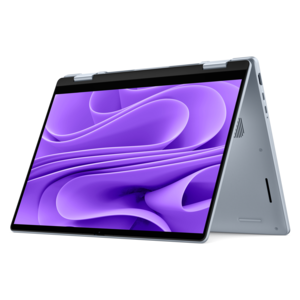
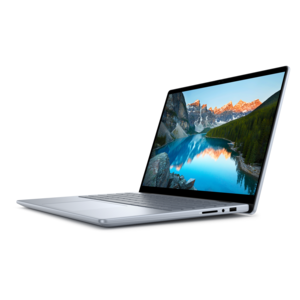
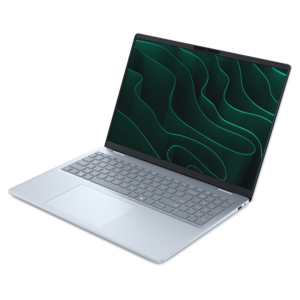
A lightweight AI-powered laptop designed for creative professionals and small businesses.
Unlock your creative potential with video editing software for Mac, designed to bring your ideas to life with ease and efficiency. Whether you’re a seasoned filmmaker, a content creator, or just starting your editing journey, explore a wide selection of intuitive and powerful solutions tailored for Mac users. Find the perfect tools to transform raw footage into polished, professional-quality videos and elevate your storytelling on any platform.
A lightweight AI-powered laptop designed for creative professionals and small businesses.
Video editing software for Mac spans a wide range of creative needs, from simple tools for trimming family clips to professional platforms built for long-form productions, color work and detailed sound editing. Beginners often benefit from a clean interface with drag-and-drop timelines, automatic clip organization, ready-made transitions and straightforward title tools. These features make it easier to turn phone footage, vacation highlights or classroom projects into polished videos without spending hours learning complex workflows. Free options may include essential editing capabilities, while paid applications often add more advanced effects, motion graphics, audio controls, export settings and support for larger projects. Some software is installed directly on a Mac, while other options use a subscription or one-time purchase model. Before choosing, review the licensing terms, supported macOS versions, export formats and whether the application places limits on resolution, project length or watermarks. A creator who mainly posts short vertical videos may value quick cropping, captions and templates, while someone producing interviews, documentaries or cinematic travel reels may need a flexible multi-track timeline, precise color correction and tools for managing hours of footage. Checking these details early helps match the software to the way it will actually be used rather than paying for features that may never enter the workflow.
Performance matters just as much as the feature list. Video editing can place sustained demands on a Mac, especially when working with high-resolution footage, multiple video layers, animated effects or detailed color adjustments. A newer laptop with a responsive processor, ample memory and fast available drive space can make scrubbing through a timeline feel smooth instead of interrupted by pauses and loading screens. If editing is part of a mobile routine, look for a display that makes fine cuts, skin tones and shadow detail easy to see, along with a battery that can support a reasonable session away from an outlet. A larger external monitor can provide more room for the timeline, preview window and audio controls, while a comfortable keyboard, mouse or other compatible accessory may help during long editing sessions. For those comparing computers for creative work, the broader selection of Video Editing Software For Laptops can offer useful context when considering how software requirements align with a portable setup. It is also worth checking whether the application supports hardware acceleration, background rendering, proxy media and automatic project backups. These capabilities can be especially helpful when a project includes footage from several cameras or when the original files are too demanding to edit comfortably in real time.
The right choice also depends on experience and creative goals. A first-time editor may prefer guided tools that make trimming, transitions, music and titles easy to understand, with room to grow into more detailed controls. Intermediate users may look for keyframe animation, multicamera editing, layered audio, color presets and dependable captioning. Experienced creators often prioritize professional color management, frame-accurate editing, advanced audio mixing, plug-in support and efficient handling of different camera formats. Short-form creators can benefit from quick reframing for vertical, square and widescreen layouts, while educators, small businesses and freelancers may need reusable templates and consistent branding across several projects. Video editing software can also make a thoughtful gift for a student, aspiring filmmaker, content creator or family member who enjoys documenting everyday moments. Pairing the software with a capable laptop or a clear monitor can create a practical creative workspace for recording, editing and sharing. During the cooler months, editing projects can become an enjoyable indoor activity: a weekend of sorting clips from a recent trip, a quiet evening spent shaping a birthday montage or a focused afternoon turning raw footage into a finished story. Whether the goal is a polished portfolio piece or a short video shared with friends, choosing software that feels approachable while offering useful room to develop can make the entire process more rewarding.
Add the products you would like to compare, and quickly determine which is best for your needs.