$2595.00
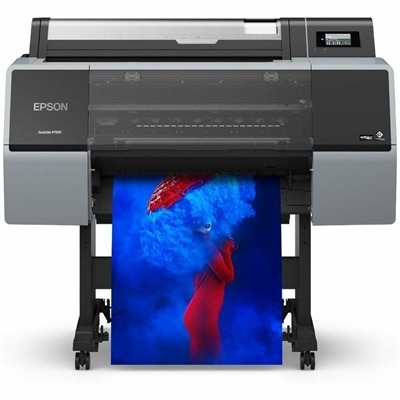
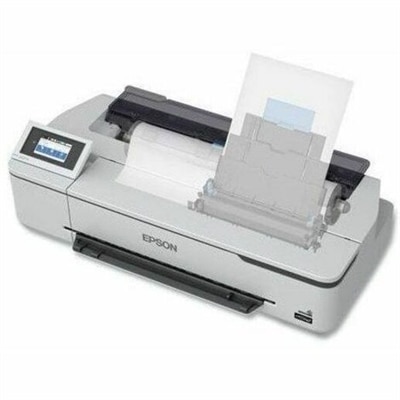
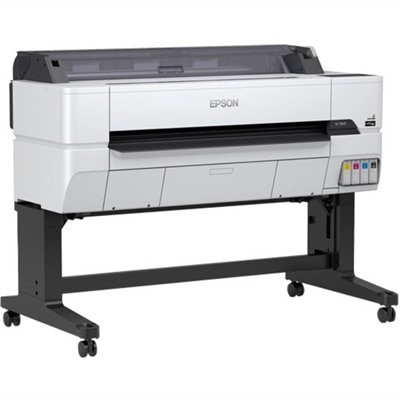
A productive wireless wide-format inkjet printer with pigment inks, touchscreen controls, secure networking, and precise output.
Wide format CAD printers are essential tools for professionals who require precise, large-scale prints for architectural plans, engineering drawings, and design projects. Designed to handle detailed graphics and technical documents, these printers offer the flexibility needed for producing high-quality output on a variety of media sizes. Whether outfitting a studio, office, or classroom, wide format CAD printers support efficient workflows and help bring complex ideas to life with clarity and accuracy. Explore options that cater to the demands of technical and creative environments alike.
A productive wireless wide-format inkjet printer with pigment inks, touchscreen controls, secure networking, and precise output.
Wide-format CAD printers produce large technical drawings with the fine lines, readable annotations, and consistent dimensions needed for architecture, engineering, construction, and design work. Often called plotters, these printers turn computer-aided design files into physical plans that teams can spread across a drafting table, mark up during a meeting, or reference beside a project in progress. Many use inkjet technology to reproduce floor plans, elevations, mechanical layouts, topographic maps, and detailed schematics on roll-fed or cut-sheet media. Their value lies in more than the size of the finished page: a useful technical print preserves thin linework, separates closely spaced details, and keeps small text legible without making heavier outlines overwhelm the drawing. Black-and-white output suits many construction documents, while color can distinguish electrical circuits, plumbing routes, revision clouds, or separate disciplines within a coordinated plan. For an architect reviewing a doorway clearance or an engineer tracing a pipe through a crowded mechanical room, those distinctions make a printed sheet easier to interpret. Wide-format CAD printers belong to the broader category of Wide Format Inkjet Printers, with technical printing placing particular emphasis on line accuracy, predictable scaling, and efficient document handling. Resolution contributes to clarity, but it does not tell the whole story; ink placement, paper characteristics, driver settings, and the original file also affect the result. A drawing intended for measurement needs the correct page size and scale rather than an automatic fit-to-page adjustment. Borderless printing, where supported, may use enlargement settings that are unsuitable for scale-sensitive documents. Dimensional-accuracy specifications and repeatable output therefore matter alongside visual sharpness. These printers serve established design practices, small drafting studios, facilities teams, surveyors, and educational workshops where large drawings support collaboration. They are especially useful when a full-size sheet reveals relationships that are difficult to follow across several smaller pages, such as the path of a corridor through a building or the connections between structural details and their reference notes.
Printer width and paper handling shape how comfortably a wide-format CAD printer fits into everyday work. Common width classes include 24-inch, 36-inch, and 44-inch machines, but the maximum media width is not the same as the maximum finished page length. A roll-fed printer can often produce a sheet longer than its stated width, subject to its supported media, software, and document-length limits. Standard technical formats also differ: ARCH C measures 18 by 24 inches, ARCH D measures 24 by 36 inches, ANSI D measures 22 by 34 inches, and ANSI E measures 34 by 44 inches. A 24-inch printer may accommodate an ARCH D drawing by feeding the 36-inch dimension along the roll, provided its printable area and settings support the required layout. Similarly, a 36-inch machine may handle ANSI E with the 34-inch side across the media path. The page orientation, margins, and supported roll sizes deserve as much attention as the width printed in a specification. In a small office, physical fit includes space for the stand, room to load a roll, access to ink compartments, and clearance for finished sheets to emerge without folding against furniture. Front-access loading can simplify placement where working space is tight. An output basket helps keep drawings off the floor, while a supported stacking system can make a multipage set easier to collect in order. Automatic cutters, sheet feeders, and multiple-roll configurations vary by machine and can reduce handling when a workload alternates between drawing sizes or paper types. Advertised print speed is most meaningful when considered with the specified page size, quality setting, and type of document. A lightly detailed draft may print much faster than a dense color plan. For a team preparing coordinated drawing sets before a morning review, dependable processing and orderly output can matter more than the quickest single-sheet figure. File compatibility is another practical consideration: supported operating systems, CAD application workflows, and PDF processing capabilities affect how smoothly drawings move from a laptop or desktop to paper. Direct PDF printing is a separate capability and should not be assumed for every printer.
Paper, ink, and routine care influence both the appearance of a technical drawing and how well it holds up after printing. Uncoated bond paper is commonly used for everyday line drawings, internal checks, and markup sets because its surface accepts pencil notes and keeps documents manageable when folded or carried. Coated papers can provide cleaner color fills and more controlled ink absorption for presentation plans, maps, and drawings with shaded areas, although media compatibility depends on the printer. Heavier paper can feel more substantial during repeated handling, but supported thickness, roll diameter, core size, and cutter limitations all affect suitability. Tracing media and specialty films require explicit compatibility rather than an assumption that any wide roll will work. Ink systems also vary. Pigment-based inks can offer useful resistance to smudging and moisture on compatible media, while dye-based inks may deliver vivid color for certain applications; some technical printers combine different ink types within one system. No ink description alone guarantees a waterproof drawing. A plan carried through a damp job site still benefits from a protective sleeve or a covered document holder, and drying time matters before stacking sheets or adding handwritten notes. For longer-term reference, permanence depends on the ink-and-paper combination and exposure to light, heat, and humidity. Keeping unused rolls wrapped, supporting their edges, and allowing media to adjust to the room can help reduce curl and feeding problems. Routine nozzle checks, manufacturer-recommended cleaning, and timely replacement of maintenance components support consistent linework, particularly after periods of inactivity. Multifunction configurations add another dimension for teams that work with paper originals: an integrated scanner can capture handwritten revisions, copy existing drawings, or create digital reference files. Scanner width, optical resolution, and support for fragile or thick originals remain distinct from printing specifications. A marked-up renovation plan, for example, may need to be scanned clearly enough to preserve faint pencil changes beside printed dimensions. Matching these capabilities to the actual work—occasional review sheets, daily construction sets, classroom exercises, or frequently revised engineering documents—helps keep large-format output clear, manageable, and useful throughout a project's revisions.
Add the products you would like to compare, and quickly determine which is best for your needs.