$1094.00
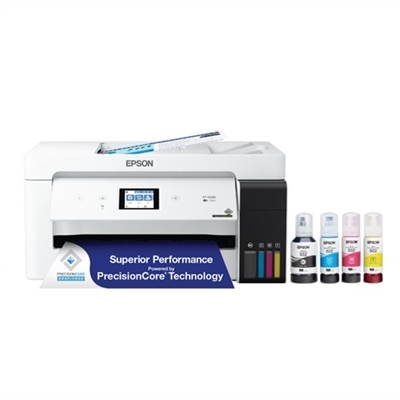
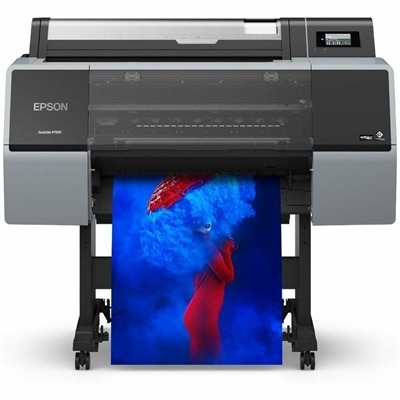
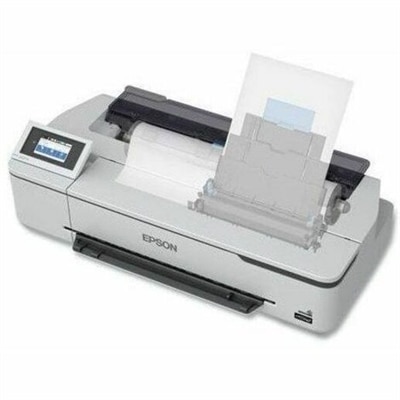
A compact wireless inkjet printer producing vibrant, durable blueprints, line drawings, and posters with pigment inks.
Wide format desktop printers offer a versatile solution for producing high-quality prints in larger sizes, making them ideal for a variety of professional and creative tasks. Whether you're working from a home office or a busy workspace, these printers provide the flexibility to handle everything from posters and marketing materials to detailed graphics and technical documents. Explore our selection of wide format desktop printers to find the perfect match for your printing needs.
A compact wireless inkjet printer producing vibrant, durable blueprints, line drawings, and posters with pigment inks.
Wide format desktop printers make it easier to produce larger documents, images, and presentation materials without dedicating an entire room to printing equipment. Unlike standard letter-size printers, these compact models can support larger media such as tabloid or ledger sheets measuring 11 x 17 inches, A3 paper, 13 x 19 inch photo paper, and, in some cases, roll media up to 24 inches wide. That extra width is useful for architectural line drawings, classroom posters, business presentations, spreadsheets, menus, signage, artwork, photography, and other materials that lose impact when reduced to a smaller page. A wide format desktop printer may be a practical fit for a home office, design studio, small business, classroom, real estate workspace, or creative workroom where detail and scale matter. During the cooler months, a dependable printer can also support indoor projects such as organizing family photographs, preparing community notices, creating display materials, or producing polished documents for work and school. When comparing options, begin with the largest media size you expect to use most often rather than choosing solely by the maximum advertised width. A printer designed for 11 x 17 inch sheets may be ideal for office documents and charts, while a model that accepts roll media can be better suited to plans, long-format graphics, posters, and technical drawings. Consider whether the printer uses separate color cartridges, pigment-based ink, dye-based ink, or a combination of ink technologies. Pigment ink is often valued for crisp text and resistance to fading, while dye-based ink can produce smooth, vivid color in photographs and graphics. Print resolution, borderless printing, color management, and the type of paper supported can all influence the finished result. Glossy photo paper may bring out rich color in images, whereas matte, presentation, heavyweight, or coated paper may provide a more professional surface for reports and visual materials.
The best wide format desktop printer depends on the balance between print quality, speed, media handling, and workspace limitations. Check the input tray capacity and determine whether the printer can hold the paper sizes you use regularly, since repeatedly feeding oversized sheets by hand can become inconvenient during a busy project. Automatic document feeders, copying, scanning, and fax capabilities may be useful for offices that handle contracts, forms, drawings, and signed paperwork, while a print-only design may appeal to photographers, artists, and users who already have a separate scanner. Automatic two-sided printing can reduce paper use for compatible media, although larger or thicker sheets may require manual handling. Connectivity is another important consideration. Wi-Fi allows the printer to be positioned where it is most convenient, while Ethernet can provide a dependable connection in a shared workspace. Mobile printing support is helpful when sending a document from a phone or tablet, and compatibility with common operating systems can make setup easier across a household or small team. Look for a clear control panel, straightforward ink monitoring, and accessible paper paths, especially if several people will use the printer. Physical dimensions also deserve attention: a printer may have a compact desktop footprint, but rear paper feeds, open trays, roll holders, and finished-page output can require additional clearance. Measure the intended surface and leave room for ventilation, loading media, and replacing cartridges. Noise level and print speed may matter in a home office or quiet studio, while duty cycle and monthly volume are more important for a busy workplace. Review the recommended paper weights and sizes before purchasing, since using unsupported media can lead to jams, smearing, uneven feeding, or disappointing color. For users who need scanning and copying alongside larger-format output, an all-in-one wide format printer can combine several everyday functions in one workspace-friendly device.
Wide format desktop printers serve a broad range of people because they bring professional-looking output within reach of smaller workspaces. An architect or contractor may use one for floor plans, elevations, site diagrams, and marked-up drawings; a photographer may print large portraits or landscape images with fine tonal detail; and a teacher may create maps, visual aids, project displays, or oversized worksheets that are easier for a group to see. Small businesses can use wide sheets for price lists, service menus, event signage, product diagrams, branded stationery, and in-house marketing materials. Artists and crafters may appreciate the ability to test compositions, print reference images, or create portfolio pieces without sending every job to an outside print service. Real estate professionals can produce property layouts and presentation pages, while students and remote workers can use larger paper for dense spreadsheets, research posters, and planning boards. These printers can also be thoughtful gifts for a photographer, design student, hobby artist, teacher, or home-based entrepreneur who has outgrown standard paper sizes, provided the recipient has enough room and a clear need for larger output. Before selecting one, estimate typical monthly pages, the share of color versus black-and-white printing, and the number of oversized sheets required for each project. Ink cost, replacement frequency, paper availability, and the price of specialty media can affect long-term ownership more than the initial purchase. If photographs are the priority, compare color consistency, borderless output, supported photo sizes, and the ability to use archival or fine-art media. If technical drawings and office documents are the focus, prioritize sharp text, reliable feeding, pigment-based black ink, fast output, and convenient wireless or wired connectivity. A wide format desktop printer is most useful when its paper capacity, ink system, software, and physical footprint match the way the workspace actually operates. Choosing with those practical details in mind can make oversized printing feel less like a specialized task and more like a natural part of everyday work, creative projects, and shared household routines.
Add the products you would like to compare, and quickly determine which is best for your needs.