$269.99
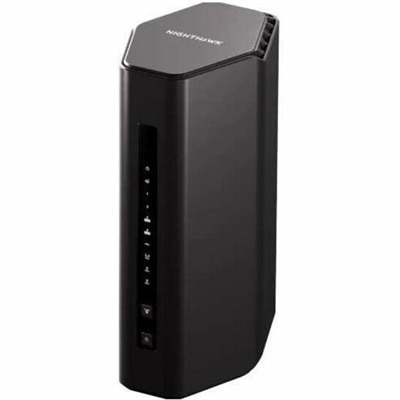
A tri-band Wi-Fi 7 router delivering 9.3Gbps, 320MHz channels, 6GHz connectivity, and 2.5Gbps Ethernet.
Upgrade your connectivity with a wide selection of WiFi networking tools designed to help you create a seamless and efficient network environment. Whether you're setting up a home office, enhancing your entertainment space, or expanding coverage throughout your home, these solutions provide the essentials for strong and reliable wireless connections. Explore options tailored to suit various needs and spaces, making it easier than ever to stay connected and productive. Discover how WiFi networking tools can support your digital lifestyle and keep all your devices running smoothly.
A tri-band Wi-Fi 7 router delivering 9.3Gbps, 320MHz channels, 6GHz connectivity, and 2.5Gbps Ethernet.
WiFi networking tools help make wireless performance easier to understand, measure and improve. Rather than relying on guesswork when a video call freezes or a page takes too long to load, these software applications and hardware devices can reveal how a wireless connection behaves throughout a home, apartment, classroom or small office. Common functions include scanning nearby networks, analyzing channel activity, measuring signal strength, mapping coverage and identifying areas where the connection becomes weak. Some tools create a visual site survey that shows how coverage changes from room to room, while others provide detailed readings for signal quality, channel utilization, latency and connection speed. This information can be especially useful in homes with thick walls, multiple floors, large appliances or rooms positioned far from the primary wireless access point. A signal may appear strong near the center of a home but fade in a back bedroom, upstairs workspace or outdoor area. A WiFi analyzer can help locate these dead zones and show whether moving a wireless device, changing a channel or adjusting the layout may improve everyday performance. Tools designed for deeper diagnostics may inspect wireless traffic, identify repeated connection failures and help experienced users resolve complex issues involving authentication, interference or device compatibility. When selecting from WiFi networking tools, consider whether the intended use is basic monitoring, coverage mapping, advanced troubleshooting or professional-level analysis. Simple applications may be a good fit for someone who wants clear charts and straightforward guidance, while more advanced tools can provide packet-level information and technical reports for users who are comfortable interpreting detailed data. Compatibility also matters: check whether the tool supports the operating system on the user’s laptop or desktop, as well as the wireless standards and frequency bands being evaluated. A practical starting point for exploring related options is WiFi Solutions.
The right WiFi networking tool depends on the size and shape of the space, the number of connected devices and the kind of problem being investigated. A portable scanner can be helpful for walking through a home and comparing readings in different locations, while a desktop application may be better for creating a detailed coverage map or reviewing results over time. Look for tools that distinguish between the 2.4 GHz and 5 GHz bands, and, where applicable, newer 6 GHz connections. The 2.4 GHz band often reaches farther and travels more effectively through walls, but it can be crowded by nearby wireless networks and household devices. The 5 GHz band may offer higher performance at shorter distances, while 6 GHz can provide additional room for compatible devices in environments with heavy wireless activity. A useful analyzer should make these conditions understandable through readable graphs, channel views or color-coded maps rather than presenting measurements without context. Spectrum analysis can identify interference from nearby signals and non-network sources, helping explain why a connection slows at a particular time of day or in a specific room. For more involved troubleshooting, packet capture and traffic analysis features can help reveal whether a problem is related to a device, an application, a connection handshake or recurring packet loss. These advanced functions are generally best suited to experienced users, IT professionals and technicians who need precise evidence rather than a quick performance check. Privacy and security should also be part of the buying decision. Choose tools from reputable sources, review what information they collect and use scanning or monitoring features only on networks and devices you own or are authorized to assess. Clear documentation, exportable reports and regular updates can add value, particularly when a tool will support ongoing maintenance rather than a single diagnostic session. For someone setting up a home office, improving a study area or managing connectivity across a small workplace, a well-chosen analyzer can turn vague complaints into specific, actionable information.
WiFi networking tools can serve a wide range of users, from someone trying to improve a laptop connection in a quiet home office to a technician evaluating wireless coverage across a larger property. Remote workers may use signal mapping to find a reliable location for video meetings, cloud applications and large file transfers, especially when a desk has been placed in a room that was never designed as a workspace. Families can use basic scanning tools to understand why streaming becomes unreliable when several phones, televisions and computers are active at once. Students, renters and people moving into a new home may appreciate portable options that help them check coverage without committing to a particular room arrangement. These tools can also make thoughtful gifts for technically curious adults, home-office users or anyone who enjoys learning how everyday technology works, provided the recipient’s laptop or desktop meets the software requirements. More advanced devices may appeal to network administrators, field technicians, installers and knowledgeable hobbyists who need to compare signal levels, identify interference or document results for future reference. Before purchasing, consider portability, display readability, measurement accuracy, supported frequency bands, operating-system compatibility, reporting features and the amount of technical knowledge required. Battery life can matter for handheld tools used throughout a building, while a larger screen may be more comfortable for reviewing maps and graphs. It is also worth checking whether updates are included, whether the software can save historical readings and whether help resources explain the measurements in practical terms. Wireless conditions can change as furniture moves, neighboring networks appear and household routines shift, so a tool that supports repeat testing can remain useful long after the first installation. During the cooler months, when more people work, study and stream indoors, dependable wireless coverage becomes especially noticeable in rooms used throughout the day. With the right WiFi networking tool, users can better understand signal strength, coverage gaps, congestion and interference, then make informed adjustments that support smoother connections across compatible laptops, desktops, monitors and other everyday accessories.
Add the products you would like to compare, and quickly determine which is best for your needs.