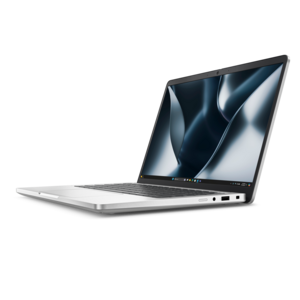
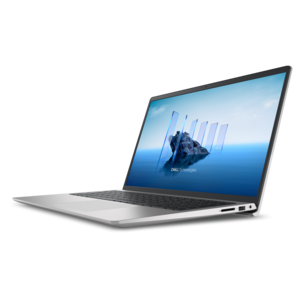
Windows 11 Pro Workstations
Windows 11 Pro workstations deliver the performance and reliability needed for demanding professional environments. Designed to support advanced workflows, these systems offer seamless integration with business applications and enhanced security features. Explore a range of options to find the ideal Windows 11 Pro workstation that meets your productivity and collaboration needs, whether you’re in the office or working remotely. Discover powerful solutions built to keep pace with your most complex projects.
This product is not available
Check out the following recommendations.




Windows 11 Pro Workstations
Windows 11 Pro Workstations are built for demanding professional workloads that can push an everyday computer well beyond email, web browsing, and standard office applications. A workstation in this category pairs Windows 11 Pro for Workstations with powerful components designed to handle sustained performance, complex calculations, and large project files with confidence. It may be a practical choice for engineers working with computer-aided design, architects developing detailed models, animators rendering scenes, photographers processing high-resolution images, video professionals editing lengthy footage, researchers analyzing data, or developers building and testing advanced software. The right system can feel like a dependable second set of hands: responsive when several applications are open, steady during long rendering sessions, and ready to move from a detailed spreadsheet to a demanding creative project without hesitation. Windows 11 Pro for Workstations is a specialized edition of Windows 11 Pro intended for high-performance computers. It includes features designed to support professional hardware and intensive workflows, including the ReFS file system for improved resilience when working with very large volumes of information, support for systems with up to four CPUs and as much as 6TB of memory, and compatibility with persistent memory technologies such as NVDIMM-N. These capabilities matter most when time, reliability, and uninterrupted concentration are central to the work. A student learning 3D design may appreciate the headroom for increasingly ambitious projects, while a small studio or independent professional may value having one capable computer that can serve as a design desk, production workstation, and review station.
When comparing Windows 11 Pro Workstations, begin with the software and workload rather than focusing on a single specification. Review the requirements for the applications you use most often, then consider the processor architecture, number of cores, graphics capability, memory capacity, display support, and upgrade options. A processor with more cores can help with rendering, simulation, compiling code, and other tasks that divide work across multiple threads, while a strong graphics processor is especially important for 3D visualization, motion graphics, engineering models, and real-time previews. Memory deserves close attention because insufficient capacity can interrupt a project with slowdowns just when concentration is highest. For many professional users, 32GB may be a comfortable starting point, while complex models, advanced media work, scientific applications, and large datasets may justify substantially more. Consider the kind of files you handle, how many applications you keep open, and whether the computer needs to remain productive for several years as projects become more detailed. The operating system is only one part of the experience, so verify that the chosen configuration supports the drivers, peripherals, displays, and specialized applications required by your work. It is also worth checking the computer’s physical footprint, acoustic profile, port selection, wireless capabilities, keyboard and pointing-device preferences, and the ease of maintenance. A compact workstation can fit neatly into a home office, while a larger desktop may provide greater expansion potential for a dedicated studio. For professionals who travel between home, a client site, and an office, a mobile workstation with the same operating system can offer a familiar environment wherever the workday takes place. Explore Windows 11 Laptops for Business Productivity when portability and business-focused features are priorities.
A Windows 11 Pro Workstation can also be a thoughtful investment for a new business, design practice, engineering team, production department, or home office where dependable performance has a direct effect on productivity. It is less about having the most impressive specification on paper and more about matching the computer to the rhythm of real work. A filmmaker may need smooth timeline playback before a client review; an architect may need fast, detailed viewport changes while refining a building model; a financial analyst may need to process extensive calculations without closing other applications; and a software developer may need to run development tools, testing environments, and documentation side by side. In each case, a capable workstation reduces the small interruptions that accumulate across a day: waiting for a project to open, watching a preview stall, or closing an application simply to make room for the next one. Windows 11 Pro for Workstations also brings a professional Windows environment suited to organizations that need advanced management, security, and compatibility features alongside high-performance hardware. Before choosing a configuration, think about the next three to five years of work, not only today’s projects. More memory, a stronger processor, capable graphics, and thoughtful expansion options can provide useful flexibility as software evolves and files grow in complexity. A well-matched workstation should feel calm under pressure, whether it is rendering a sunrise over a virtual landscape, compiling a new application late in the afternoon, or bringing a detailed engineering concept to life on screen.
FAQs:
Windows 11 Pro workstations are ideal for professionals who require advanced computing power, such as engineers, architects, designers, data scientists, and content creators. These systems are designed to handle complex tasks like 3D modeling, large data analysis, and intensive graphic rendering, making them suitable for demanding business and creative environments.
A Windows Pro workstation is built with higher-end components, including support for multiple CPUs, larger memory capacities, and advanced storage solutions. These features enable the workstation to manage intensive workloads, multitask efficiently, and maintain stability during prolonged use, which sets it apart from standard desktops or laptops.
Yes, Windows 11 workstations typically offer extensive connectivity options, allowing users to connect multiple monitors and a variety of peripherals. This flexibility supports increased productivity by providing a larger workspace and seamless integration with professional accessories.
Windows 11 Pro workstations come equipped with advanced security features such as BitLocker device encryption, Windows Hello biometric authentication, and enhanced network protections. These features help safeguard sensitive business data and ensure secure access to critical files and applications.
Absolutely. Windows 11 Pro workstations are optimized for remote and hybrid work scenarios, offering secure access, reliable connectivity, and robust performance. Features like remote desktop access and advanced collaboration tools make it easy for professionals to stay productive from any location.