$902.00
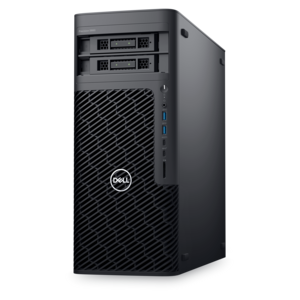
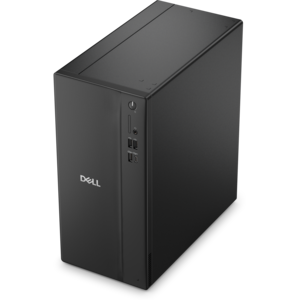
A space-saving desktop delivering reliable performance and security for everyday productivity.
Enhance your computing experience with the latest in Windows software, designed to streamline tasks, boost productivity, and unlock creative potential. Whether you're managing a business, diving into digital art, or seeking robust security solutions, our diverse selection of Windows software offers something for every need and skill level. Explore a wide range of applications that integrate seamlessly with your existing systems, ensuring optimal performance and user-friendly interfaces. Stay ahead of the curve with cutting-edge technology that adapts to your lifestyle and professional demands.
A space-saving desktop delivering reliable performance and security for everyday productivity.
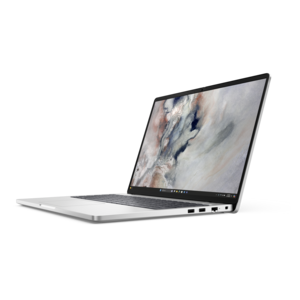
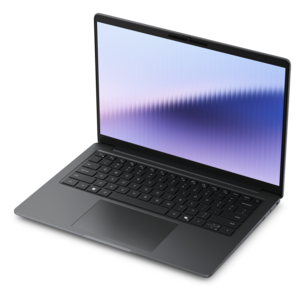
A durable modular laptop with robust security, a numeric keypad, and built-in AI options for productive workdays.
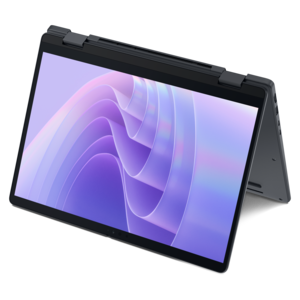
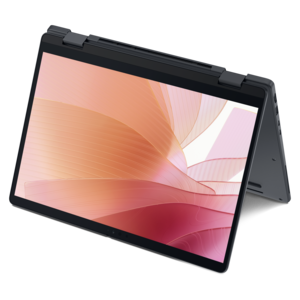
A versatile 2-in-1 laptop with built-in AI and a spacious display for creative work.
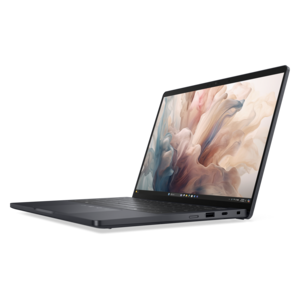
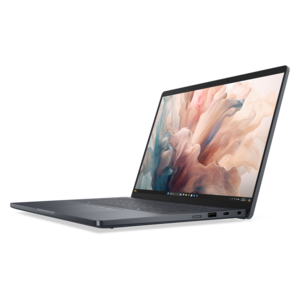
A remarkably thin 2-in-1 laptop combining portability and performance with Series 3 Intel Core Ultra processors.
A workstation with Xeon processing, dual 300W graphics, 56TB storage, 2TB memory, and Windows 11 Pro.
Windows software includes the operating system, applications, utilities, security tools, creative programs, and everyday services that help a PC fit the way you work, learn, communicate, and relax. An operating system provides the foundation for launching applications, managing files, connecting accessories, adjusting settings, and keeping your computer ready for daily tasks. Productivity software can support writing, spreadsheets, presentations, scheduling, note-taking, budgeting, and collaboration, while creative applications may be useful for photo adjustments, video projects, illustrations, music, and other personal work. Utilities can help organize storage, back up important files, protect personal information, or improve accessibility with features such as screen magnification, voice input, captions, and text-to-speech. Because the available choices range from free downloads and limited trial versions to one-time purchases and recurring subscriptions, it helps to identify the main task before choosing software. A student preparing assignments may need dependable document and research tools, while a remote employee may place greater value on video meetings, shared files, and communication features. A household computer may benefit from parental controls, security protection, media playback, and photo organization. Independent professionals, hobbyists, and small business owners may look for specialized tools that support invoicing, design, editing, planning, or customer records. Software can also be a thoughtful gift for someone setting up a home office, returning to school, pursuing a creative hobby, or building confidence with technology. A digital license, application subscription, or useful utility takes up no space on a desk and can become part of a familiar routine, much like a well-chosen notebook or reliable set of tools.
Before purchasing or downloading Windows software, review compatibility details carefully. Check the supported Windows edition, processor type, memory requirement, available storage, display resolution, and internet connection requirements listed by the publisher. Some applications run comfortably on a basic laptop, while advanced editing, design, engineering, or gaming software may need more memory, stronger graphics capabilities, or additional storage. Confirm whether the software works with the computer’s architecture and whether it supports the accessories you plan to use, such as printers, scanners, cameras, drawing tablets, headsets, or external displays. It is also useful to note whether an application is installed locally, accessed through a web browser, or offered in both formats. Browser-based tools may make it easier to move between computers, while installed software can offer broader features or continue working with limited connectivity. Read the licensing terms to understand how many devices are covered, whether the license is for one person or a household, and what happens when a subscription ends. Some purchases include updates for a defined period, whereas others provide ongoing updates as part of a subscription. Keep track of renewal settings, account credentials, activation codes, and recovery information in a secure place. Download software from an official publisher or authorized retailer, and avoid unfamiliar sites that bundle unwanted programs or make unclear claims about safety. A little preparation can prevent the frustration of discovering that an application cannot install, lacks a needed feature, or requires a higher-performance computer. If a new computer is part of the plan, browsing Windows Desktops can help match software needs with a system that offers suitable processing power, memory, storage, and connectivity.
Windows software also plays an important role in keeping a computer dependable over time. Operating system updates can deliver security improvements, performance refinements, accessibility enhancements, and support for newer hardware. Drivers help the operating system communicate with components and connected devices, so keeping them current may resolve compatibility issues with displays, audio equipment, printers, wireless accessories, and other peripherals. Browser updates are important for secure web access and for maintaining compatibility with online services. Before a major installation or system upgrade, back up photographs, schoolwork, tax records, creative projects, and other files that would be difficult to replace. Cloud storage, an external drive, or another trusted backup method can provide an extra layer of protection, especially for a shared family computer. Security software should be configured with care, and account passwords should be unique and protected with multifactor authentication when available. Families may want to create separate user profiles so each person can keep files, settings, and permissions organized. In a home office, productivity software can turn a quiet corner into a practical workspace for invoices, appointments, documents, and video calls; during the cooler months, creative applications can support indoor projects such as editing family photos, planning meals, learning a language, or organizing a personal library. When choosing among similar programs, consider the interface, learning curve, accessibility options, file compatibility, customer support, update policy, and total cost over the expected period of use. The best Windows software is not always the one with the longest feature list. It is the option that works reliably on the computer, fits the user’s experience level, protects important information, and makes regular tasks feel clearer and less complicated.
Add the products you would like to compare, and quickly determine which is best for your needs.