$699.99
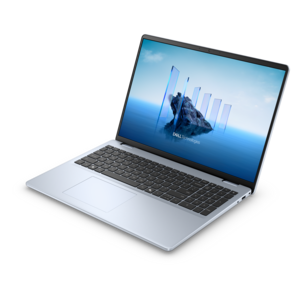
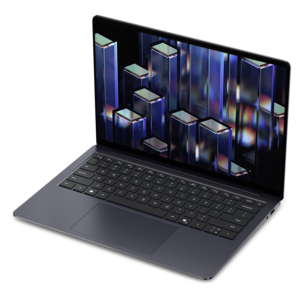
A laptop featuring Intel® 13th Gen processors, a built-in FHD camera, and an enlarged ergonomic keyboard.
Explore the world of Windows systems, where cutting-edge technology meets seamless performance to elevate your computing experience. Whether you're a professional seeking robust productivity tools, a gamer craving high-powered graphics, or a student looking for reliable study companions, our diverse selection of Windows systems caters to every need and lifestyle. Discover the perfect blend of innovation and functionality as you browse through options that offer versatility and efficiency. Step into a realm where your digital aspirations come to life with the power of Windows systems at your fingertips.
A laptop featuring Intel® 13th Gen processors, a built-in FHD camera, and an enlarged ergonomic keyboard.
A thin, lightweight laptop crafted from eco-friendly materials with Series 3 Intel Core processors for productivity.
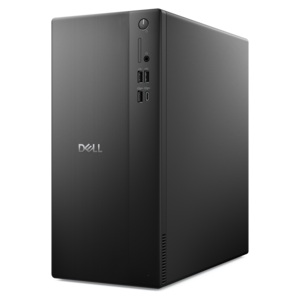
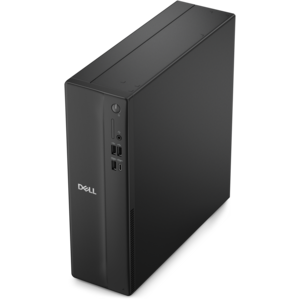
A business-ready tower desktop delivering reliable everyday performance with essential security features for productive workflows.
A remarkably thin, lightweight laptop designed for ultimate mobility and effortless everyday productivity.
A powerful desktop designed to boost everyday productivity in a streamlined setup.
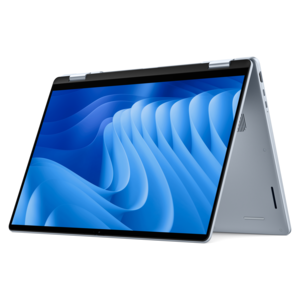
A versatile 2-in-1 laptop with Intel Core processors, DDR5 memory, and multiple modes for creative work.
A powerful desktop designed to boost everyday productivity while conserving workspace.
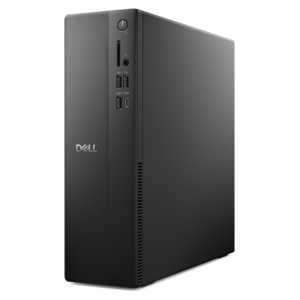
A space-saving desktop delivering reliable performance and security for everyday productivity.
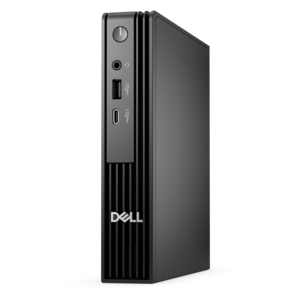
A compact desktop delivering reliable performance and security for everyday productivity.
A durable, serviceable laptop designed specifically for demanding education environments.
A portable laptop with a sleek design, 16:10 display, and AI PC options for productivity anywhere.
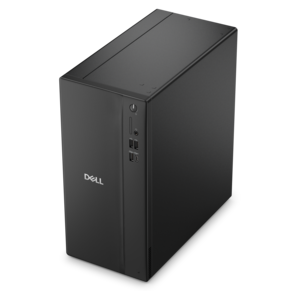
A business-ready tower desktop delivering dependable performance and security for everyday productivity workloads.
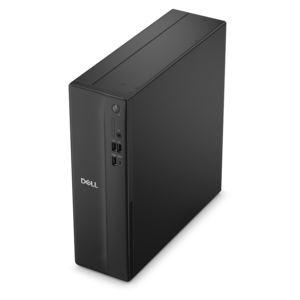
A space-saving business desktop delivering reliable everyday performance with essential security features for productive work.
A sleek, portable laptop with an expansive 16:10 display for reliable productivity anywhere.
A slim, lightweight laptop with Intel® Core™ processors and graphics for productive work anywhere.
A modern laptop with Intel Core processors and graphics for effortless productivity and captivating entertainment.
A compact desktop designed for everyday productivity and creative tasks.
A versatile desktop designed for everyday productivity and creative projects.
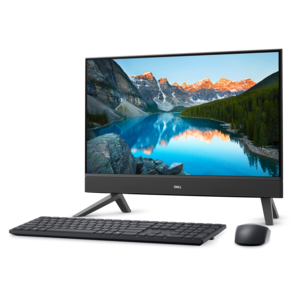
A compact all-in-one desktop designed for productive work and everyday entertainment.
A streamlined gaming laptop powered by AMD Ryzen 200 Series processors and NVIDIA GeForce RTX graphics.
An ultracompact business desktop with Copilot+ PC options, AI-enhanced productivity, robust security, and streamlined manageability.
A lightweight AI-powered laptop designed for creative professionals and small businesses.
A sleek laptop with a stylish design, delivering powerful performance for modern multitasking.
A stylish laptop with built-in AI and a spacious display for creators and developers.
Windows systems bring together the physical components of a personal computer and the graphical operating environment that makes everyday tasks feel familiar and approachable. Instead of relying on text commands, users can open apps, organize files, adjust settings, connect accessories, and move between projects through menus, windows, icons, and a taskbar. That visual structure is one reason Windows remains a common choice for homes, classrooms, workplaces, and shared family spaces. A Windows system may support activities ranging from writing and research to streaming, photo organization, online learning, communication, light creative work, and gaming, depending on its processor, memory, storage, graphics capability, display, and overall design. For shoppers comparing options, the most useful starting point is the way the computer will be used. A system for email, web browsing, documents, and video calls may be well suited to a different configuration than one intended for large spreadsheets, demanding creative applications, multiple displays, or immersive games. Portability also matters: a lightweight design can move easily from a kitchen table to a classroom or a quiet corner during the cooler months, while a desktop setup can provide a spacious work area, a comfortable keyboard, and a steady place for a household to share. Buyers may also consider screen size, display resolution, battery expectations, available ports, wireless connectivity, accessibility settings, and the ease of adding accessories later. These practical details often shape satisfaction long after the initial setup, especially when the computer becomes the place where family photos are organized, assignments are completed, recipes are saved, or plans are made.
Windows 11 is the flagship consumer release in the Windows family, offering a modern desktop experience with a centered taskbar, flexible window layouts, integrated search, account synchronization options, and built-in tools for managing work and entertainment. Snap-style layouts can help arrange several applications on one screen, making it easier to compare documents, follow an online lesson while taking notes, or keep a video call visible while completing another task. Virtual desktops can separate home, school, and work activities, while file organization tools help keep downloads, photographs, and project folders easier to find. Compatibility is another important consideration because many people choose Windows systems to continue using familiar applications, peripherals, accessories, and file types. Before choosing a configuration, it can be helpful to review the requirements of the programs that matter most and to consider how much room is needed for future updates and personal files. Memory affects how comfortably multiple applications can run together, while solid-state storage generally contributes to responsive startup and file access. A capable processor can support everyday multitasking, and a stronger graphics solution may be useful for games, video creation, design applications, or high-resolution displays. Those seeking a larger workspace may prefer to connect an external monitor, keyboard, mouse, webcam, printer, or other accessory. A desktop can be a thoughtful gift for a student preparing for a new term, a relative setting up a home office, or a family member who wants a dependable place for communication and entertainment. For shoppers exploring a focused range of options, Windows Desktops can provide a convenient starting point for comparing desktop form factors and configurations.
The history of Windows systems reflects the changing ways people interact with personal computers. Early releases introduced a graphical shell that made computing more approachable, while later generations refined the Start menu, taskbar, plug-and-play support, desktop organization, performance, security, and update experiences. Windows 95 helped establish interface elements that became familiar to generations of users. Windows XP brought together consumer and professional foundations and became known for its stable, accessible environment. Windows 7 refined performance and usability, while Windows 10 returned to a familiar desktop layout and adopted a continuing update model. Windows 11 builds on that foundation with updated visual design, expanded window management, stronger security features, and support for newer hardware and productivity experiences. When selecting from a list of Windows systems, it is useful to look beyond the operating system name and consider the complete experience: how quickly the computer starts, how comfortably it fits a room, how easily it can be upgraded or connected, and whether its capabilities match the tasks ahead. Families may value straightforward setup and dependable parental or accessibility controls; students may prioritize portability, battery life, and a comfortable display; professionals may look for responsive multitasking and reliable video conferencing; and creative users may need more memory, storage, or graphics performance. During the transition between warmer and cooler seasons, a well-chosen system can support both focused routines and relaxed evenings, from organizing coursework at a desk to viewing photographs with relatives in the living room. The strongest fit is the one that balances current needs with reasonable room to grow, giving users a comfortable, familiar way to work, learn, create, communicate, and enjoy digital content over time.
Add the products you would like to compare, and quickly determine which is best for your needs.