$159.99
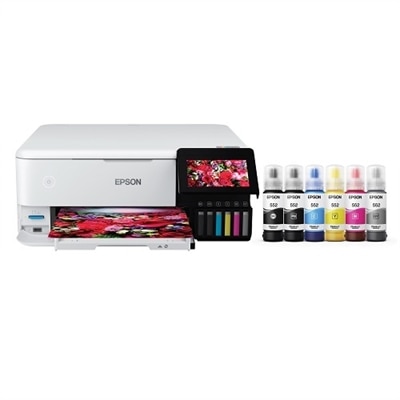
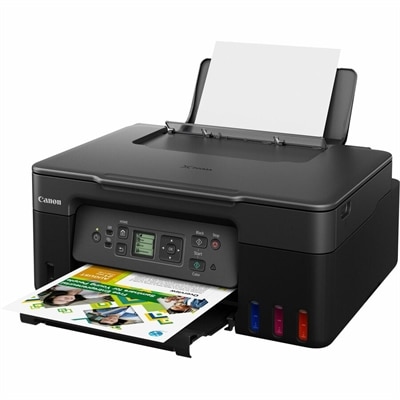
A black wireless all-in-one printer with MegaTank ink, vivid color output, scanning, copying, and high yields.
Wireless all in one inkjet printers offer a convenient and versatile solution for homes and offices looking to streamline their printing, scanning, and copying tasks. With easy wireless connectivity, these multifunction devices help reduce clutter and provide flexibility for any workspace. Discover a wide selection of wireless all in one inkjet printers designed to meet your everyday needs, whether you’re printing important documents or vibrant photos. Find the perfect combination of performance and convenience to keep your workflow running smoothly.
A black wireless all-in-one printer with MegaTank ink, vivid color output, scanning, copying, and high yields.
Wireless all-in-one inkjet printers bring several everyday tasks into one convenient device, combining color and black-and-white printing with scanning and copying, and in some cases faxing. A wireless connection allows the printer to sit on a desk, shelf, or nearby cabinet without requiring a cable between the printer and every computer in the home. Once connected to a compatible Wi-Fi network, family members, students, and small-workspace users can send documents from laptops, tablets, and smartphones. Mobile printing support may include Apple AirPrint, Wi-Fi Direct, and a companion app that helps with setup, supply monitoring, scanning, and routine maintenance. This flexibility is useful when a printer serves more than one person: a student can print a worksheet from a bedroom, a parent can scan a signed form from a phone, and someone working at home can copy a receipt without interrupting a video call. Inkjet technology is especially well suited to mixed workloads, producing crisp text for forms and reports, smooth graphics for presentations, and detailed color for photographs, invitations, school projects, recipes, and travel documents. Compact designs can fit comfortably into home offices, apartments, dorm rooms, and multipurpose spaces where a full-size office machine would feel intrusive. During the warmer and cooler parts of the year alike, a dependable wireless printer can help keep household paperwork, creative projects, and occasional color printing organized in one accessible place.
The right wireless all-in-one inkjet printer depends on how often it will be used, what types of pages matter most, and how much attention you want to give ink replacement. Standard cartridge systems typically have a lower initial cost and work well for light, occasional printing, such as forms, shipping labels, homework pages, and a handful of photos. High-capacity cartridge or refillable ink-tank systems may require a larger initial commitment but can be a better fit for households, classrooms, and small offices that print frequently. Their larger ink capacity can reduce interruptions and lower the ongoing cost per page over time, particularly when printing color charts, newsletters, recipes, or multiple-page documents. Check the expected black-and-white and color page yields when comparing options, and remember that yield estimates vary with page coverage, image density, print settings, and the type of paper used. Print speed, generally listed as pages per minute, also deserves attention. A compact printer designed for occasional home use may be perfectly comfortable with a few pages at a time, while a busy household or small workspace may benefit from faster output and a larger paper tray. Automatic two-sided printing can reduce paper use and make longer reports easier to handle, while an automatic document feeder, or ADF, can scan or copy a stack of pages without requiring each sheet to be placed on the glass individually. A flatbed scanner remains valuable for books, photographs, identification documents, and delicate originals. Before choosing, consider the available desk space, the location of the power outlet, wireless network strength, supported paper sizes, and whether the printer can handle envelopes, card stock, or specialty photo paper. These practical details often matter as much as resolution or speed once the printer becomes part of a daily routine.
Wireless all-in-one inkjet printers can be useful for a wide range of people and can make a thoughtful, practical gift for a student moving into a new apartment, a relative setting up a home workspace, or a creative hobbyist who wants to turn digital images into tangible pages. A student may use one to print reading notes, applications, project outlines, and colorful presentation materials, while a remote worker can scan signed paperwork, copy identity documents, and print meeting handouts from a laptop. Families may appreciate the ability to print permission forms, practice sheets, recipes, packing lists, and children’s artwork from different rooms without passing a cable back and forth. For photo enthusiasts, look for strong color reproduction, borderless printing, and support for suitable photo paper; for paperwork-heavy users, prioritize an ADF, duplex printing, clear text output, and a generous paper capacity. App-based controls can simplify wireless setup and make it easier to check ink levels or scan directly to a phone, although a stable dual-band Wi-Fi connection and straightforward control panel are still valuable. If vivid color is less important than a high volume of sharp documents, compare this category with Wireless Color All In One Laser Printers to understand which printing technology better matches the workload. For most households, the best choice balances convenient wireless access, dependable scanning and copying, manageable ink costs, suitable paper handling, and a footprint that fits naturally into the room. A printer that is easy to connect and ready for both a last-minute form and a carefully printed photo is more likely to earn a permanent place on the desk rather than becoming another device that is difficult to use.
Add the products you would like to compare, and quickly determine which is best for your needs.