Wireless Connections
Discover the freedom and flexibility that wireless connections bring to your digital life. Whether you're looking to enhance your home network, streamline your office setup, or simply enjoy seamless connectivity on the go, our range of cutting-edge solutions offers something for everyone. From Wi-Fi routers to Bluetooth devices, explore how wireless connections can elevate your experience by eliminating the clutter of cables and enabling smooth, uninterrupted communication between all your gadgets. Dive into a world where convenience meets performance, and stay connected effortlessly with innovative technology designed for today's fast-paced lifestyle.
This product is not available
Check out the following recommendations.
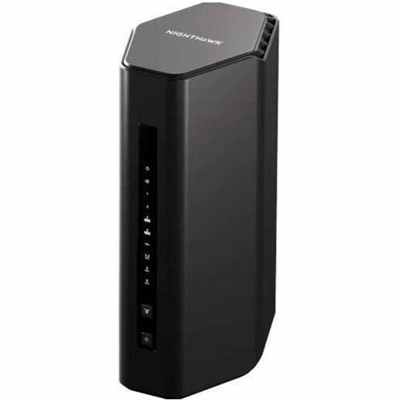
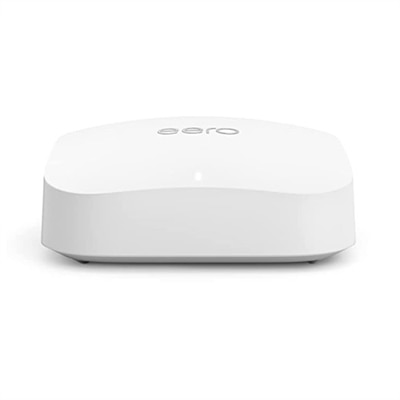
Wireless Connections
Wireless connections make it easier to use computers and accessories without arranging every device around a cable. Instead of sending information through a physical wire, a wireless connection transfers data through invisible electromagnetic radio waves. A compatible device uses a wireless adapter to send and receive these signals, translating them into the files, webpages, audio, video, and commands you see and hear. Wi-Fi is commonly used for high-speed internet access across a home, classroom, or workplace, while Bluetooth is designed for shorter-range connections between nearby devices such as a laptop and mouse, a desktop and keyboard, or a computer and headphones. Cellular connections, including 4G and 5G, extend mobile access across wider areas through nearby cell towers. These technologies serve different purposes, so choosing among wireless products starts with considering distance, speed, compatibility, battery life, and the number of devices that need to connect. A laptop used at a kitchen table may benefit from dependable Wi-Fi and a compact wireless mouse, while someone who moves between rooms or works in shared spaces may appreciate accessories that pair quickly and reduce cable clutter. During the cooler months, when more time is often spent indoors, a clean wireless setup can help turn a small desk, living-room corner, or guest room into a comfortable place for work, study, entertainment, and communication.
When comparing products for wireless connectivity, pay close attention to the connection type each device supports and how it will fit into your existing setup. Wi-Fi performance is influenced by supported standards, frequency bands, distance, walls, floors, and nearby electronics. The 2.4 GHz band can travel farther and may work well across a larger space, although it can encounter more interference from other household devices. The 5 GHz band often provides faster performance at closer range, making it useful for activities such as video calls, streaming, and transferring large files when the device is near the wireless source. Newer wireless standards may improve efficiency and help multiple devices communicate more smoothly, but real-world performance still depends on the surrounding environment and the capabilities of every connected device. Bluetooth products are generally convenient for personal accessories because they use little power and are designed for short-range communication. Look for straightforward pairing, broad operating-system compatibility, comfortable controls, and battery options that suit your routine. A rechargeable accessory can reduce the need for disposable batteries, while a model with a long operating time may be preferable for travel or extended work sessions. For devices that stay in one place or handle especially demanding data transfers, a wired option may still be useful; shoppers comparing connection approaches can also explore Ethernet Connections for a direct alternative. Checking ports, included adapters, charging requirements, and software support before purchasing can prevent surprises and make setup more manageable.
Wireless products can be especially useful for people who value flexibility, a tidy workspace, or simple device sharing. A student can move a laptop from a desk to a reading chair without unplugging several accessories, while a remote worker can keep a monitor, keyboard, and mouse arranged neatly for a focused workday. Families may use wireless headphones for quiet listening, compact accessories for shared computers, or mobile connectivity while traveling between home, work, and school. These products can also make thoughtful gifts for someone setting up a first home office, refreshing a study area, or replacing worn accessories, particularly when the design is comfortable and compatibility is clearly listed. Reliable performance begins with placement and setup: keep wireless devices within a practical range, avoid enclosing them behind dense furniture, and allow room for signals to travel. Security matters as well. Use a strong, unique password for the wireless connection, select current encryption when available, install device and operating-system updates, and avoid pairing unfamiliar accessories without checking their identity. If a connection becomes slow or drops unexpectedly, move closer to the wireless source, reduce obstacles, charge the accessory, check for interference, and confirm that both devices support the same connection standard. With thoughtful selection and basic care, wireless connections can support productive mornings, relaxed evenings, and the everyday convenience of using technology wherever it fits naturally.
FAQs:
Wireless connections offer flexibility and convenience by eliminating the need for physical cables, making it easier to set up and rearrange your workspace. They also allow multiple devices to connect to the same network, enabling seamless collaboration, mobility within your home or office, and a cleaner, more organized environment.
To enhance wireless reliability, place your router in a central, elevated location away from walls and metal objects. Using dual-band devices that support both 2.4 GHz and 5 GHz frequencies can help you balance coverage and speed. Regularly updating your device firmware and minimizing interference from other electronics can also make a noticeable difference.
Wireless-enabled laptops and accessories are ideal for students, remote professionals, families with multiple users, and anyone who values mobility. They’re also a great fit for people who frequently reorganize their workspaces or need to connect on the go, such as those who work in co-working spaces or travel often.
Consider compatibility with your existing devices, ease of setup, and support for the latest wireless standards. Features like long battery life, ergonomic design, and multi-device pairing can enhance your experience. It’s also helpful to choose accessories that offer reliable connectivity and are designed for your specific usage needs.
Yes, wireless devices are versatile and can seamlessly transition between work and entertainment. Whether you’re joining virtual meetings, streaming movies, gaming, or listening to music, wireless connections provide the flexibility to move between tasks and locations without being tethered by cables.