$34.99
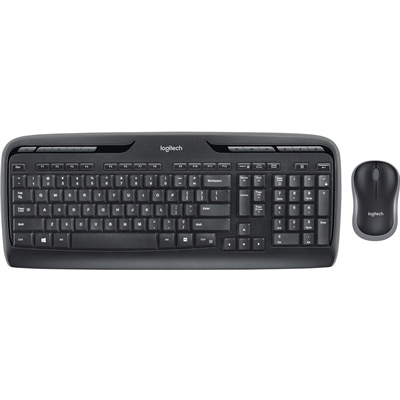
A wireless keyboard and mouse combo with 2.4GHz connectivity, multimedia keys, programmable F-keys, and long-lasting batteries.
Upgrade your workspace with wireless PC keyboards designed to deliver convenience and flexibility for every computing need. Enjoy a clutter-free desk and the freedom to work or play from virtually anywhere in the room. Whether you’re setting up a home office, enhancing your gaming setup, or simply seeking a more streamlined way to type, wireless PC keyboards offer the versatility and performance to keep up with your digital lifestyle. Explore a wide selection of options to find the perfect fit for your workflow and preferences.
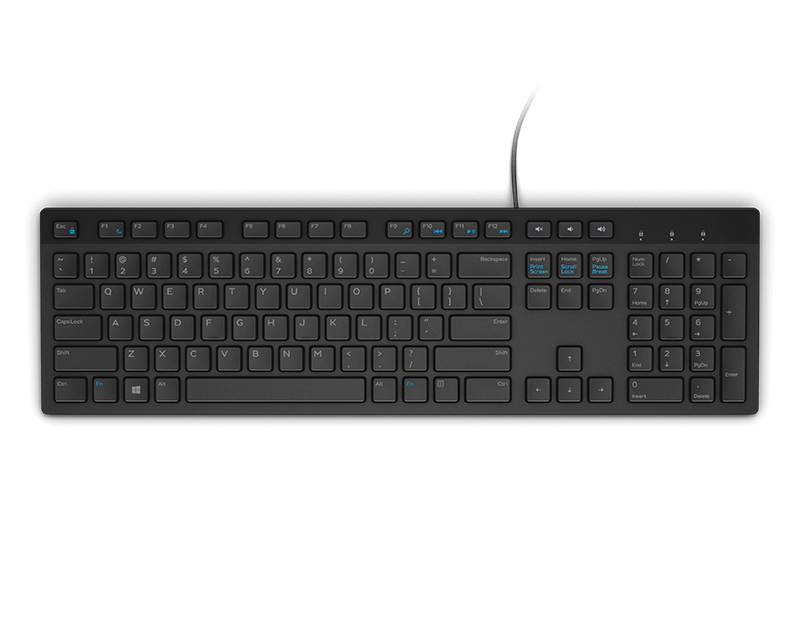
A wireless keyboard and mouse combo with 2.4GHz connectivity, multimedia keys, programmable F-keys, and long-lasting batteries.
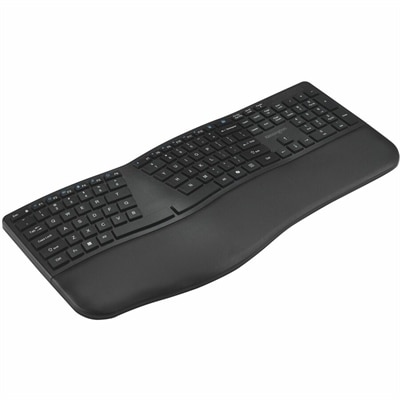
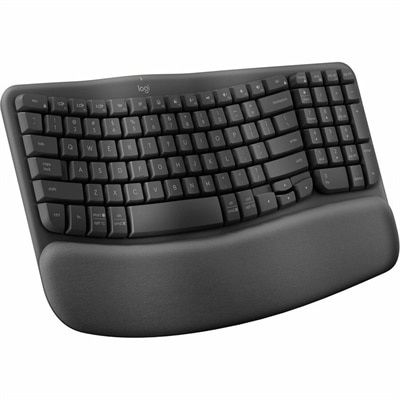
A black rechargeable keyboard with a full-size split layout, wrist pad, and three-device wireless connectivity.
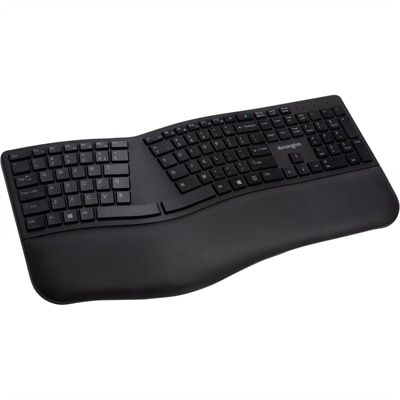
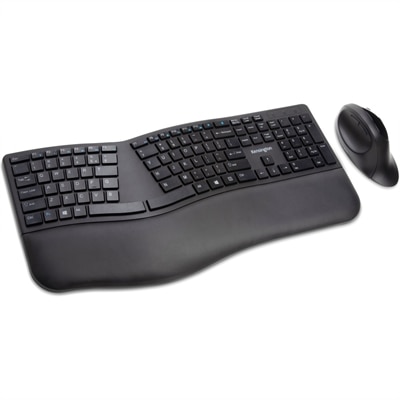
A black ergonomic wireless keyboard with split, sloped design, spill-proof keys, wrist rest, and encrypted connectivity.
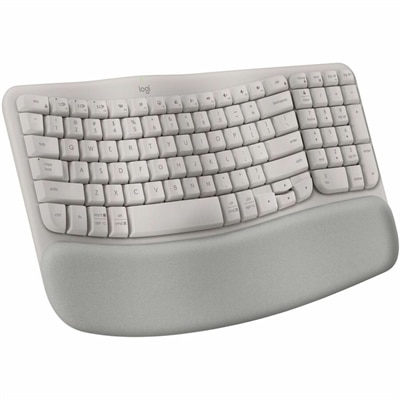
A sand-colored ergonomic wireless keyboard with a cushioned memory-foam palm rest, Bluetooth, Easy-Switch, and long-lasting battery.
A tri-mode wireless gaming keyboard with magnetic snap-on charging and customizable controls for enhanced performance.
Wireless PC keyboards offer a practical way to create a cleaner, more flexible workspace without giving up the familiar feel of a physical keyboard. Instead of running a cable from the keyboard to a desktop or laptop, these keyboards connect through Bluetooth or a small USB receiver. That simple change can make a desk feel less crowded, especially when a monitor, notebook, mouse, speakers and other everyday accessories share the same surface. A wireless keyboard can sit at a comfortable distance from the screen, move easily between a home office and a kitchen table, or be stored in a drawer when the workspace needs to serve another purpose. For people who spend long stretches writing, managing documents, entering figures or communicating online, a well-designed keyboard can make each session feel more natural. A full-size layout is often a helpful choice for office work because it includes a dedicated number pad, familiar navigation keys and generous spacing between frequently used controls. This arrangement can be especially useful for budgets, spreadsheets, invoices and forms, where reaching for a separate number pad can interrupt a steady rhythm. Compact keyboards, by contrast, leave more room for a mouse and may suit smaller desks, shared spaces or users who rely on keyboard shortcuts rather than a number pad. Slim designs can add a neat, modern profile, while more substantial keyboards may provide a deeper key feel that some typists find reassuring. When comparing Wireless PC Keyboards, consider how the layout, size and key response fit the way the keyboard will be used rather than focusing on appearance alone. A comfortable keyboard is the one that supports the hands through ordinary tasks, from answering a few messages in the morning to finishing a detailed report as the day winds down.
Connection type is another important consideration. A 2.4 GHz wireless keyboard generally uses a USB receiver that plugs into the computer and creates a direct connection designed for responsive everyday use. This option can be convenient for desktop computers and laptops with an available USB port, and many receivers are small enough to remain connected without getting in the way. Bluetooth keyboards pair directly with compatible computers and can help preserve USB ports for other accessories. Bluetooth may also be useful for people who move between compatible devices, although pairing steps and supported profiles can vary by computer. Before choosing, check the available ports, operating-system compatibility and whether the keyboard requires a receiver, Bluetooth support or both. Battery design deserves attention as well. Some keyboards use replaceable alkaline batteries, while others include a built-in rechargeable battery that is replenished through a cable. Battery life depends on the model, usage patterns and features such as backlighting, so look for clear information about expected runtime and charging. A low-battery indicator can be a small but valuable convenience, providing time to replace or recharge the battery before an important call or deadline. Backlighting can make keys easier to see in a dim room, though it may affect battery life; a bright, busy office may not need it, while a keyboard used in a softly lit room can benefit from adjustable illumination. Quiet keys may be preferable in a shared office, library-like study area or home where someone else is sleeping nearby. Those setting up a productive home workspace may also want to explore Wireless Keyboards For Work for keyboards designed around common professional routines. Paying attention to key travel, wrist position, palm-rest support and the overall angle can help make the typing experience more comfortable over time. A keyboard that feels pleasant during a brief test should also remain manageable through repeated emails, research, coursework and creative projects.
Wireless PC Keyboards can suit a wide range of users, making them a thoughtful practical gift for someone moving into a new home office, refreshing a study area or replacing a worn-out wired keyboard. They can also be useful for students, remote professionals, families sharing a computer and anyone who prefers to keep cables out of sight. A compact model can help a small apartment desk feel open and usable, while a full-size model may give a frequent spreadsheet user the number pad and familiar arrangement they depend on. For a shared household computer, a wireless keyboard can be picked up and moved between rooms with less fuss, allowing one person to work at a desk while another uses the same screen from a nearby chair. Users who connect a laptop to a larger monitor may appreciate having the keyboard positioned at the right height instead of reaching toward the laptop on a stand. Those using a computer for casual gaming may value a responsive connection and comfortable key spacing, while people focused on writing or administration may place greater emphasis on quiet operation, durability and a traditional layout. Construction materials, key legends, spill resistance and warranty coverage can provide additional clues about how well a keyboard is suited to regular use. It is also worth considering the receiver’s storage location, the ease of cleaning between keys and whether the keyboard can be switched between devices. During the cooler months, when more time may be spent working, studying or managing household tasks indoors, a dependable wireless keyboard can make a familiar desk feel more comfortable and organized. The best choice balances connection method, layout, battery approach, comfort and available space, creating a straightforward accessory that helps the computer fit more naturally into everyday life.
Add the products you would like to compare, and quickly determine which is best for your needs.