WLAN Connectivity

Unlock the full potential of your devices with seamless WLAN connectivity, a crucial component in today's digital landscape. Whether you're at home, in the office, or on the go, staying connected is essential for productivity and entertainment. Our selection of products offers diverse options to enhance your wireless network experience, ensuring fast and reliable access to online resources. Explore solutions that cater to various needs and environments, empowering you to maintain an uninterrupted connection with everything that matters most.

Filters

$149.99

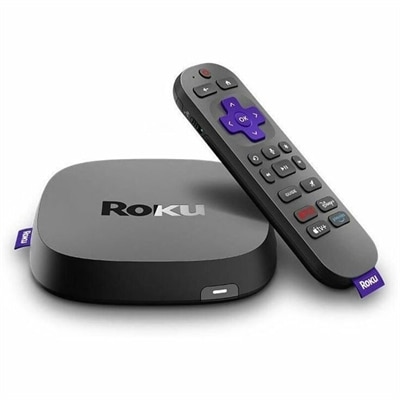
A streaming player delivering 4K HDR10+, Dolby Vision video, Dolby Atmos audio, and Wi-Fi 6 connectivity.
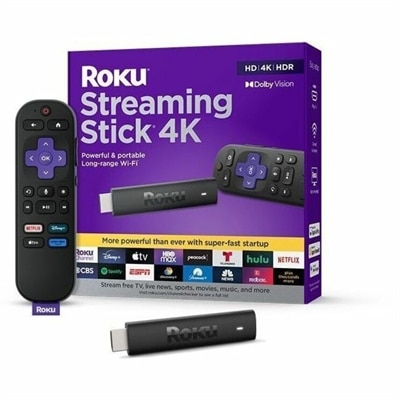
$149.99
$78.99

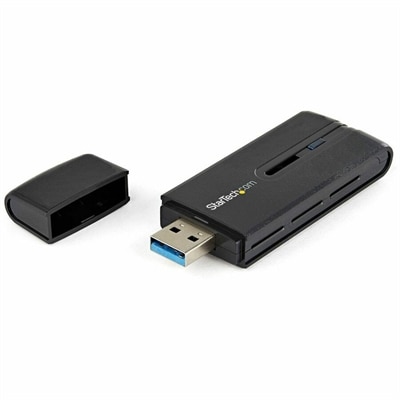
A dual-band USB 3.0 Wireless-AC adapter delivering up to 867 Mbps with WPS and backward compatibility.

$78.99
$79.99

A 4K streaming player featuring Dolby Vision, HDR10+, long-range Wi-Fi, voice search, and USB cable.

$79.99
$225.99

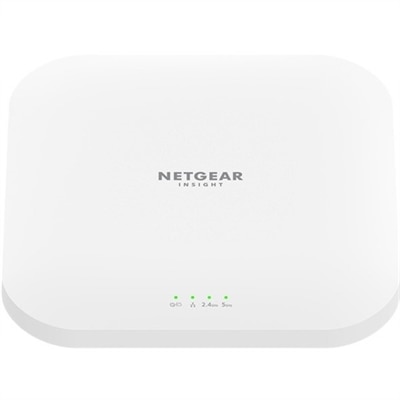
A dual-band Wi-Fi 6 wireless access point with 4x4 connectivity, 3.6Gbps throughput, and 2.5Gbps PoE.

$225.99
$489.00

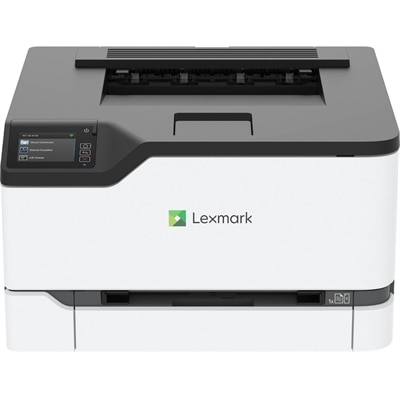
A compact color wireless laser printer with steel construction, duplex printing, mobile connectivity, and Unison toner.

$489

WLAN Connectivity

WLAN connectivity lets a computer exchange data over a wireless local area network, using radio waves rather than a physical cable for the local connection. On laptops and desktops, this capability generally takes the form of Wi-Fi, which follows the IEEE 802.11 family of wireless standards. It supports familiar routines such as joining a video meeting from the kitchen table, submitting coursework from a library, or streaming a movie in a bedroom. A WLAN connects devices within a limited area, such as a home, classroom, or office; internet access depends on whether that local network has a working internet connection. The distinction matters because a computer can remain connected to Wi-Fi even when an online service is unreachable. Computers with built-in wireless capability offer a convenient starting point for spaces where a cable would restrict placement or get in the way. A lightweight laptop can move between a desk and a reading chair, while a wireless-enabled desktop can occupy a dedicated workspace without requiring a wired connection across the room. These devices still need power, and wireless connectivity does not mean that every display or accessory connects without cables. For shoppers comparing computers, the useful details include the supported Wi-Fi standard, compatible frequency bands, and security capabilities, alongside the everyday essentials of screen size, keyboard comfort, memory, and battery life. Wireless performance contributes to the experience, but it does not replace the processing power needed for demanding applications or the display quality that makes long reading sessions comfortable. Students, remote workers, frequent travelers, and households sharing online entertainment may all value WLAN connectivity for different reasons. The common benefit is flexibility: a computer can connect from a suitable location within wireless coverage rather than being anchored to a data cable. Background on WiFi Networks offers additional context for understanding the wireless environment in which these computers operate.

The Wi-Fi specification on a computer describes supported capabilities, not a guaranteed speed in every room. Common wireless frequency bands include 2.4 GHz, 5 GHz, and, on compatible equipment, 6 GHz. The 2.4 GHz band often provides greater reach through a home, although it can be crowded by neighboring networks and other devices. The 5 GHz band generally offers more capacity for demanding activities at suitable distances, while 6 GHz provides additional spectrum for compatible connections, often with less interference from older devices. Higher-frequency signals generally have more difficulty passing through walls, so the newest capability does not automatically produce the strongest connection at the far end of a house. Wi-Fi 6 can operate on 2.4 GHz and 5 GHz, Wi-Fi 6E extends that generation into 6 GHz, and Wi-Fi 7 supports further improvements when the computer and the existing network support the relevant features. Access to a particular band also depends on configuration and applicable regional requirements. Many newer computers can connect to older Wi-Fi networks, but the connection uses capabilities supported by both sides. This makes compatibility more meaningful than a headline speed considered alone. In a busy household, several simultaneous video calls, large downloads, and high-resolution streams can compete for shared wireless capacity. Thick masonry, metal surfaces, distance, and nearby electronic devices can also affect reception. A desktop tucked into a metal-sided cabinet may have a different wireless experience from a laptop sitting on an open desk, even in the same room. For video meetings, responsiveness and a steady connection can matter more than a brief peak in download speed. For downloading large creative projects, sustained throughput becomes more important. Online gaming benefits from low latency and consistent performance, although no wireless specification can eliminate every source of delay. Internet service speed, network congestion, computer configuration, and the remote service itself all influence the result. Viewed together, these factors give wireless specifications practical meaning without treating a single number as a promise.

WLAN-enabled laptops and desktops also need to fit the physical routines of the people using them. For a commuter carrying a computer between home and an office, chassis weight, hinge construction, and a protective sleeve can be just as important as wireless capability. Metal and reinforced plastic housings each have their place, but material alone does not establish durability; overall construction and model-specific testing provide more useful context. A compact laptop may fit comfortably on a small café table, while a larger display can make side-by-side documents easier to read at a permanent desk. Desktop users may place more value on ventilation, accessible ports, and enough room around the computer for comfortable daily use. Wireless antenna design and placement vary, so any supplied antennas should be positioned according to the manufacturer’s directions rather than hidden behind dense furniture. Routine care includes keeping vents clear, protecting the computer from spills, and cleaning surfaces with methods approved for its finish. Software care matters too: operating system and wireless driver updates can address compatibility, reliability, and security issues. To join a secured WLAN, a computer typically selects a network name, also called an SSID, and authenticates with a password or another approved method. Some workplaces and campuses require individual credentials or certificates rather than a shared password. WPA3 provides newer wireless security protections, but support must be compatible with the network’s configuration. A visible network name is not proof that a connection is trustworthy, and an open connection should not be assumed private. For travelers and students moving among shared spaces, supported security features and current software help make wireless convenience more useful over time. A computer intended as a gift is best matched to the recipient’s actual work, study, or leisure habits, including portability, accessibility needs, and the wireless environment they already use. The most suitable choice brings those details together: a comfortable device with compatible WLAN connectivity, a practical physical design, and enough performance for the tasks that fill an ordinary day.

FAQs:

Add the products you would like to compare, and quickly determine which is best for your needs.

Add the products you would like to compare, and quickly determine which is best for your needs.