Workstations for 3D Modeling and Rendering

Workstations for 3D Modeling and Rendering are designed to deliver the power and reliability creative professionals need for complex projects. Ideal for architects, engineers, animators, and designers, these systems support demanding applications and workflows with ease. Explore a range of options that help bring your ideas to life, offering seamless performance for intricate modeling, realistic rendering, and detailed visualization tasks. Find the perfect workstation to enhance productivity and streamline your creative process.

Filters

$4958.00

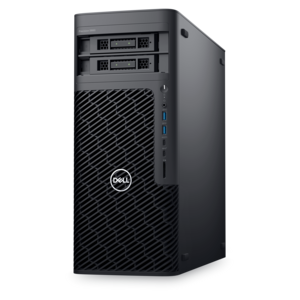
A scalable tower workstation delivering reliable, outstanding performance for demanding multi-threaded applications.
$4958
$7979.00

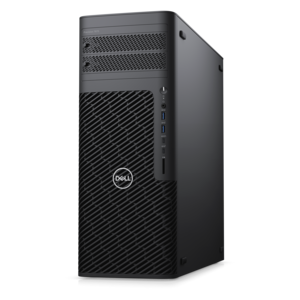
A scalable, high-performance workstation designed to handle critical professional tasks and evolving workloads.

$7979
$3395.00

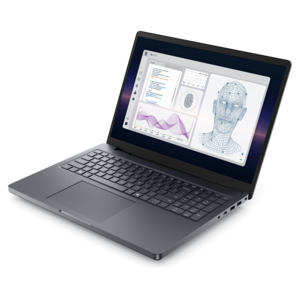
A powerful professional laptop combining exceptional performance, scalability, ease of use, and advanced on-device AI.

$3395
$4104.00

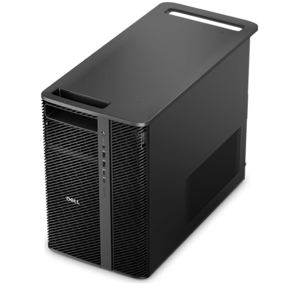
A workstation with Xeon processing, dual 300W graphics, 56TB storage, 2TB memory, and Windows 11 Pro.

$4104

Workstations for 3D Modeling and Rendering

Workstations for 3D modeling and rendering support the demanding process of turning sketches, measurements, and digital geometry into detailed visual scenes. Architects use them to study daylight across a room, product designers refine curves and surface finishes, and animators build characters whose movement must remain convincing from every angle. The right workstation configuration depends on the software, the complexity of the projects, and whether final rendering relies primarily on the processor or graphics card. Interactive modeling often benefits from strong single-core processor performance, especially when editing geometry or working through operations that cannot spread efficiently across many cores. CPU rendering can benefit from higher core counts when the rendering engine supports parallel processing. A system that feels responsive while adjusting a small assembly may face a very different workload when calculating reflections, shadows, and indirect lighting for a finished scene. Graphics performance matters for viewport navigation, real-time visualization, and compatible GPU rendering engines. Dedicated graphics memory, often called VRAM, holds scene information such as geometry and textures during many GPU-based tasks. Around 16GB to 24GB of VRAM can provide useful headroom for demanding scenes, although requirements vary considerably by application, resolution, and project structure. Smaller models may need less, while richly detailed environments can require more. When a scene exceeds the graphics memory supported by a particular rendering workflow, performance may drop sharply, or the render may not complete. Graphics hardware and driver compatibility therefore matter alongside raw specifications. Professional application certifications, where offered for the exact configuration and software version, can provide additional reassurance for specialized workflows. A balanced workstation brings these capabilities together rather than emphasizing one impressive component. For a designer rotating a textured interior, changing a material, and checking a preview repeatedly throughout the day, responsive interaction can be just as valuable as a shorter final render. Artists handling simulations or procedural effects may also need processor and memory headroom before rendering even begins.

System memory and fast local drives help a 3D workstation handle the working files behind those images. For general modeling and moderately complex scenes, 32GB of RAM is a practical starting point; larger assemblies, dense meshes, high-resolution textures, and simulation caches can make 64GB or 128GB more appropriate. These figures are planning ranges rather than guarantees, since the same project can place different demands on different applications. Keeping a modeling application, an image editor, and several reference files open at once also increases memory use. Sufficient RAM helps reduce the slowdowns that occur when active work spills onto a drive, but it does not replace the graphics memory required by a GPU renderer. Error-correcting memory can detect and correct certain memory errors when supported by the processor and system, making it a consideration for compatible professional configurations rather than a universal requirement. An NVMe solid-state drive supports quick application launches, project loading, and access to large asset libraries. Generous drive capacity leaves room for texture collections, temporary files, simulation results, and multiple project versions. Drive speed alone does not substantially accelerate a render that is limited by processor or graphics calculations, so its role is best understood as part of everyday responsiveness. Separate backup copies remain important because neither fast drives nor workstation-class components protect against accidental deletion. Sustained performance also depends on cooling and power delivery. Long rendering sessions generate continuous heat, and well-designed airflow helps components maintain their intended operating performance. Chassis construction, vent placement, and accessible maintenance points influence how comfortably a system fits into daily studio use. Durable exterior materials and secure hinges matter for a mobile workstation that travels between a studio and client meetings. For either form factor, unobstructed vents, a stable working surface, and cleaning according to the manufacturer’s directions help support reliable operation. Acoustic performance deserves attention as well, particularly when a workstation shares a room with client presentations, voice recording, or concentrated design work.

Desktop and mobile workstations suit different ways of creating. A desktop workstation often provides greater room for cooling, component expansion, and a permanent multi-monitor setup, making it a natural fit for a dedicated visualization desk. A mobile workstation brings modeling and rendering capabilities to project reviews, classrooms, temporary workspaces, and on-site presentations, with trade-offs involving carry weight, screen size, battery life, and sustained performance. Intensive rendering generally places substantial demands on a laptop’s power and cooling systems, and performance can differ between battery operation and use with the appropriate power adapter. For professionals moving between locations, the combined weight of the computer and adapter can matter as much as the dimensions of the laptop itself. Display quality shapes the experience on either platform. A higher-resolution screen can make fine edges, dense interfaces, and texture details easier to inspect, while suitable scaling keeps controls readable. Color accuracy and calibration are useful when evaluating material finishes or preparing images for consistent presentation, although the final result also depends on the viewing conditions and intended output. A second monitor can keep reference drawings, tool panels, or a timeline visible without crowding the main viewport. Compatible display connections, enough ports for essential accessories, and an appropriate docking setup help keep the workspace practical. A comfortable keyboard, precise pointing device, and adjustable monitor position support long sessions spent refining small details. Creators whose work also includes illustration, layout, or broader visual development may find Workstations for Design relevant to those overlapping needs. Across these uses, the most suitable workstation supports the entire project cycle: importing source files, building and revising models, testing materials, reviewing motion, and producing finished images. Matching the system to those recurring tasks creates a more useful foundation than choosing specifications solely for an unusually demanding project that rarely occurs.

FAQs:

Add the products you would like to compare, and quickly determine which is best for your needs.

Add the products you would like to compare, and quickly determine which is best for your needs.