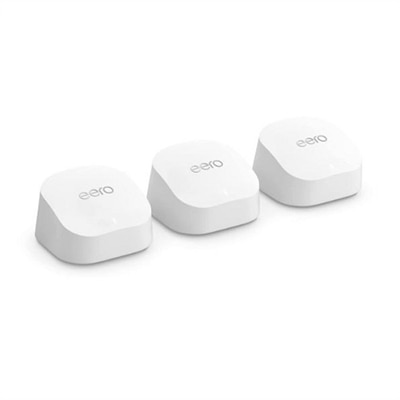
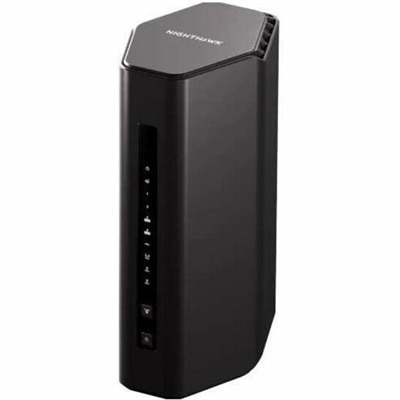
WPA3 Routers
WPA3 routers offer enhanced security and reliable performance for your home or office network. Designed to support the latest wireless standards, these routers help ensure your connected devices benefit from advanced protection and seamless connectivity. Explore a wide selection of WPA3 routers to find the perfect solution for your internet needs, whether you’re streaming, gaming, or working remotely. Upgrade your network with confidence and enjoy peace of mind with cutting-edge technology.
This product is not available
Check out the following recommendations.




WPA3 Routers
WPA3 security adds stronger protection to the wireless connections that laptops and desktops use for everyday work, entertainment, and communication. Short for Wi-Fi Protected Access 3, WPA3 is a security standard rather than a measure of connection speed, signal strength, or wireless range. Its value is in how compatible devices authenticate and protect information traveling over a wireless connection. WPA3-Personal uses Simultaneous Authentication of Equals, commonly called SAE, to help resist offline password-guessing attacks. Instead of allowing a captured authentication exchange to become a password puzzle that can be tested repeatedly offline, SAE makes that approach substantially harder. It also supports forward secrecy, which helps protect previously recorded sessions even if the wireless password is exposed later. These protections are relevant to ordinary routines: a laptop used to review financial statements at the kitchen table, a desktop handling client correspondence in a spare bedroom, or a portable computer carrying coursework between home and campus. WPA3 does not make a device immune to phishing, malicious downloads, or unsafe websites, and it does not replace software updates or a strong, unique wireless password. It is one part of a layered approach that also includes secure websites, current operating systems, and sensible account protection. For shoppers comparing computers and compatible accessories, explicit WPA3 support is more useful than a broad claim of advanced wireless capability. Support depends on the combination of wireless hardware, operating system, and drivers, so a familiar Wi-Fi generation label alone does not settle compatibility. A computer may offer the performance needed for video calls and large downloads while still requiring an update or a supported wireless adapter to use WPA3. Looking at those requirements together helps distinguish everyday computing performance from the security features that protect a connection. The practical benefit is a computer that fits the task at hand while supporting a more resilient way to connect.
The right laptop or desktop brings wireless security together with the physical details that shape daily use. For a laptop that moves from a dining table to a backpack several times a day, weight, hinge construction, keyboard comfort, and a well-supported charging connector matter alongside compatibility. Aluminum housings can offer a firm, rigid feel, while well-designed polymer housings can keep a portable computer light and comfortable to carry; neither material alone guarantees durability. A padded sleeve with the correct dimensions helps protect corners and surfaces during travel, and a separate pocket for accessories keeps connectors from rubbing against the screen enclosure. At a permanent workstation, desktop dimensions, ventilation space, and accessible ports can matter more than portability. A compact system may suit a shallow desk, while a larger enclosure may provide room for additional components, depending on its design. Wireless adapters deserve the same attention to fit: a small USB accessory should not crowd an adjacent port needed for a mouse, keyboard, or webcam, and an internal adapter requires the correct slot, antenna connections, and operating-system support. WPA3 compatibility should be stated for the adapter and its supported software rather than assumed from its size or appearance. Older and newer computers can also behave differently on the same household connection. In a WPA2/WPA3 transition configuration, compatible clients can use WPA3 while older clients continue using WPA2; that does not give the older connection WPA3 protection. The actual security mode negotiated by each device matters. For context on an earlier wireless generation, 802.11ac Routers relates to Wi-Fi 5, a designation that describes wireless technology rather than guaranteeing WPA3 support. Keeping those distinctions clear is useful when a household includes a recently purchased laptop, a dependable older desktop, and accessories with different update requirements. Compatibility is a property of the complete connection, not simply the newest component attached to a computer.
Intended use provides another way to assess WPA3-capable computers without mistaking security specifications for an overall performance rating. Someone working from home may prioritize a comfortable keyboard, a clear webcam, reliable audio, and enough processing power to keep a video meeting running smoothly beside several open documents. A student carrying a laptop across campus may place greater importance on battery life, manageable weight, and a screen that remains readable in a bright study area. A desktop used for creative projects may benefit from a larger monitor, comfortable input devices, and the processing and graphics capabilities appropriate to the software. WPA3 can help protect the wireless connection in each setting, but it does not increase frame rates, sharpen a display, or guarantee uninterrupted calls. Walls, distance, interference, connection capacity, and other factors still influence the experience. Even the arrangement of a desk can make a difference: placing a computer or its external wireless antenna behind a large metal cabinet may impair reception, while following the manufacturer’s placement guidance can help avoid unnecessary obstructions. Long-term care is equally practical. Keep ventilation openings clear, remove surface dust according to the manufacturer’s directions, and avoid spraying cleaner directly onto a computer, display, or connected accessory. Do not bend a protruding USB adapter when moving a laptop, and disconnect accessories before packing them if their connectors could be strained. Software maintenance is part of that care, too. Supported operating-system updates and current wireless drivers help maintain compatibility and address known security issues, although updates cannot guarantee that unsupported hardware will gain WPA3 capability. For a computer intended as a graduation gift or a household upgrade, the recipient’s existing accessories, preferred applications, and comfort with setup deserve consideration alongside its specifications. A familiar keyboard layout, suitable screen size, and straightforward connection process often have more daily impact than an isolated technical label. WPA3 support is most meaningful as part of a balanced computer setup: appropriate performance, comfortable design, dependable upkeep, and clearly documented compatibility for the connections used every day.
FAQs:
WPA3 routers provide enhanced security features, such as Simultaneous Authentication of Equals (SAE) to prevent brute-force attacks and forward secrecy to protect past data even if a password is compromised. This makes them ideal for households with multiple users, smart devices, and those who prioritize privacy and data protection.
Most modern WPA3 routers offer WPA2/WPA3 transitional modes, allowing older devices to connect using WPA2 encryption while newer devices benefit from WPA3’s advanced security. This ensures compatibility across a wide range of laptops, desktops, smartphones, and IoT devices.
Yes, many WPA3 routers support the latest Wi-Fi standards, such as Wi-Fi 6 or Wi-Fi 6E, which provide faster speeds, reduced latency, and improved reliability—perfect for gaming, 4K streaming, and other bandwidth-intensive activities.
WPA3 routers help protect smart home devices by using stronger encryption and authentication protocols. This is especially important for cheap IoT devices WPA3 support, as it reduces the risk of unauthorized access and keeps your connected home more secure.
Yes, compact options like a linksys travel router with WPA3 support are available, making it easy to set up a secure wireless connection in hotels, coworking spaces, or while on the go, ensuring your data remains protected wherever you are.