NetWorker Oracle Backups Fail with Lockbox Errors after nsrdr
Summary: The NetWorker Oracle Recovery Manager (RMAN) backups fail with a lockbox error, while NetWorker Client file system backups complete successfully.
This article applies to
This article does not apply to
This article is not tied to any specific product.
Not all product versions are identified in this article.
Symptoms
The NetWorker Oracle Recovery Manager (RMAN) backups fail with a lockbox error, while NetWorker Client file system backups complete successfully.
The NetWorker data zone encountered a failure and the NetWorker disaster recovery (
The NetWorker data zone encountered a failure and the NetWorker disaster recovery (
nsrdr) procedure was performed prior to encountering the symptom.
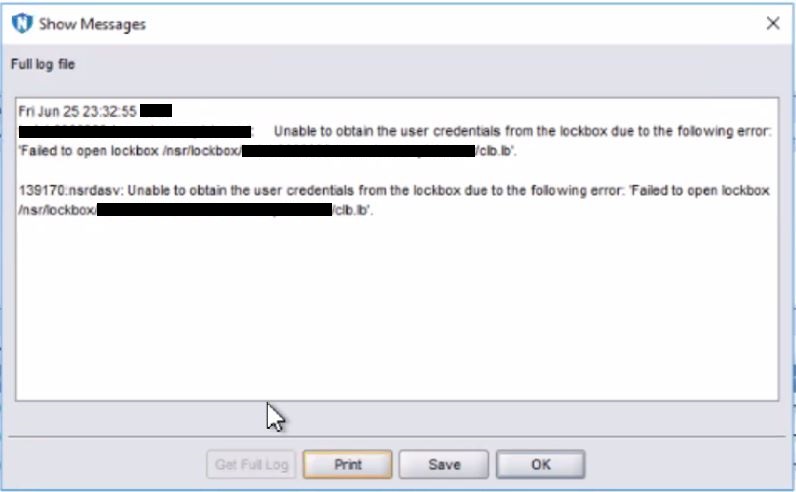
The backup session log shows:
139170:nsrdavsc: Unable to obtain the user credentials from the lockbox due to the following error: "Failed to open lockbox /nsr/lockbox/myclient.mydomain.com/clb.lb"
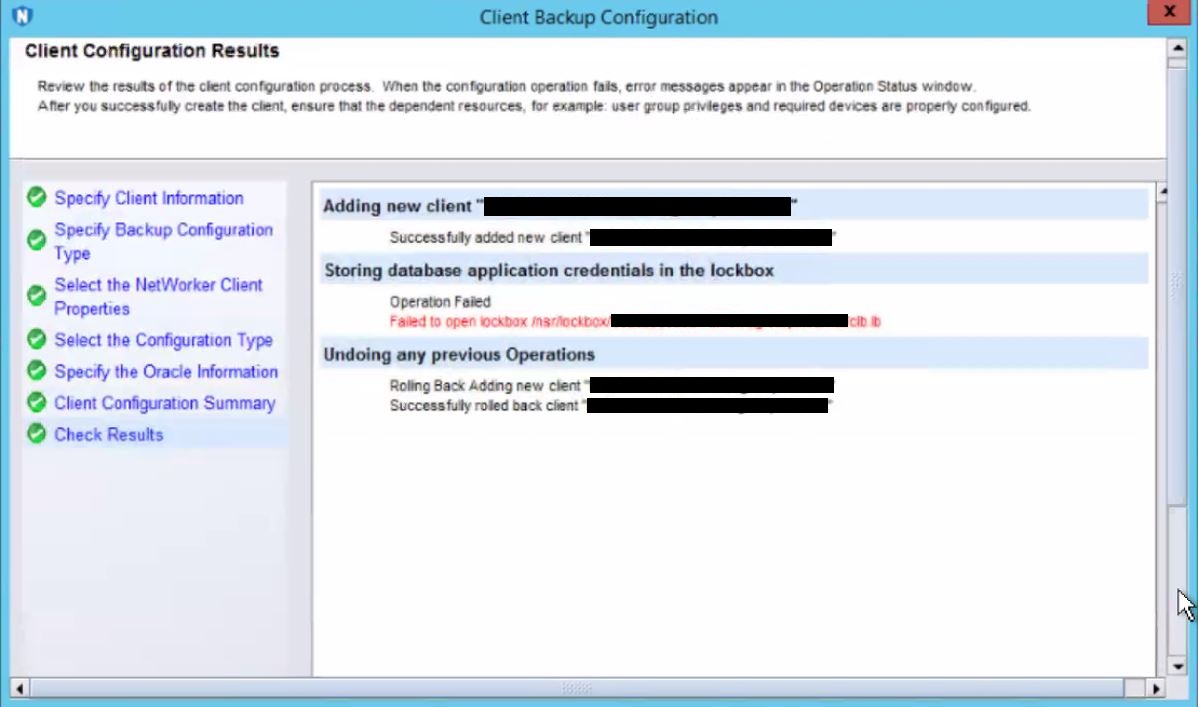
The NetWorker client configuration wizard for the affected NetWorker Oracle RMAN clients also fails with to create a new NetWorker Client instance:
Operation Failed: Failed to open lockbox /nsr/lockbox/myclient.mydomain.com/clb.lb
Cause
The cause of the NetWorker server
nsrdr not being able to access the NetWorker Oracle Client lockbox details is unknown.Resolution
The following procedure can be used to re-create the NetWorker Client lockbox and resolve the Oracle backup lockbox failures. The example uses the example NetWorker client myclient.mydomain.com.
- Delete the lockbox directory for the client on the NetWorker Server: /nsr/lockbox/myclient.mydomain.com
- Delete the myclient.mydomain.com lockbox in the NetWorker Management Console (NMC) Under "Server > Lockboxes."
- Select Ok when the error indicates it is not able to find the lockbox file.
- Run the NetWorker client creation wizard to create a new lockbox with the Oracle credentials.
- Validate the new lockbox was created in the NMC and /nsr/lockbox directory.
- Run the workflow that contains the original NetWorker Oracle RMAN Client entry and it uses the new lockbox information.
- The temporary NetWorker Client entry from step 4 can be deleted.
Article Properties
Article Number: 000189377
Article Type: Solution
Last Modified: 13 Aug 2025
Version: 2
Find answers to your questions from other Dell users
Support Services
Check if your device is covered by Support Services.