Avamar BMR – Aktivering af fejlfinding i Avamar Bare Metal Recovery Wizard
Summary: Artiklen beskriver, hvordan du aktiverer fejlfinding under Windows Client Bare Metal Restore (BMR).
This article applies to
This article does not apply to
This article is not tied to any specific product.
Not all product versions are identified in this article.
Instructions
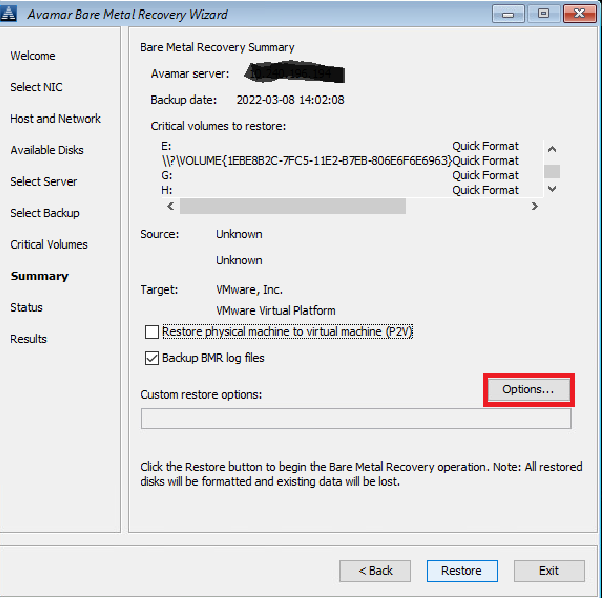
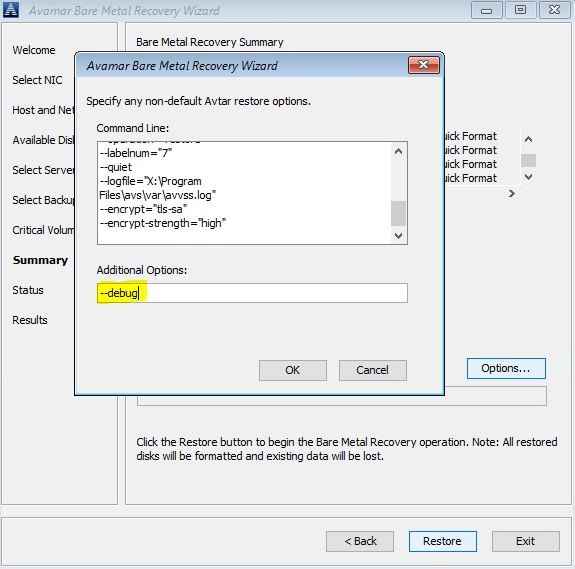
For at aktivere fejlfinding under BMR tilføjes flaget "--debug" to gange i Avamar Bare Metal Recovery Wizard.
Nr. 1 I Vælg server skal du klikke på "Indstillinger" og indtaste --debug (dette vil aktivere "debug" i avtar)
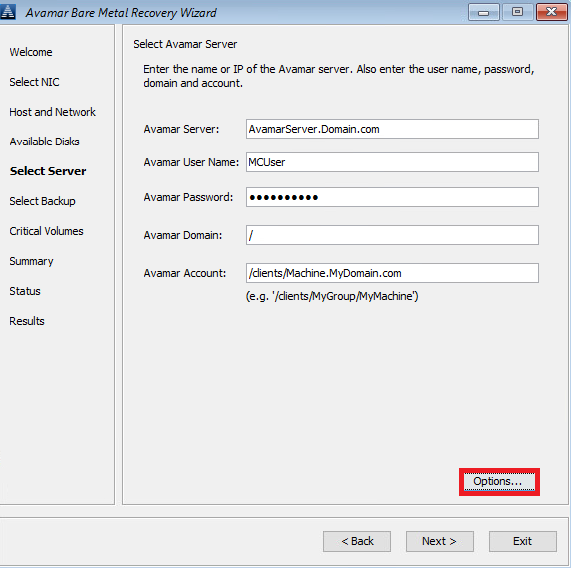
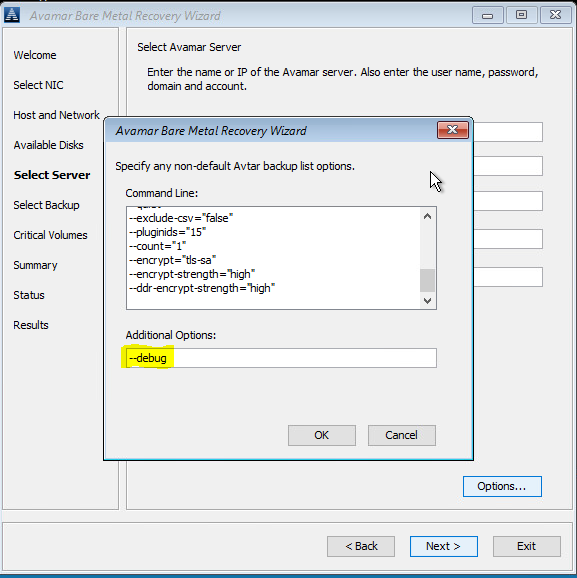
#2 I oversigten skal du klikke på "Indstillinger" og indtaste --debug (dette vil aktivere "debug" i avvss)
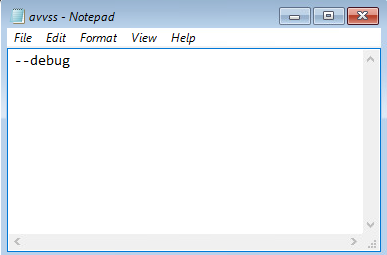
Alternativt kan du bruge en kommandolinje (klik på vinduet "cmd" bag Avamar BMR Wizard) til at oprette avtar.cmd og avvss.cmd filer i X:\Program Files\avs\var folder:
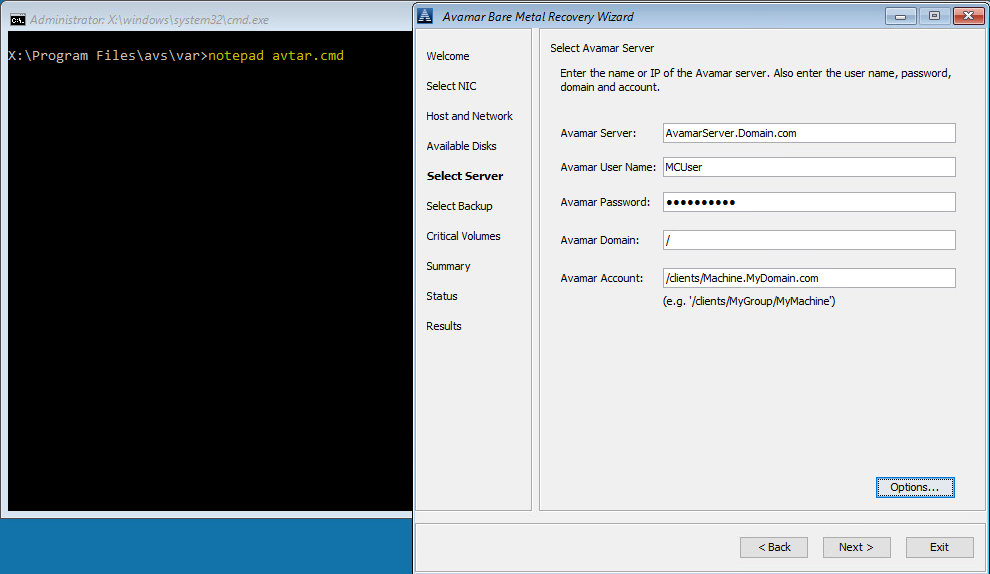
notepad avtar.cmd
add --debug flag and save the file.
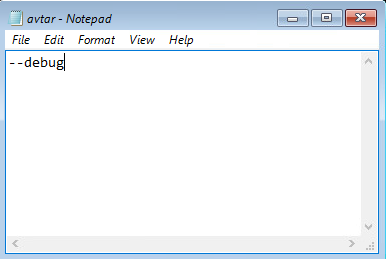
Notesblok avvss.cmd
add --debug flag og gem filen.
Nr. 1 I Vælg server skal du klikke på "Indstillinger" og indtaste --debug (dette vil aktivere "debug" i avtar)
#2 I oversigten skal du klikke på "Indstillinger" og indtaste --debug (dette vil aktivere "debug" i avvss)
Alternativt kan du bruge en kommandolinje (klik på vinduet "cmd" bag Avamar BMR Wizard) til at oprette avtar.cmd og avvss.cmd filer i X:\Program Files\avs\var folder:
notepad avtar.cmd
add --debug flag and save the file.
Notesblok avvss.cmd
add --debug flag og gem filen.
Affected Products
AvamarProducts
Avamar Client for WindowsArticle Properties
Article Number: 000197689
Article Type: How To
Last Modified: 11 Sep 2026
Version: 8
Find answers to your questions from other Dell users
Support Services
Check if your device is covered by Support Services.