Collaboration Touchpad Does Not Work with Microsoft's "New Teams" Client
Summary: Information about why the collaboration touchpad icons do not light up when used in a "New Teams" conference call.
This article applies to
This article does not apply to
This article is not tied to any specific product.
Not all product versions are identified in this article.
Symptoms
The collaboration icons (video mute, audio mute, share, and chat) do not light up or function when used with Microsoft's "New Teams" client.
Cause
Microsoft launched "New Teams" for work or school on October 05, 2023. This version of Teams is not yet compatible with Dell Optimizer, the software that enables Collaboration Touchpad icons. Dell Optimizer 4.1.3 is only compatible with the original Microsoft Teams, which Microsoft is now calling "Classic Teams."
Resolution
Dell Optimizer and Microsoft New Teams
A new version of Dell Optimizer is available on the Dell Support Site. Download and install the newest version available to resolve this issue.
If you are unable to update to the newest version of Dell Optimizer, you can follow the workaround below:
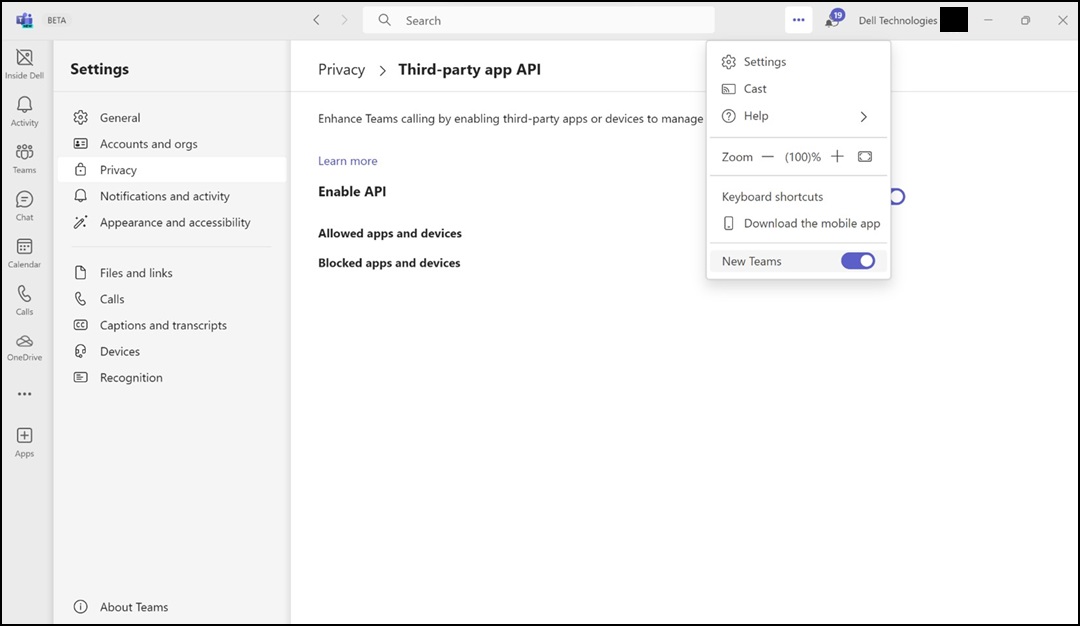
Figure 1: Microsoft New Teams
Affected Products
Dell Pro 13 Premium PA13250, Latitude 9330, Latitude 9440 2-in-1Article Properties
Article Number: 000220188
Article Type: Solution
Last Modified: 22 Apr 2025
Version: 6
Find answers to your questions from other Dell users
Support Services
Check if your device is covered by Support Services.