如何安装 Dell Data Protection 远程管理控制台
概要: 按照这些说明,了解有关安装 Dell Data Protection 远程管理控制台的分步说明。
この記事は次に適用されます:
この記事は次には適用されません:
この記事は、特定の製品に関連付けられていません。
すべての製品パージョンがこの記事に記載されているわけではありません。
手順
Dell Data Protection Enterprise Edition 和 Dell Data Protection Virtual Edition 服务器需要远程管理控制台来管理:
- 策略
- 报告
- 加密密钥
受影响的产品:
- Dell Data Protection Enterprise Edition
- Dell Data Protection Virtual Edition
受影响的版本:
- 8.0 至 9.1
受影响的操作系统:
- Windows
以下步骤包括为 Dell Data Protection Enterprise Edition 和 Dell Data Protection Virtual Edition 版本 8.0 至 9.1 安装远程管理控制台 (RMC)。9.2 及更高版本使用基于浏览器的管理控制台。有关版本信息,请参阅 如何确定 Dell Data Security 服务器版本。RMC 安装程序位于 Dell Data Protection Virtual Edition 软件包中。
- 右键单击并解压服务器软件。
 注意: 有关如何下载服务器软件的更多信息,请参阅 如何下载 Dell Security Management Server。
 - 从解压的安装程序文件中,转至以下位置之一:
- x64 位:
Installers\Remote Console\x64 - x86 位:
Installers\Remote Console\x86
- x64 位:
- 双击setup.exe。

- 选择语言,然后单击 OK。
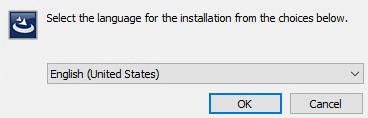
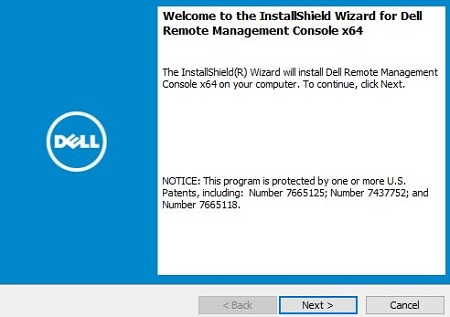
- 单击 Next。
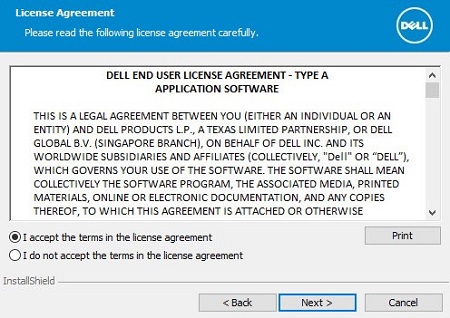
- 选择 I accept the terms in the license agreement,然后单击 Next。
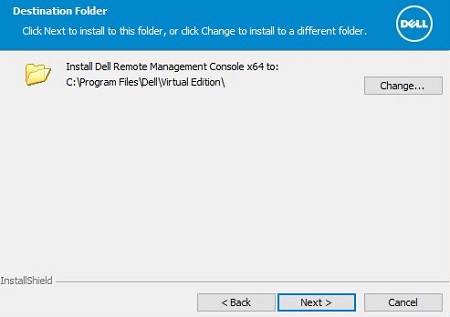
- (可选)单击 Change 以更改安装位置,然后单击 Next。
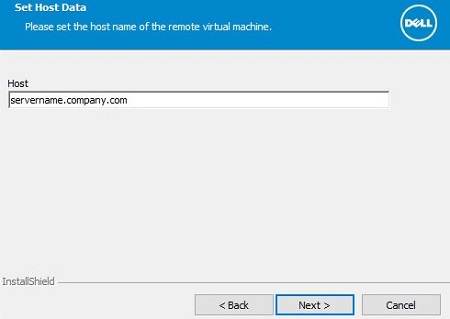
- 填充 Dell Data Protection 服务器的完全限定域名 (FQDN),然后单击 Next。
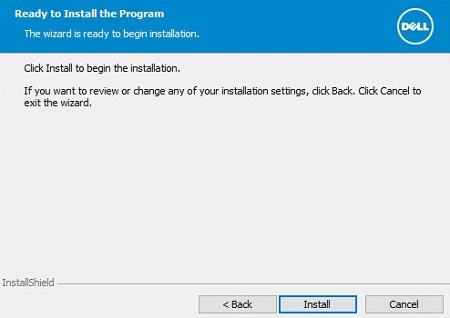
- 单击 Install。
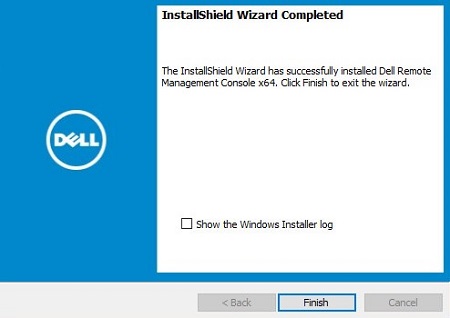
- 单击完成。
その他の情報
ビデオ
対象製品
Dell Encryption文書のプロパティ
文書番号: 000175222
文書の種類: How To
最終更新: 07 7月 2026
バージョン: 12
質問に対する他のDellユーザーからの回答を見つける
サポート サービス
お使いのデバイスがサポート サービスの対象かどうかを確認してください。