10GbE Adapters
10GbE adapters are designed to help streamline data transfer and enhance network performance for demanding environments. Ideal for businesses and tech enthusiasts seeking faster connectivity solutions, these adapters support high-speed networking across a variety of devices. Explore a wide range of 10GbE adapters to find the perfect fit for your setup, whether you're upgrading an existing system or building a new one from the ground up.
This product is not available
Check out the following recommendations.
Related Products
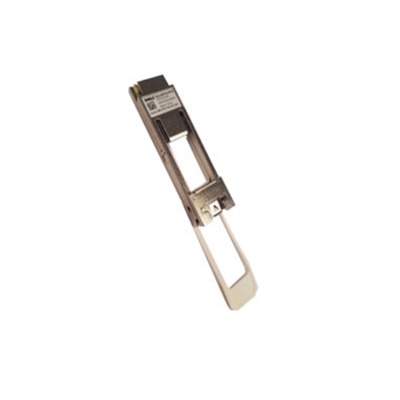
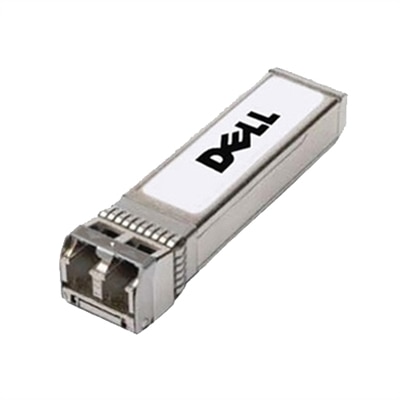
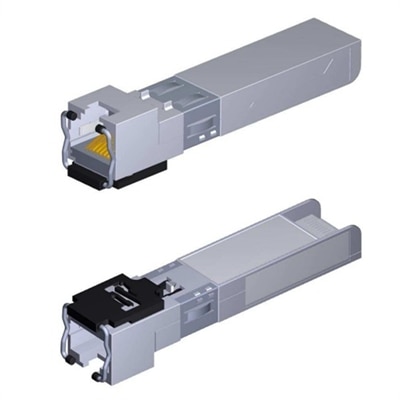
10GbE Adapters
A 10GbE adapter adds high-speed wired connectivity to a compatible computer, helping move large files, work with shared media libraries, and maintain responsive access to demanding applications across a properly equipped local network. The “10GbE” designation refers to 10-Gigabit Ethernet, with a theoretical link speed of up to 10 gigabits per second—roughly ten times the rated speed of standard Gigabit Ethernet under ideal conditions. Actual performance depends on the computer, adapter, cable, connection type, operating system, and the other devices connected to the network, but the extra bandwidth can be especially helpful for photographers handling large RAW image folders, video editors transferring high-resolution footage, musicians working with sample libraries, and households where several people stream, back up, or move files at the same time. It can also be useful for a home office where project files live on another computer or compatible shared storage device, reducing the waiting that can make a busy afternoon feel even longer. Unlike wireless connectivity, a wired 10GbE connection is not affected by walls, distance from an access point, or competing wireless traffic in the same way, making it a practical choice for a fixed desktop workspace. Before choosing an adapter, confirm that the computer and the rest of the wired connection support the intended speed. The Ethernet port on a switch or router must support 10GbE for a full 10Gbps link, and the adapter must be compatible with the computer’s operating system and available port or expansion slot. Many 10GbE connections are backward compatible with 5GbE, 2.5GbE, and 1GbE hardware, allowing the adapter to connect at the highest speed shared by all components. This flexibility can make a 10GbE adapter a useful part of a gradual upgrade, even when every device in the home or office is not ready for the same performance level.
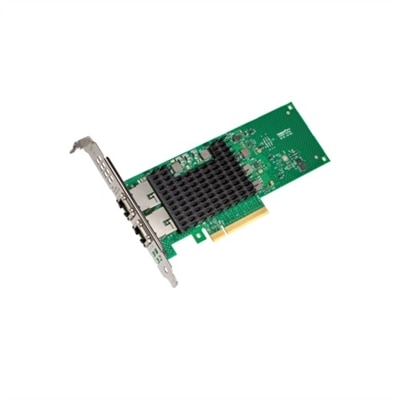
For a desktop computer, an internal PCIe adapter installs directly into an open expansion slot on the motherboard. This format can provide a tidy, dependable connection for a permanent workstation, though it requires an available compatible slot, careful installation, and enough room inside the computer case. Check the slot requirements, case clearance, power considerations, and motherboard layout before purchasing, particularly in a compact desktop where every opening and cable path matters. An external Thunderbolt or USB4 adapter offers a different approach for laptops and small-form-factor computers. It connects outside the system, can be moved between compatible workspaces, and is often convenient for someone who alternates between a desk at home and a second setup elsewhere. External adapters may require a dedicated USB-C port that supports Thunderbolt or USB4 data speeds; a USB-C connector by itself does not guarantee the same capabilities. Some newer USB-based models can provide multi-gigabit connectivity through USB 3.x, but the host port, chipset, drivers, and workload must all support the expected rate, and full 10GbE performance may not be available through every USB connection. Look for clear information about the required port standard, supported operating systems, included power accessories, and whether drivers are needed. Heat management is another worthwhile consideration. High-speed transfers can keep an adapter active for extended periods, so a well-ventilated location and an unobstructed connection can help maintain consistent operation. A compact external adapter may be a thoughtful gift for a laptop user who regularly moves video projects, backs up family photos, or works with large creative files, while an internal card may better suit someone building a dedicated desktop workstation. In either case, match the adapter to the computer rather than choosing by speed alone; the fastest label cannot overcome an incompatible port, insufficient expansion slot, or slower device at the other end.
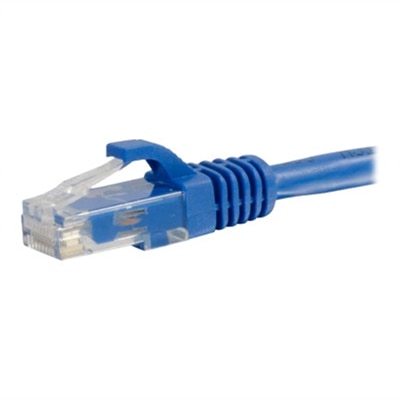
Cabling plays a central role in achieving the expected result. For copper 10GbE connections, CAT6a cable is a common recommendation for reliable full-speed operation, while CAT7 and CAT8 cables may also be used when their connectors and installation fit the equipment. Older CAT5e or basic CAT6 cable may link successfully at a lower speed, and performance can vary with cable quality, length, interference, and the condition of the connectors. If a connection repeatedly drops speed or disconnects during a large transfer, inspect the cable first, then check adapter drivers, operating-system updates, port settings, and the capabilities of the connected switch or router. It is also worth considering the computer’s overall performance: a fast Ethernet link does not automatically make a slow hard drive, crowded wireless segment, or overloaded processor transfer files faster. For many users, the strongest experience comes from pairing the adapter with a modern computer, a fast solid-state drive, suitable cabling, and a 10GbE-capable connection on the other side. A desktop user who wants a stable permanent installation may prefer an internal PCIe design, while a laptop owner may value the portability of an external USB-C, Thunderbolt, or USB4 model. Users comparing copper connections with fiber-based options can also explore 10GbE SFP+ Transceivers when their compatible equipment uses SFP+ ports. With the right combination of hardware, cable, and connection standards, a 10GbE adapter can make everyday file transfers feel less like a bottleneck and more like a smooth, predictable part of the workday, from quiet home offices during cooler months to busy shared workspaces throughout the year.
FAQs:
Upgrading to a 10GbE adapter provides significantly faster data transfer speeds compared to standard gigabit connections. This is especially beneficial for tasks like large file transfers, video editing, media streaming, and collaborative work environments. Users experience reduced lag, improved network reliability, and the ability to handle multiple high-bandwidth activities simultaneously.
A 10Gb Ethernet adapter is ideal for creative professionals, IT specialists, engineers, gamers, and anyone who regularly transfers large files or requires consistent, high-speed network performance. It's also a great choice for small businesses, home offices, and tech enthusiasts looking to future-proof their networks.
Yes, there are 10GbE adapters designed for both desktops and laptops. Desktop users often install PCIe-based adapters, while laptop users can choose from USB-C or Thunderbolt-compatible models. It's important to check system compatibility and available ports before purchasing.
10Gb Ethernet adapters can work with different types of cabling, including Cat6a or Cat7 copper cables for RJ45 connections, or fiber optic cables for SFP+ adapters. The choice depends on your existing network infrastructure and the specific adapter model. For setups using SFP+ ports, compatible transceivers may also be needed.
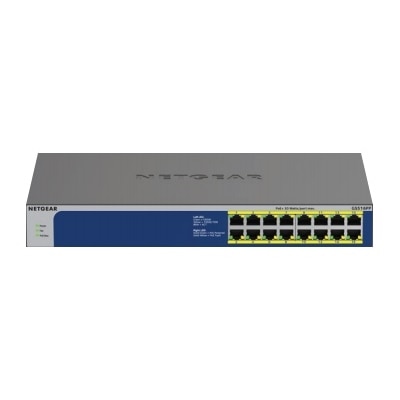
To fully benefit from a 10GbE adapter, your network switch, router, and other connected devices should also support 10GbE speeds. However, you can still use a 10GbE adapter in a mixed network environment, though speeds will be limited by the slowest link. Gradual upgrades are common as users expand their network capabilities.