$299.99
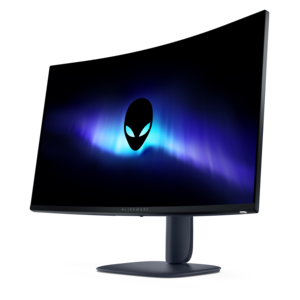
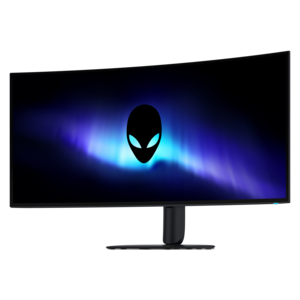
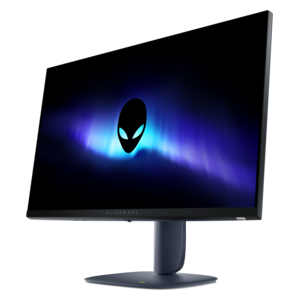
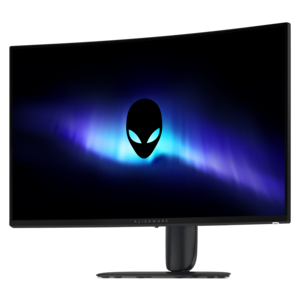
A curved QHD gaming monitor with a rapid 240Hz refresh rate and vivid colors for immersive gameplay.
Elevate your gaming experience with our selection of 32 inch gaming monitors, designed to immerse you in vivid visuals and dynamic gameplay. Whether you're delving into expansive open-world adventures or engaging in fast-paced competitive matches, these monitors offer the perfect balance of size and performance. Enjoy stunning graphics and seamless action that bring every game to life. Explore a range of options tailored to enhance your gaming setup, ensuring every session is as thrilling as the last.
A curved QHD gaming monitor with a rapid 240Hz refresh rate and vivid colors for immersive gameplay.
A 32-inch gaming monitor gives games, movies and everyday projects a spacious visual canvas without requiring a television-sized setup. The larger panel can make distant details easier to see, keep maps and menus comfortably readable, and bring more depth to open-world environments, racing circuits and cinematic adventures. It also gives you room to arrange multiple windows when the gaming session ends, whether you are reviewing coursework, editing photos, keeping a chat window visible or working through a spreadsheet. Players who sit at a desk often appreciate the balance of immersion and practicality: a 32-inch display feels expansive from a normal viewing distance while remaining manageable on a sturdy desk. Curved screens can help keep the outer edges within a more consistent field of view, especially when the monitor wraps gently around your line of sight, while flat screens offer a familiar shape that works well for creative applications and multi-monitor arrangements. As you compare the listings on this page, consider the available desk depth, your preferred seating distance and whether a monitor arm or adjustable stand would help you create a comfortable position. For a similarly sized display category, you can also browse 31.5 Inch Monitors.
Resolution is one of the most noticeable specifications when choosing a 32-inch gaming monitor. QHD, also called 1440p, provides a meaningful step up in detail from Full HD and is often a practical match for gaming PCs that prioritize smooth frame rates. 4K resolution delivers a sharper image with finer textures and cleaner edges, which can be especially appealing for story-driven games, simulation titles and large desktop workspaces, although it may require a more capable graphics card to reach high frame rates. Refresh rate describes how many times the screen updates each second, and a higher figure can make camera movement, fast turns and competitive play feel more fluid. Response time relates to how quickly individual pixels change color; a low response time can help reduce visible trailing behind rapidly moving objects. These specifications work together, so the ideal combination depends on the games you play and the hardware driving the display. A high-resolution monitor paired with a computer that cannot produce enough frames may not feel as smooth as a lower-resolution option running at a consistently high frame rate. Adaptive-sync support can help coordinate the monitor’s refresh behavior with the graphics output, reducing distracting tearing and stutter when frame rates vary. For console players, check the supported resolution and refresh rate through the available HDMI connections, while PC users should review DisplayPort and HDMI specifications alongside their graphics card outputs. HDR support, contrast performance and panel technology also influence image quality, with brighter highlights, deeper shadows and richer colors adding atmosphere to dim corridors, sunlit landscapes and glowing city streets.
A 32-inch gaming monitor can suit a dedicated PC gamer, a console player building a more immersive desk setup or a household member who wants one display for play, study and entertainment. It can also be a thoughtful gift for someone refreshing a gaming corner during the cooler months, particularly when you know whether they use a desktop computer, laptop or console. Beyond the panel itself, look at the details that shape daily use: height, tilt and swivel adjustments can make long sessions easier on the neck; a VESA mounting pattern can provide flexibility for a compatible arm; and built-in speakers, a headphone connection or USB ports may help reduce desktop clutter. A monitor with slim bezels can create a cleaner appearance in a dual-screen setup, while a stable stand matters when quick movements at the desk or an enthusiastic racing session put the surface to work. Think about the room’s lighting as well. A matte finish can help control reflections near windows and lamps, while strong brightness adjustment gives you more flexibility from bright afternoons to softly lit evening play. If the monitor will serve as a shared family screen, broad viewing angles and simple input switching can make it easier for different people to use. If competitive gaming is the priority, place greater emphasis on refresh rate, response behavior and adaptive synchronization. If the display will divide its time between gaming and creative or office tasks, resolution, color consistency, connectivity and ergonomic adjustment may matter more. Choosing around those real routines helps a 32-inch screen feel like a natural part of the room rather than an oversized accessory, delivering an expansive view for games while remaining useful long after the controller or keyboard is set aside.
Add the products you would like to compare, and quickly determine which is best for your needs.