$369.99
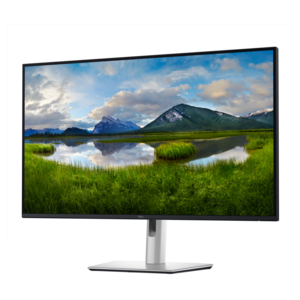
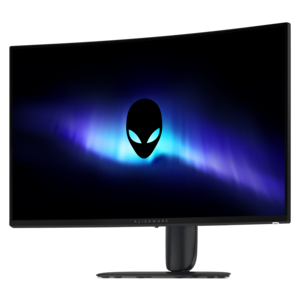
A 4K monitor with up to 120Hz refresh rate and dual 5W speakers for immersive entertainment.
Upgrade your workspace or entertainment setup with 31.5 inch monitors, offering an impressive display size that enhances productivity and immersion. Perfect for multitasking, creative projects, or enjoying your favorite content, these monitors deliver a spacious viewing experience for both home and office environments. Explore a wide selection of 31.5 inch monitors designed to meet diverse needs and elevate your screen time to the next level.
A 4K monitor with up to 120Hz refresh rate and dual 5W speakers for immersive entertainment.
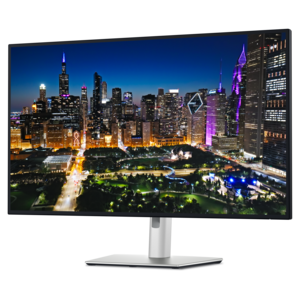
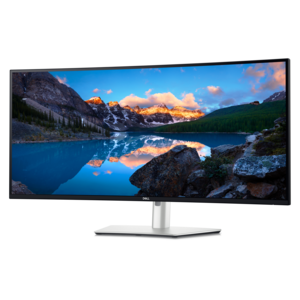
A 4K USB-C hub monitor with extensive connectivity and TÜV-certified four-star eye comfort.
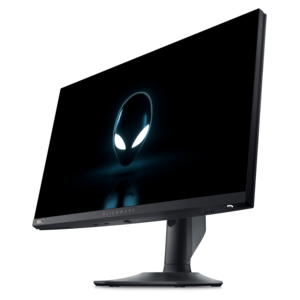
A color-critical gaming monitor with DisplayHDR True Black 500, anti-glare, built-in colorimeter, and remote calibration tools.
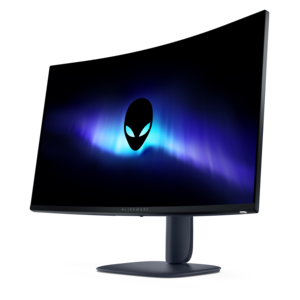
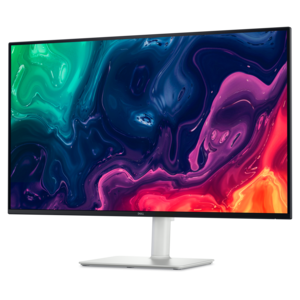
A 4K monitor with enhanced IPS Black, 3000:1 contrast, 120Hz refresh, eye comfort, and ambient sensing.
31.5 inch monitors offer an expansive viewing area that can make everyday computing feel more comfortable and immersive. With a screen this size, documents, spreadsheets, creative projects and entertainment have room to breathe, reducing the need to switch constantly between windows. A large monitor can be especially useful for remote professionals who keep email, video calls, research and project files open at the same time, as well as students managing coursework, online classes and reference materials. Designers, photographers and video editors may appreciate the additional workspace for timelines, tool panels and high-resolution images, while movie and streaming fans can enjoy a more theater-like view from a comfortable distance. When choosing among 31.5 inch monitors, start with the desk and the way you plan to use the display. Measure the available width and depth, leaving space for the stand, keyboard, speakers and comfortable viewing distance. A 31.5 inch screen is often a strong fit for a spacious home office, gaming area or shared workstation, but its size makes placement important. A height-adjustable stand can help position the top of the screen near eye level, while tilt, swivel and pivot adjustments make it easier to reduce glare and maintain a natural posture. If the included stand does not offer the flexibility you need, VESA compatibility can provide more mounting options. Curved displays may help keep the edges within a consistent viewing arc, creating an enveloping feel for games, films and wide spreadsheets. Flat displays can be a practical choice for precise design work, multi-monitor arrangements and spaces where the screen needs to sit close to a wall. Consider the lighting around the desk, too. A matte or anti-glare finish can help limit distracting reflections from windows and lamps, while a bright display with adjustable settings can remain easier to see in rooms that receive changing daylight during the cooler months.
Resolution has a noticeable effect on the sharpness and usable workspace of a 31.5 inch monitor. Full HD can support basic productivity, browsing and entertainment, though text and fine details may appear less crisp at this larger screen size. Quad HD, also called 1440p, provides a useful middle ground with more room for multitasking and clearer images without placing as much demand on a computer as 4K. Ultra HD, or 4K, delivers the highest pixel density among these common choices, making small text, detailed photographs, design elements and high-resolution video look refined when viewed at an appropriate distance. A higher resolution can also let you fit more content on screen, but make sure your computer can drive it at the desired refresh rate. Refresh rate, measured in hertz, describes how many times the display updates each second. A standard refresh rate is well suited to office applications and general entertainment, while a higher refresh rate can make scrolling, animation and gameplay appear smoother. Response time matters most for fast-moving content; lower response-time specifications can help reduce visible trailing behind moving objects. Gamers should also look for adaptive sync support, which helps coordinate the monitor’s refresh rate with a compatible graphics processor to reduce stuttering and image tearing. The right combination depends on the games you play and the capabilities of your computer. Fast competitive games benefit from a high refresh rate and quick response, while story-driven titles, strategy games and simulation experiences may place greater emphasis on resolution, contrast and immersion. For additional options in a similar large-screen format, browse 32 Inch Gaming Monitors. Whether you play after work, edit family videos or simply want extra room for several applications, matching the display specifications to your graphics hardware helps create a smoother experience.
Panel type, color performance and connectivity also deserve attention. VA panels are often recognized for strong contrast and deep-looking blacks, which can add dimension to games and movies, while IPS panels are commonly valued for consistent color and wide viewing angles that support creative work and collaborative viewing. Some displays include technologies designed to reduce flicker or limit blue-light output, which may be helpful during long work sessions, although regular breaks and thoughtful lighting remain important for eye comfort. Look for the ports that match your computer and accessories, such as HDMI or DisplayPort, and consider whether a USB hub, audio output or built-in speakers could simplify the workstation. If you use a laptop, a display with USB-C connectivity may help reduce cable clutter and support a cleaner setup, depending on the monitor’s capabilities. Multiple input ports can make it easier to connect more than one computer or switch between work and personal devices. Built-in speakers may be convenient for calls and casual listening, while dedicated external audio can provide a fuller experience for music, films or gaming. Color presets, brightness controls and an easy-to-use on-screen menu can make the monitor more adaptable as your needs change from focused office work in the morning to entertainment in the evening. A 31.5 inch monitor can also be a thoughtful gift for a college student, home-based professional, creative hobbyist or gamer preparing a more capable desk setup. Before choosing one, consider the recipient’s computer, available space, preferred activities and comfort with adjusting display settings. A well-matched screen can turn a plain desk into a more inviting workspace, giving homework, creative projects, virtual collaboration and favorite entertainment a clear, spacious place to come together.
Add the products you would like to compare, and quickly determine which is best for your needs.