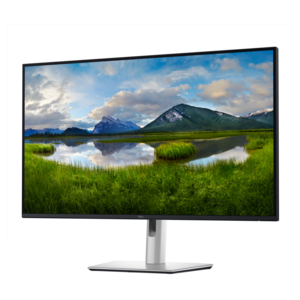
15 Inch Touch Screen Monitors
Enhance your workspace with 15 inch touch screen monitors designed for versatility and convenience. Ideal for both professional and personal use, these monitors offer intuitive navigation and seamless interaction, making everyday tasks more efficient. Whether you're updating your home office or upgrading your business setup, 15 inch touch screen monitors provide a compact solution that fits a variety of environments. Explore options that deliver responsive performance and modern design to elevate your computing experience.
This product is not available
Check out the following recommendations.




15 Inch Touch Screen Monitors
A 15-inch touch screen monitor can bring a more direct, flexible way to work, create and interact with digital content without taking up the footprint of a full-size desktop display. Models in this category commonly measure around 15 or 15.6 inches diagonally, giving you a compact viewing area that fits easily in a small home office, classroom, reception counter, workshop or travel bag. Portable options are especially useful for people who move between rooms or workspaces, since a slim monitor can serve as a second screen beside a laptop and then be packed away when the workday ends. A touch-enabled display can make tasks feel more immediate: tap through presentations, drag windows into position, mark up documents, navigate menus or use compatible creative applications with a finger or stylus. For many shoppers, Full HD resolution offers a practical balance of sharp text, clear images and manageable power requirements, while an IPS panel can help maintain consistent color and visibility when more than one person is viewing the screen. Brightness, contrast and surface finish also deserve attention. A brighter display is helpful near windows or under strong overhead lighting, while an anti-glare finish can reduce distracting reflections during long work sessions. If the monitor will be carried frequently, look for a lightweight design, a protective cover or stand, sturdy controls and a build that can handle being moved from a desk to a kitchen table, conference room or shared workspace. Touch functionality is most useful when the connected computer and operating system support it, so check compatibility before purchasing and confirm whether touch input travels through a USB connection in addition to the video connection.
Connectivity is one of the most important differences among 15-inch touch screen monitors. USB-C can provide a clean, convenient setup when a compatible laptop supports video, touch data and power through the appropriate port, helping reduce the number of cables spread across a desk. Some displays may require separate power, particularly when the connected computer cannot supply enough energy, so review the included cables and power requirements carefully. HDMI is widely useful for connecting to computers, game systems and other compatible devices, but HDMI alone generally carries the picture rather than touch input; a separate USB connection may be needed for interactive controls. Pass-through charging can be valuable for travel or compact workstations because it may let you connect power to the monitor while continuing to charge a compatible laptop through the display, though capabilities vary by model. Before choosing, consider the ports on the computer or device you plan to use, the length of cable needed and whether you will frequently switch between sources. A built-in stand with adjustable viewing angles can make a noticeable difference when the screen sits beside a laptop, while VESA compatibility or an open-frame design may suit a more permanent installation. Portable displays can help students extend a laptop for research and note-taking, remote workers keep a calendar or messaging window visible, photographers review images at a more comfortable size and presenters face an audience while controlling content from a separate screen. In a customer-facing setting, a touch monitor can support check-in, sign-up, ordering, product lookup or interactive demonstrations. For a small business, café, studio or service counter, measure the available surface first and consider how the screen will be cleaned, secured and viewed throughout the day. Touch sensitivity, viewing angle, response time and resistance to fingerprints matter more in a shared environment than they might in a private office.
When comparing options, start with the way the monitor will be used rather than choosing based on size alone. A traveler may value low weight, a folding cover and one-cable convenience, while someone building a fixed touch station may prioritize mounting options, durable construction, a wide viewing angle and reliable operation over portability. A 15-inch touchscreen is also a thoughtful technology gift for a student, home office user, hobbyist or family member who would benefit from a second display but has limited desk space. It can make a compact study area feel more capable during the cooler months, when more activities move indoors, and it is easy to reposition when a room needs to serve several purposes. Gamers may appreciate a touch display as a supplemental screen for maps, controls or streaming tools, although refresh rate and response time should be reviewed if the monitor will also be used for fast-moving gameplay. Creative users should check color coverage and calibration features, while office users may care more about text clarity, viewing comfort and the ability to adjust the display angle. Think about the lighting around the intended setup, the distance between the screen and your eyes, and whether the monitor will sit in landscape or portrait orientation. A compact display can be placed beside a primary monitor for email, reference material or communications, or turned vertically for documents and long webpages when the stand supports that position. If you need a larger viewing area for detailed spreadsheets, shared presentations or immersive entertainment, explore 31.5 Inch Monitors as another size category. The best 15-inch touch screen monitor is the one that fits naturally into your routine, connects cleanly with your existing equipment and remains comfortable to use after the novelty of touch has faded. Pay attention to warranty coverage, included accessories, return policies and compatibility details so the display feels dependable from the first setup through everyday use.
FAQs:
A 15 inch touch screen monitor offers a compact size that fits easily on most desks, while the touch functionality provides intuitive navigation for multitasking, creative work, and collaboration. Its portability allows for flexible workstation arrangements, and the interactive display can help streamline daily tasks, making it a valuable addition to any home office.
Yes, many 15 inch touch screen monitors are designed with versatile connectivity options such as HDMI, USB, and DisplayPort, making them compatible with a variety of devices including laptops, tablets, gaming consoles, and even some smartphones. This flexibility allows users to expand their digital experience beyond traditional computing.
The touch functionality of a 15 inch monitor enables direct interaction with creative software, allowing artists, designers, and content creators to sketch, annotate, and manipulate images or designs with natural gestures. This hands-on approach can lead to a more immersive and productive creative process compared to using a mouse or trackpad alone.
Absolutely. The interactive nature of a 15 lcd monitor makes it ideal for educational environments, supporting hands-on learning and engagement. Students can use touch controls for drawing, note-taking, and navigating educational apps, which can enhance comprehension and retention of new material.
When selecting a 15 inch touch screen monitor for professional use, consider features such as screen resolution for clear visuals, multiple connectivity options for compatibility, ergonomic adjustability for comfortable viewing, and durable build quality. Additional features like built-in speakers and customizable touch settings can further enhance your workflow and overall user experience.