
$349.99
A black QD-OLED gaming monitor offering vibrant color, infinite contrast, and ultra-fast 240Hz refresh rate.


Experience immersive gameplay with Alienware monitors for Xbox gaming, designed to elevate every session with stunning visuals and smooth performance. Whether you’re diving into fast-paced action or exploring expansive worlds, these monitors are built to complement your console setup and bring out the best in your favorite titles. Find the perfect display to enhance your Xbox gaming experience and take your skills to the next level.
Shop By
Sort By


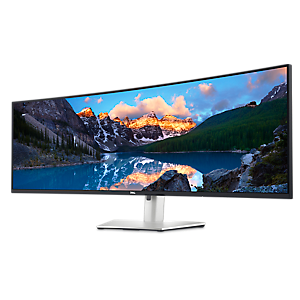


For those looking to elevate their Xbox gaming experience, Alienware monitors stand out as an exceptional choice, offering cutting-edge display technology and robust compatibility with the latest consoles. Whether you’re a dedicated gamer seeking ultra-smooth visuals or someone searching for a thoughtful gift for an enthusiast, these monitors provide a seamless bridge between high-performance hardware and immersive gameplay. As the weather warms and gaming sessions move from cozy winter evenings to lively summer weekends, the right xbox monitor can make a significant difference in both solo campaigns and competitive multiplayer matches. Alienware monitors designed with console compatibility in mind—such as those featuring HDMI 2.1 ports—enable you to unlock the full potential of devices like the Xbox Series X, delivering 4K resolution and up to 120Hz refresh rates for crystal-clear, fluid motion. This level of performance is especially valuable for fast-paced shooters, racing games, and expansive open-world adventures, where every detail and split-second reaction counts.
Choosing the ideal Alienware xbox monitor involves considering a few key factors, especially if you’re looking for the best fit for your gaming setup or planning to surprise a friend or family member who loves gaming. Screen size and curvature can help create a more immersive field of view, drawing you deeper into the action, while advanced panel technologies like QD-OLED offer vibrant colors, deep blacks, and wide viewing angles that bring virtual worlds to life. Features such as AMD FreeSync and NVIDIA G-SYNC compatibility further enhance the experience by reducing screen tearing and input lag, making these monitors a great match for both casual and competitive gamers. For those interested in the latest models, the Alienware AW2725DF stands out thanks to its console compatibility with PS5 and Xbox Series X, ensuring that gamers can enjoy optimized settings and smooth gameplay across multiple platforms. The combination of high refresh rates, low response times, and dedicated console modes means that these monitors are not just a display, but an integral part of any premium gaming environment—ideal for summer tournaments with friends or solo marathons that stretch into the night.
Whether you’re upgrading your own setup or looking for a memorable gift that will be appreciated for seasons to come, Alienware monitors offer versatility and reliability for a wide range of users. Their sleek designs and customizable features make them a centerpiece in any gaming room, while the straightforward setup ensures that even newcomers can get started without hassle. As gaming continues to bring people together—whether in person or online—having a monitor that keeps up with the demands of the latest consoles can make every session more engaging and enjoyable. If you’re interested in exploring more options or want to learn about the full range of features available, visit the Alienware Immersive Gaming Monitors page for detailed information and inspiration.
Alienware monitors are designed with high refresh rates, low input lag, and fast response times, which provide smooth and responsive gameplay. Many models also support variable refresh rate technologies like AMD FreeSync or NVIDIA G-SYNC Compatible, helping to eliminate screen tearing and stuttering when connected to an Xbox console.
Yes, most Alienware monitors come equipped with HDMI ports that are compatible with Xbox consoles. Some newer models even feature HDMI 2.1, allowing for higher resolutions and refresh rates to fully leverage the capabilities of the latest Xbox Series X and Series S.
Absolutely. Many Alienware monitors offer built-in gaming features such as customizable game modes, on-screen overlays (like FPS counters or crosshairs), and enhanced color profiles that can be accessed directly through the monitor’s on-screen display while gaming on your Xbox.
Many Alienware monitors support High Dynamic Range (HDR), allowing you to enjoy richer colors and improved contrast in supported Xbox games. Check the monitor specifications for HDR certification to ensure compatibility with your preferred titles.
To get the best performance, connect your Xbox via a high-quality HDMI cable, enable the highest supported resolution and refresh rate in your console’s settings, and activate any relevant gaming features on your Alienware monitor such as low input lag mode or game-specific presets.
Add the products you would like to compare, and quickly determine which is best for your needs.


