$19.99
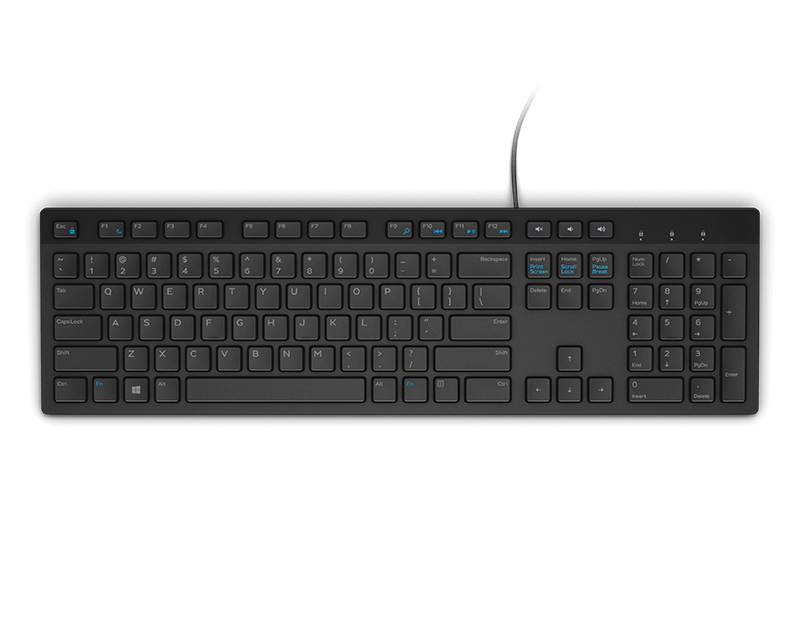
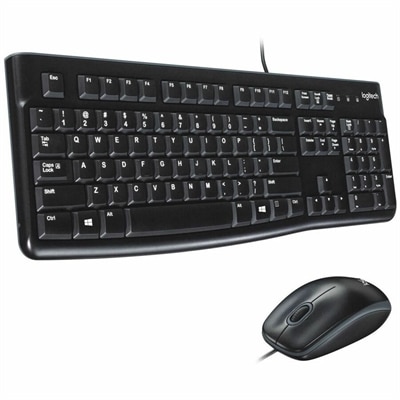
A reliable wired keyboard and ambidextrous optical mouse combo featuring USB plug-and-play connectivity and comfortable full-size designs.
Ambidextrous mice offer a versatile solution for both left- and right-handed users, making them an ideal choice for shared workspaces or anyone seeking greater comfort and flexibility. Designed for seamless use regardless of hand preference, ambidextrous mice provide balanced ergonomics and intuitive control for a wide range of tasks. Explore options that cater to your unique needs and enjoy smooth navigation whether you’re working, gaming, or browsing.
A reliable wired keyboard and ambidextrous optical mouse combo featuring USB plug-and-play connectivity and comfortable full-size designs.
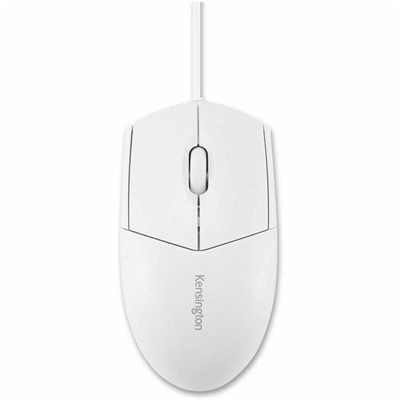
A white, waterproof, washable wired mouse with an ambidextrous design and plug-and-play operation for easy disinfection.
Ambidextrous mice are symmetrical computer pointers designed to feel natural in either the left or right hand. Their balanced shape places the buttons and contours along a centerline, making them a practical choice for left-handed users, right-handed users and households where one computer is shared by several people. They are also useful for anyone who prefers to switch hands during a long workday. Moving the mouse from one hand to the other can change the muscles doing the work and provide a welcome break when navigating spreadsheets, editing documents, browsing the web or managing creative projects. At a shared desk, an ambidextrous mouse can accommodate different users without requiring a separate accessory for each person. Look for a profile that supports your preferred grip, whether you rest more of your palm on the shell, use a relaxed claw grip or guide the mouse with your fingertips. A lower, symmetrical body often suits claw and fingertip grips particularly well, while a slightly fuller design may feel more comfortable for users who prefer broader palm contact. Shape matters as much as technical specifications, so consider the size of your hand, the available desk space and whether you prefer a quick, lightweight feel or a more substantial presence. Symmetry does not always mean every feature is duplicated: some mice place side buttons on one side, while others include removable, repositionable or software-configurable controls. Check the layout carefully to make sure the buttons are accessible from your preferred hand and will not be pressed accidentally during precise movements.
The best ambidextrous mouse depends on how you plan to use it. For everyday office work, schoolwork and home computing, prioritize a comfortable shape, dependable tracking, quiet or moderate-click switches and straightforward compatibility with a laptop or desktop. A scroll wheel with clear steps can help when moving through long pages, while smooth tracking is valuable for selecting text, arranging windows and working across a monitor setup. For gaming, sensor precision, responsive buttons, a suitable polling rate and a secure grip can make fast movements feel more controlled. A lighter mouse may be appealing for quick, repeated movements, while adjustable sensitivity lets you move between careful aiming and broad navigation without changing your physical setup. Programmable buttons can be useful for shortcuts in games, design applications and productivity software, although a simpler layout may be preferable when you want an uncluttered feel. Wired models provide a direct connection with no battery charging, making them a dependable fit for a fixed desk. Wireless models reduce cable drag and keep a compact workspace tidy, which can be helpful when moving between a desk and a living-room setup. If you choose wireless, consider battery life, charging methods, connection range and whether the mouse uses a small receiver, Bluetooth or both. A receiver can be convenient with many laptops and desktops, while Bluetooth may leave a valuable port open for another accessory. Also check operating-system support, available customization software and whether the mouse can maintain a stable connection in the environment where it will be used.
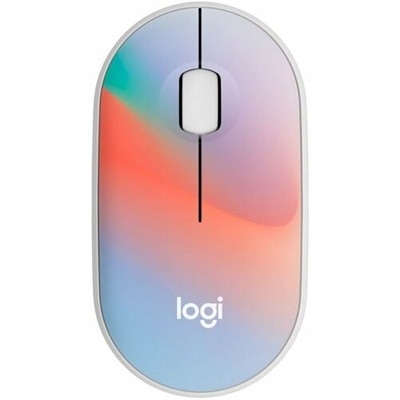
An ambidextrous mouse can be a thoughtful gift for a student setting up a study area, a remote worker refreshing a home office or a gamer who wants more flexibility from a compact setup. It can also suit a family computer, a classroom, a workplace with shared desks or anyone who travels with a laptop and wants a familiar pointing device wherever they work. During the cooler months, when more time may be spent indoors working, studying, creating or playing, a comfortable mouse can make everyday computer use feel more natural without taking up much room in a backpack or desk drawer. Before choosing, compare the mouse dimensions with your hand size, decide whether wired or wireless operation fits your routine and consider the surface where it will be used. Optical sensors generally perform best on a clean, consistent surface, and a mouse pad can provide smoother movement and more predictable control. Pay attention to weight, button tension, scroll-wheel feel and the location of any side controls, since these details become noticeable after hours of use. A symmetrical mouse may be especially helpful when several people use the same laptop, desktop or monitor station, but the right fit still depends on personal comfort and the tasks at hand. Users who enjoy adding personality to a workspace can also explore Colorful Mice while keeping the same practical considerations in mind. With the right combination of shape, tracking, connectivity and controls, an ambidextrous mouse can support precise work, relaxed browsing and responsive play from either side of the desk.
Add the products you would like to compare, and quickly determine which is best for your needs.