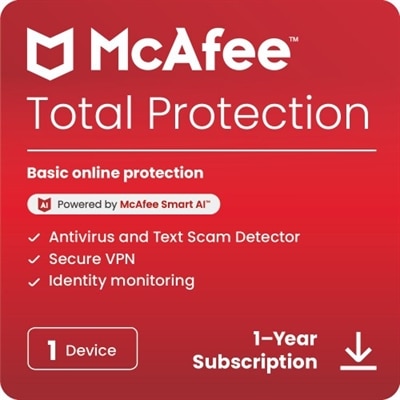
Anti-Spyware Software For Windows
Protecting your personal information and maintaining the security of your device is essential in today’s digital world. Anti-spyware software for Windows helps safeguard your computer from unwanted programs that can compromise your privacy. Whether you use your PC for work, school, or entertainment, choosing the right anti-spyware solution can provide peace of mind and keep your data secure. Explore reliable options designed to enhance protection and support a smooth Windows experience.
This product is not available
Check out the following recommendations.




Anti-Spyware Software For Windows
Anti-spyware software for Windows is designed to help identify, block, quarantine, and remove programs that collect information without clear permission. Spyware can arrive through an unsafe download, a misleading browser pop-up, a bundled application, an infected attachment, or a website that uses deceptive prompts. Some threats quietly monitor browsing activity, capture search history, record keystrokes, or create tracking files that follow activity across the web. Others may attempt to change browser settings, slow a laptop, display persistent advertising, or access a camera and microphone. Because these symptoms can be subtle, a Windows PC may appear to work normally while unwanted software runs in the background. Security software can add an important layer of protection by scanning files, applications, memory, browser data, and removable media for suspicious behavior. Many solutions offer real-time monitoring that checks activity as it happens, while others provide on-demand scans for a deeper review when a computer seems unusually slow or unfamiliar alerts begin appearing. Some can detect potentially unwanted applications, keyloggers, tracking cookies, and other privacy risks that may not behave like traditional viruses. For broader coverage, anti-spyware protection is often used alongside the built-in security features included with Windows 10 and Windows 11, safe browsing tools, and sensible account practices. The goal is not simply to remove a problem after it appears, but to make it more difficult for unwanted software to enter and remain on a computer.
When comparing anti-spyware software for Windows, start with compatibility. Check whether the software supports the specific Windows version installed on the laptop or desktop, whether it works with the computer’s processor and available memory, and whether it can run alongside other security tools without causing conflicts. A solution with real-time protection may be useful for people who download files, install new applications, use shared networks, or regularly visit unfamiliar websites. On-demand scanning may suit someone who already has primary antivirus protection but wants an additional tool for periodic checks. Look for clearly described scanning options, including quick scans for everyday reassurance and full scans that examine more locations across the PC. Automatic updates are important because spyware changes frequently, and a security tool needs current threat definitions and detection methods to recognize newer risks. It is also worth reviewing whether the software includes browser protection, malicious website blocking, ransomware safeguards, webcam privacy controls, firewall support, or identity monitoring. These features vary, so shoppers should compare the actual coverage rather than assuming every security package provides the same protections. Ease of use matters, too. Clear alerts, straightforward quarantine controls, scheduled scanning, and simple restoration options can make a difference for a family member who is not comfortable navigating technical menus. A busy household might value support for multiple devices or user accounts, while a remote worker may prefer quiet background protection that does not interrupt video calls, document work, or creative projects. Students, travelers, and people who use a laptop in cafés or other shared spaces can also benefit from security software that helps monitor downloads and suspicious connections. During the warmer and cooler parts of the year, computers often move between home offices, classrooms, living rooms, and travel bags; consistent protection helps maintain safer habits wherever a Windows PC is used.
Anti-spyware software can be a practical addition to a new laptop, a home desktop, or a computer that has begun showing unexplained behavior. It may be suitable for a parent who shops and manages accounts online, a small-business owner handling customer communications, or a family sharing one PC for schoolwork, streaming, and finances. It can also be a thoughtful technology gift when paired with a simple setup session: install the software, enable automatic updates, schedule a recurring scan, and explain how to recognize suspicious download buttons and unexpected permission requests. A security program cannot replace careful browsing, strong and unique passwords, multifactor authentication, or regular operating system updates, but it can help reinforce those habits. Users should download applications from reputable sources, avoid opening unsolicited attachments, review browser extensions periodically, and be cautious when a webpage urges them to install a “required” player or call a phone number about an urgent computer problem. Ad-blocking and privacy-focused browser settings can reduce exposure to deceptive advertisements and unnecessary tracking, while reputable DNS services may add another layer of filtering before a connection reaches a known harmful domain. It is also wise to review notification settings and scan external drives before opening unfamiliar files. For shoppers who want broader protection beyond spyware detection, a dedicated Antivirus Software For Windows 10 option may provide a wider security foundation, including malware detection and web protection. Before choosing, consider the number of PCs covered, subscription length, renewal terms, customer support, accessibility of settings, and the type of assistance the intended user may need. The best fit is a solution that matches the computer, the household’s online routine, and the user’s comfort level while working quietly in the background.
FAQs:
When choosing anti spyware software for Windows, consider features like real-time threat detection, automatic updates, removal of adware and potentially unwanted programs (PUPs), browser protection, and anti-keylogger tools. User-friendly interfaces and compatibility with your version of Windows are also important for a smooth experience.
Yes, most anti spyware software is designed to work alongside antivirus programs without causing conflicts. In fact, using both can provide a more comprehensive security solution, as antispyware tools focus on specific threats that might not be covered by standard antivirus software.
Absolutely. Anti spyware software is an excellent choice for shared family computers, as it helps protect all users from unwanted tracking, malicious downloads, and privacy intrusions. Many programs offer parental controls and multi-user management options for added convenience.
It’s important to keep your anti spyware software updated regularly. Most modern solutions offer automatic updates to ensure you’re protected against the latest threats, but it’s a good idea to check your settings and run manual scans periodically for extra peace of mind.
Yes, anti spyware software is specifically designed to protect your online privacy by blocking tracking cookies, preventing unauthorized data collection, and alerting you to suspicious activity. These tools help ensure your personal information stays private while you browse, shop, or work online.