Antivirus Software For Malware Detection
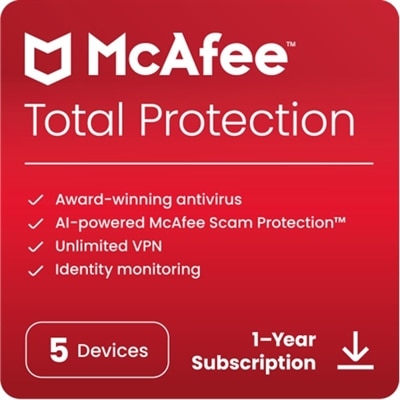
Protecting your devices from online threats is essential in today’s digital world. Antivirus software for malware detection offers robust security solutions designed to help safeguard your computer, data, and personal information. Whether you’re browsing the web, downloading files, or managing sensitive information, having reliable antivirus software for malware detection can provide peace of mind and help keep your system running smoothly. Explore a range of options to find the right protection for your needs.
This product is not available
Check out the following recommendations.




Antivirus Software For Malware Detection
Antivirus software for malware detection helps protect the everyday devices that hold your work, conversations, photos, financial details, and personal records. Malware is a broad term for harmful software, including viruses, spyware, trojans, ransomware, and other programs designed to disrupt a device, monitor activity, steal information, or restrict access to files. The products listed on this page are intended for people who want an added layer of security while browsing the web, downloading files, opening email attachments, installing applications, or connecting external drives. A useful antivirus solution typically combines several detection methods rather than relying on one test alone. Signature-based scanning compares files and applications with a frequently updated database of known malware footprints and code patterns. Heuristic analysis looks for characteristics associated with suspicious software, while behavioral monitoring watches what an application actually does. If an unfamiliar program suddenly attempts to encrypt a large collection of documents, change security settings, or communicate with an unusual remote address, behavioral protection may recognize the warning signs even when the specific threat is new. Real-time protection can inspect activity as it happens, while manual and scheduled scans let you check selected folders, complete drives, downloads, or removable media at a convenient time. Together, these features can create a quiet background defense that works much like a smoke detector in a home: rarely noticed when everything is normal, but valuable when something unexpected occurs.
Choosing among antivirus products begins with the devices and operating systems that need coverage. Windows computers may benefit from protection that monitors downloaded programs, browser activity, scripts, and removable storage, while Mac users can explore Antivirus Software For Mac Computers for options suited to their platform. People who move between a laptop, desktop, tablet, and phone should review how many devices a subscription supports and whether coverage can be shared across operating systems. It is also worth checking the renewal structure, license duration, account requirements, and whether protection continues automatically after the initial term. Look for clear controls that make it easy to start a quick scan, schedule a deeper scan, quarantine an item, restore a file that was identified incorrectly, and review recent activity. Performance matters as well. A security application should provide meaningful monitoring without making everyday tasks feel sluggish, especially on a laptop used for video calls, photo organization, schoolwork, or creative projects. Some users prefer a lightweight application with focused malware detection; others may appreciate broader tools such as web protection, password assistance, identity monitoring, cloud backup, or a virtual private network. These extras can be helpful, but they should not distract from the essentials: dependable detection, frequent threat intelligence updates, transparent privacy practices, responsive support, and settings that are understandable for the person using the device.
Antivirus software can be a practical choice for a wide range of households and workplaces. A remote employee might use it to add protection around documents stored on a personal computer, while a student may rely on it when downloading research materials, joining online classes, or using shared networks away from home. Families with several devices can benefit from a single management view that shows whether protection is active and when a device was last scanned. It can also be a thoughtful gift for someone setting up a first computer, moving into a new home, or replacing an older device; installation and account setup are often easier when the recipient has a straightforward product matched to their operating system. During the cooler months, when more time may be spent indoors streaming, shopping online, organizing photos, and handling personal tasks from a computer, a scheduled scan can provide reassurance without interrupting the day. Even with antivirus protection, good habits remain important. Keep the operating system and applications updated, use strong and unique passwords, enable multifactor authentication where available, and pause before opening an unexpected attachment or entering information on an unfamiliar page. No security tool can guarantee that every threat will be blocked, but layered protection can reduce exposure and help identify problems sooner. When comparing the products listed here, consider the number and type of devices, desired features, ease of use, system performance, privacy terms, and the level of assistance available. The right choice is one that fits naturally into daily routines and remains active, updated, and easy to manage.
FAQs:
When selecting antivirus software for malware detection, consider features such as real-time threat monitoring, automatic updates, ransomware protection, browser security tools, and multi-device compatibility. User-friendly dashboards and low system impact are also valuable for a seamless experience.
Many antivirus solutions offer multi-device licenses, allowing you to protect several computers, laptops, or mobile devices under a single subscription. This is especially useful for families or individuals with multiple devices.
Most leading antivirus software is available for both Windows and Mac operating systems. For those seeking Mac-specific options, you can find curated selections at our Antivirus Software For Mac Computers page.
It’s recommended to keep your antivirus software set to update automatically. Regular updates ensure your malware detection tools are equipped to recognize and defend against the latest threats as they emerge.
Yes, many modern antivirus solutions include advanced features to block phishing attempts and provide robust ransomware defense. These tools monitor suspicious activity, alert users to potential threats, and help keep personal data safe from evolving online risks.