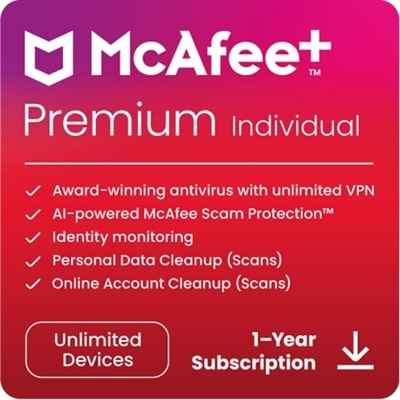
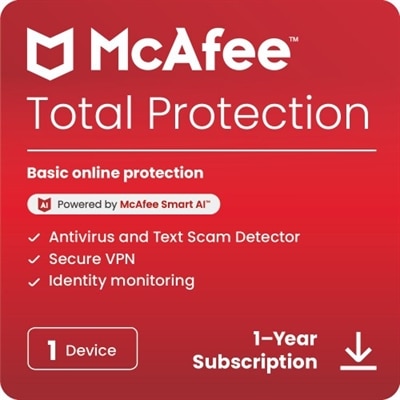
Antivirus Software For Mac Computers
Protecting your device and personal information is essential in today’s digital world, making antivirus software for Mac computers a smart investment. Designed to help safeguard your system from online threats, these solutions offer peace of mind while you browse, work, or play. Explore a range of antivirus software for Mac computers to find the right option that fits your security needs and helps keep your data secure.
This product is not available
Check out the following recommendations.




Antivirus Software For Mac Computers
Antivirus software for Mac computers can add an extra layer of protection to the security tools already built into macOS. Apple includes XProtect, which checks apps for known malicious code and receives background updates, but no single security feature can address every risk that comes with modern online activity. Additional antivirus software may help identify suspicious downloads, block harmful websites, detect phishing attempts and monitor for ransomware before it can interfere with files. This added protection can be especially useful for people who regularly download applications, open email attachments, use public Wi-Fi or manage sensitive information such as financial records, work documents and personal photos. It can also provide reassurance in households where several people share a Mac, including students completing coursework, remote workers handling business files and family members who may be less familiar with deceptive links or fake account alerts. When comparing antivirus software for Mac computers, look for compatibility with the specific macOS version in use, clear system requirements and a straightforward installation process. A well-designed program should work quietly in the background without making everyday tasks such as browsing, video calls, photo editing or streaming feel sluggish. It should also explain alerts in plain language, because a warning is most helpful when it tells you what happened and what action to take. For additional information about protection focused on identifying malicious files and activity, explore Antivirus Software For Malware Detection.
Different antivirus options are built around different levels of protection, so the right choice depends on how a Mac is used. Basic software may focus on scheduled scans and detection of familiar viruses, while more comprehensive plans can add real-time monitoring, web protection, email screening, ransomware safeguards, privacy tools or coverage for multiple devices. Real-time scanning is useful for people who download files throughout the day because it can examine an item as it arrives rather than waiting for a manual check. Web and phishing protection can help flag lookalike websites designed to capture passwords, payment details or login information. Some programs include a virtual private network or password-management features, which may suit users who want several security functions in one application, although these tools should be evaluated separately for their limits, privacy practices and ease of use. Pay attention to whether a subscription protects one Mac or allows coverage across additional computers and mobile devices, particularly when a household has a mixture of personal and work equipment. Also review renewal terms, scan controls, customer support and the provider’s approach to collecting diagnostic data. A free option may be suitable for occasional manual scans or simple virus detection, while a paid plan may be a better fit for frequent internet users, small home offices or anyone who prefers automated monitoring and broader safeguards. Antivirus software is not a replacement for strong passwords, software updates or careful browsing, but it can support those habits by creating another checkpoint between a suspicious file and the information stored on a Mac.
Antivirus software for Mac computers can be a practical technology gift for a college student moving into a shared apartment, a family member who shops and banks online or a remote professional who carries important work home. It is also a considerate addition to a new Mac setup, much like a protective case or an external accessory, because it supports the computer’s long-term everyday use rather than adding clutter to a desk. Before choosing, consider the recipient’s comfort with technology: someone who wants a set-it-and-forget-it experience may benefit from automatic updates, scheduled scans and simple notifications, while a more experienced user may value adjustable scan locations, detailed reports and control over network or application permissions. Check that the software supports the recipient’s Mac model and macOS release, and confirm whether the license begins when it is activated. Once installed, users should keep macOS and all applications updated, enable automatic security updates where available, use unique passwords with multifactor authentication and pause before opening unexpected attachments or entering credentials on unfamiliar pages. Regular backups are equally important, since antivirus protection cannot guarantee recovery from every form of data loss. During the cooler months, when more time may be spent indoors browsing, studying, working and connecting with family online, these simple habits and an appropriate security program can help make a Mac experience feel more confident and less interrupted.
FAQs:
When choosing antivirus software for your Mac, consider features such as real-time scanning, automatic updates, web protection against phishing sites, ransomware defense, and low system impact. Some solutions also offer extras like VPN services, parental controls, and secure cloud backup for enhanced privacy and convenience.
Most leading antivirus software providers regularly update their products to ensure compatibility with the latest versions of macOS. It's recommended to check the software’s system requirements and update notes to confirm that it supports your current macOS version.
Yes, many antivirus solutions for Mac include web protection features that actively block access to known phishing websites and warn you about suspicious links, helping to safeguard your personal information while browsing or checking emails.
Most modern antivirus programs for Mac are designed to run quietly in the background, offering real-time protection without requiring manual scans or interrupting your daily activities. You can usually customize scan schedules and notifications based on your preferences.
Yes, several antivirus software options are developed specifically for macOS, taking into account the unique architecture and security needs of Mac computers. These solutions are optimized to provide effective protection while maintaining system performance and stability.