$570.00
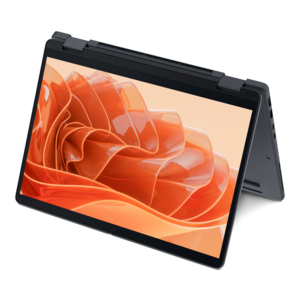
A durable, serviceable Chromebook designed for K–12 learning environments.
Gear up for a successful school year with back to school 2 in 1 laptops, designed to keep up with every assignment, project, and creative pursuit. These versatile devices offer the flexibility students need, seamlessly transitioning from classroom note-taking to after-school entertainment. Whether you’re heading off to college or starting a new grade, find the perfect blend of portability and performance to match your academic goals. Explore a wide selection of back to school 2 in 1 laptops and discover smart solutions that fit your learning style and busy schedule.
A durable, serviceable Chromebook designed for K–12 learning environments.
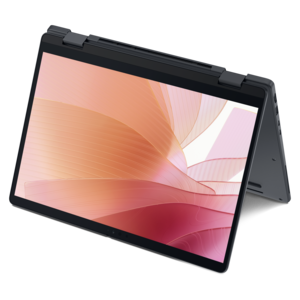
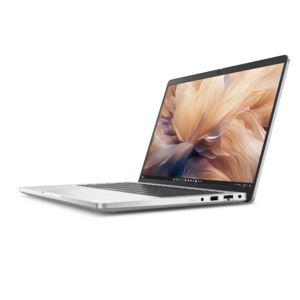
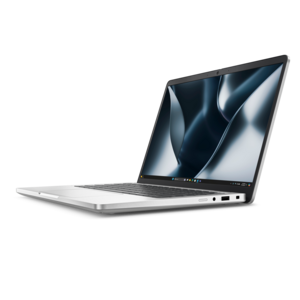
A remarkably thin 2-in-1 laptop powered by AMD Ryzen AI PRO 400 Series processors for performance.
A thin 2-in-1 laptop powered by AMD Ryzen AI PRO 400 Series processors for versatile performance.
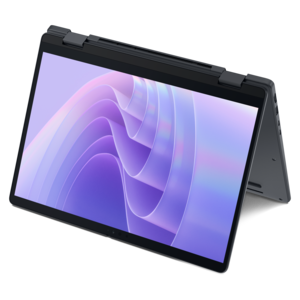
A versatile 2-in-1 laptop with Intel Core processors, DDR5 memory, and multiple modes for creative work.
A remarkably thin 2-in-1 laptop combining portability and performance with Series 3 Intel Core Ultra processors.
A versatile 2-in-1 laptop with AI experiences, all-day battery life, and seamless multitasking.
A versatile 2-in-1 laptop with built-in AI and a spacious display for creative work.
A durable, serviceable laptop or 2-in-1 designed specifically for K-12 learning environments.
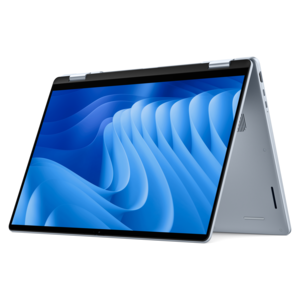
A sleek aluminum commercial AI PC with robust security, scalable performance, and flexible laptop-or-tablet versatility.
A secure, scalable commercial AI PC in a sleek, durable aluminum body for on-the-go multitasking.
Back-to-school 2-in-1 laptops give students the flexibility to move between focused computer work and more natural, hands-on tasks without carrying separate devices. A convertible model with a 360-degree hinge can shift from a conventional laptop for essays, research, spreadsheets, and online coursework into a tent or stand position for presentations, recipes, reference material, or shared viewing. A detachable design can function more like a tablet when reading digital textbooks, annotating diagrams, watching instructional videos, or taking quick notes between classes. That versatility is especially useful when a student’s day changes from one subject to the next: a keyboard makes longer writing assignments comfortable, while a touchscreen makes highlighting, scrolling, sketching, and navigating educational apps feel immediate. Lightweight construction matters when a computer travels from home to a classroom, library, study group, or campus café, and a compact charger or USB-C charging support can make a busy day easier to manage. Students who prefer a traditional typing experience may appreciate a firm keyboard and a responsive touchpad, while younger learners or creative students may value a detachable screen that is simple to hold. Families shopping for a student, preparing a home learning space, or choosing a practical graduation or academic gift can explore Student 2 In 1 Laptops to compare flexible form factors suited to different routines and levels of schoolwork.
The best 2-in-1 laptop for school depends on the software, subjects, and habits of the person using it. Start with the operating system: a cloud-focused platform can be a good fit for browser-based assignments, online documents, video lessons, and school portals, while a Windows laptop may be more appropriate for desktop applications used in areas such as engineering, design, business, programming, or media production. Check the school’s technology requirements before choosing, especially if coursework depends on specialized programs, secure testing tools, or accessories that may not work across every platform. Performance should match the workload rather than simply following the highest specifications. A student who mainly works in web apps, writes papers, and streams instructional content may be well served by an efficient processor, 8GB of memory, and enough solid-state storage for documents and everyday applications. More demanding multitasking, large presentations, photo editing, coding environments, or creative projects can benefit from a faster processor, additional memory, and expanded storage. Battery life is another practical consideration. Look for a model rated to last through a full day of classes, then remember that screen brightness, video calls, demanding applications, and wireless connectivity can affect real-world results. A battery that comfortably covers a school schedule reduces the need to search for an open outlet in a crowded library or carry a charger from room to room. A bright touchscreen with comfortable viewing angles is helpful in varied lighting, while a matte finish can reduce reflections near windows or under classroom lights. Screen size also involves a tradeoff: smaller displays are easier to carry, while larger displays provide more room for split-screen research, timelines, coding windows, and digital notes.
Touch and pen support can make a meaningful difference for students who learn visually or prefer handwriting to typing. Before purchasing, confirm whether an active stylus is included or sold separately, and check how the pen charges and attaches to the laptop so it is less likely to disappear in a backpack. Pressure sensitivity, palm rejection, and low-latency input can improve the experience for drawing, marking up PDFs, solving math problems, and organizing handwritten notes. A sturdy hinge, reinforced chassis, and spill-resistant keyboard design can be valuable for a computer that will spend cooler mornings in a backpack, move across busy hallways, and open repeatedly at a desk or kitchen table. Look for enough ports for the student’s routine, including USB connections, a headphone jack when needed, and video output or wireless display support for an external monitor. A comfortable keyboard with clear key travel is important for long papers, and a precise touchpad helps when a mouse is not available. Security features such as a fingerprint reader, privacy controls, and a webcam shutter can provide added peace of mind, while a clear webcam and capable microphones support group projects and remote classes. Accessories can extend the usefulness of a 2-in-1 laptop: a protective sleeve helps guard against scratches, an external mouse can ease long work sessions, and a compact USB-C hub can connect classroom displays or other peripherals. As the school year moves from the energetic start of new routines into the steadier rhythm of cooler months, a well-matched 2-in-1 laptop can remain a dependable companion for note-taking, collaboration, creative work, entertainment, and everyday organization.
Add the products you would like to compare, and quickly determine which is best for your needs.