$199.99
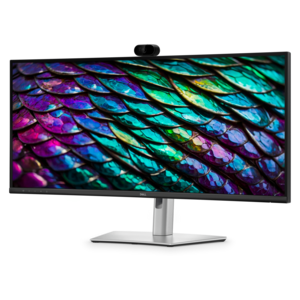
A Full HD conferencing monitor with built-in webcam, speakers, and microphone for seamless everyday collaboration.
In today's fast-paced business environment, effective communication and teamwork are essential for success. Business collaboration solutions offer the tools and platforms necessary to enhance productivity, streamline workflows, and foster seamless interactions among team members, whether they are in the same office or spread across the globe. By integrating cutting-edge technology with user-friendly interfaces, these solutions empower organizations to break down silos, encourage innovation, and drive collective achievements. Explore a wide range of options tailored to fit your unique business needs and discover how you can transform your workplace into a hub of collaboration and efficiency.
A Full HD conferencing monitor with built-in webcam, speakers, and microphone for seamless everyday collaboration.
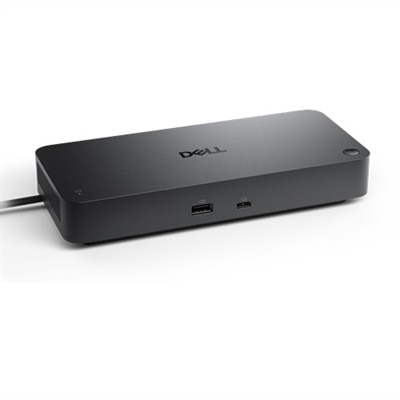
A smart docking station offering up to 130W USB-C power delivery and remote management capabilities.
A curved WQHD IPS conferencing monitor with built-in webcam, speakers, microphone, and USB-C hub.
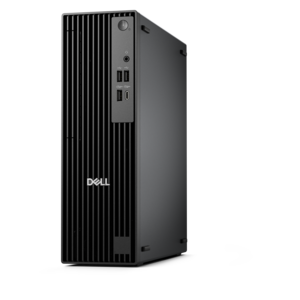
A high-performance business desktop with Copilot+ PC options, AI-enhanced productivity, robust security, and manageability.
A sleek aluminum commercial AI PC with robust security, scalable performance, and flexible laptop-or-tablet versatility.
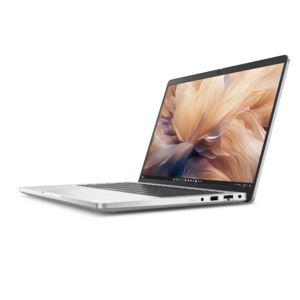
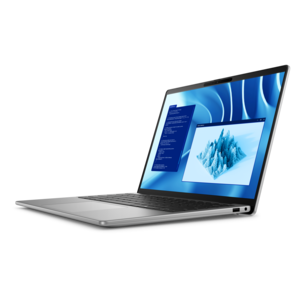
A thin, durable laptop powered by AMD Ryzen™ AI PRO 400 Series processors for professional work.
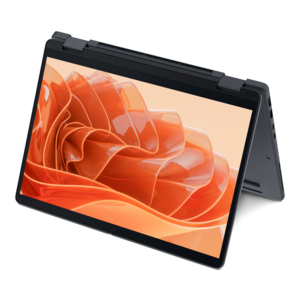
A remarkably thin 2-in-1 laptop powered by AMD Ryzen AI PRO 400 Series processors for performance.
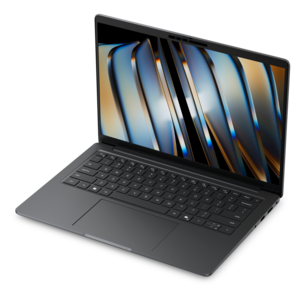
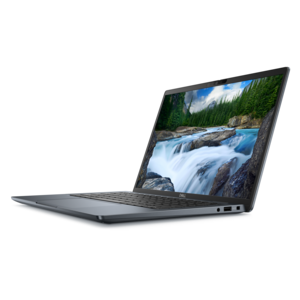
A premium laptop delivering powerful on-device AI, game-changing unplugged performance, and outstanding battery life.
An AI-powered tablet with optional keyboard, active pen, advanced thermals, HDR cameras, and Intel Core Ultra.
Business collaboration solutions bring the everyday tools of a working team into closer alignment, helping people communicate, share information and move projects forward whether they work side by side, from home or across several locations. A well-planned collaboration setup may include computers for creating and reviewing work, displays that make it easier to compare documents or present ideas, audio and video accessories for clear meetings, and software that keeps messages, files and assignments in one shared environment. Real-time chat can replace long email chains when a quick decision is needed, while video meetings give distributed teams a more personal way to exchange updates, demonstrate a process or welcome a new colleague. Shared document tools allow several people to view, edit and comment on the same file without passing confusing versions back and forth. Project management features can organize tasks, owners and due dates so that responsibilities remain visible after a meeting ends. Digital whiteboards and visual planning spaces support brainstorming with notes, diagrams, images and timelines, giving creative, marketing, operations and product teams a flexible place to shape ideas together. When evaluating business collaboration solutions, consider how people actually work throughout the day: an analyst may need a crisp, spacious display for charts and reports, while a mobile employee may prioritize a lightweight computer, dependable battery life and a comfortable headset for calls between locations. A team that spends much of the day in virtual meetings may benefit from clear microphones, cameras that provide a natural image and simple controls that reduce distractions. An office with shared work areas may place greater emphasis on compact accessories, adjustable displays and easy device transitions. The right combination should feel natural enough that employees can concentrate on the conversation or task rather than troubleshooting the equipment around it.
Team size, work style and existing software preferences also shape the right choice. A small business may look for straightforward tools that combine messaging, calendars, file sharing and meetings in one familiar workspace, reducing the number of separate applications employees must learn. A growing organization may value permission controls, searchable conversations, shared folders and administrative features that make it easier to add people and manage access as responsibilities change. Remote and hybrid teams often need consistent ways to share updates, record decisions and make important files available to everyone, including colleagues working different hours. In-person groups can use the same tools to coordinate across departments, prepare meeting materials and maintain a reliable record of project progress. Compatibility is an important practical consideration: computers, displays, cameras, microphones, keyboards, mice and docking accessories should work smoothly with the applications already used for communication and document creation. It is also worth reviewing connection options, screen size and resolution, camera placement, microphone pickup, comfort during extended use and the amount of desk space available. For teams that move between a home office, a company workspace and customer locations, portable accessories and uncomplicated setup can make collaboration feel consistent from one place to another. A clear purchasing plan may begin with the primary use case, then expand to the supporting equipment that removes friction. For example, a computer chosen for intensive visual work may be paired with a larger monitor for reviewing details, while a mobile employee may need a compact charger, comfortable audio accessory and display connection for a more complete workspace. Businesses comparing collaboration tools may also explore Business Networking Solutions as part of a broader effort to support dependable communication between employees and locations.
These solutions can serve many kinds of users, from a small group coordinating client work to a large department managing projects with several contributors. Managers can use shared task views and meeting notes to clarify priorities, while individual contributors can keep conversations, reference material and deadlines close at hand. Sales teams may use video calls and shared presentations to stay connected with customers; designers and writers can gather feedback directly on working files; educators, consultants and service professionals can present information clearly from a home office or a quiet room on the road. Collaboration equipment can also be a thoughtful addition to an employee welcome package, a home-office refresh or a transition to hybrid work, particularly when it helps someone feel prepared from the first day. A comfortable headset, a well-positioned monitor or a reliable keyboard can make a noticeable difference during a long stretch of calls and concentrated work. During the cooler months, when more meetings and workdays may take place indoors, an orderly workspace with clear audio, comfortable viewing and easy access to shared materials can help maintain energy and focus. Look for durable construction, simple controls and designs that fit the habits of the people using them, rather than choosing equipment based only on a feature list. Security and privacy should remain part of the decision as well, including protected accounts, appropriate file permissions, camera covers where needed and clear policies for sharing sensitive information. Accessibility features such as adjustable text size, captions, responsive controls and ergonomic positioning can help more employees participate comfortably. The most effective business collaboration solutions are not defined by one device or application; they are shaped by how well the complete setup supports conversation, shared creativity, organized follow-through and the small daily exchanges that keep work moving.
Add the products you would like to compare, and quickly determine which is best for your needs.