Color Inkjet Label Printers
Color inkjet label printers offer a versatile solution for creating vibrant, customized labels for home, office, or business needs. With advanced printing technology, these devices provide crisp, colorful results that help products stand out and improve organization. Whether you’re labeling files, packages, or inventory, color inkjet label printers deliver professional-looking labels with ease. Explore a wide selection to find the perfect fit for your labeling projects and enjoy seamless integration into your workflow.
This product is not available
Check out the following recommendations.
Related Products
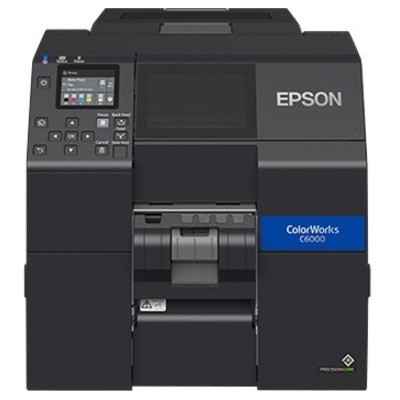
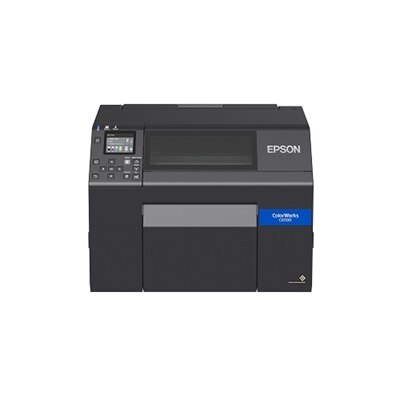
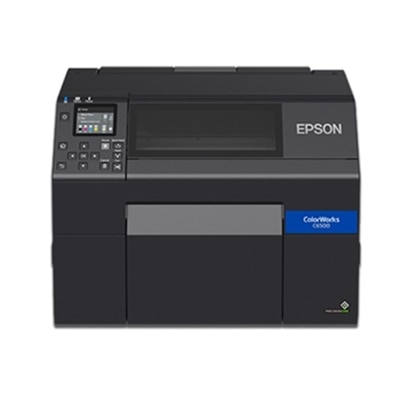
Color Inkjet Label Printers
Color inkjet label printers bring vivid, professional-looking labels into the workplace without requiring every design to be sent to an outside print provider. They are well suited to small businesses, makers, retailers, restaurants, school programs, offices, warehouses and home-based shops that need to print product names, ingredients, barcodes, logos, batch information or shipping details on demand. A café can use them for colorful jar labels and seasonal menu packaging, while an online seller might print a short run of branded labels for handmade candles, soaps or specialty foods. During the cooler months, they can also help organize gift boxes, pantry containers, craft supplies and small-business inventory with labels that are easy to recognize at a glance. Unlike basic monochrome label printers, color inkjet models can reproduce product artwork, photographs, color-coded categories and fine decorative details, making them useful when presentation matters as much as identification. When comparing options, consider the kind of work you plan to do most often rather than choosing based on resolution alone. Compact desktop printers are convenient for worktables, reception areas and low-to-moderate print volumes, while heavier-duty models are better suited to production spaces that need to print larger batches throughout the day. Maximum print width is another important consideration: a narrow format may be ideal for bottles, boxes and mailing labels, while a wider format gives packaging designers more room for illustrations, directions and compliance information. It is also worth checking the printer’s footprint, connection options, supported operating systems and software compatibility so the unit fits naturally into the workflow instead of creating another complicated step.
Ink choice affects both the appearance and durability of a finished label. Dye-based ink can produce especially bright, saturated color on compatible glossy media, which makes it appealing for retail packaging, promotional stickers, product illustrations and photo-rich designs. Pigment ink is often selected when labels need greater resistance to moisture, ultraviolet light or certain chemicals, including applications that may be exposed to outdoor conditions, refrigeration or frequent handling. The right choice depends on the label stock as well as the printer, since ink and media are designed to work together; using an incompatible combination can lead to muted color, smearing, poor adhesion or premature fading. Matte, gloss and synthetic materials each create a different impression and may suit different environments. For example, a matte label can be easier to read under bright lights, while gloss stock can make colors appear more polished on gift packaging or retail containers. Businesses labeling chemicals or other regulated materials should verify that the chosen media and ink support the required durability and information standards, including the needs of GHS-style labels where applicable. Resolution commonly ranges from around 600 dpi to much higher settings approaching 4800 dpi. Lower resolution can be entirely suitable for clear text and standard barcodes, whereas higher resolution is helpful for small type, smooth gradients, detailed logos and photo-quality graphics. Print speed and daily volume deserve equal attention. A printer that handles occasional batches comfortably may feel slow in a busy packing area, while an industrial-style unit may be more equipment than a small studio needs. Look for stated duty-cycle guidance, ink capacity, replacement costs and whether the printer can maintain consistent color over a longer run. Automatic cutters, peel-and-present functions and built-in sensors can save meaningful time when labels are printed, separated and applied one after another.
Media handling details often determine whether a label printer feels effortless or frustrating after the initial setup. Check the maximum label width, roll diameter, core size and supported material types, along with whether the printer accepts roll-fed, fanfold or sheet-fed stock. Roll-fed media is convenient for continuous batches, while fanfold labels can work well where storage or feeding arrangements call for a stack rather than a roll. A built-in cutter can divide labels into individual pieces or short runs, and an automatic peeler can present each label ready for application, which is particularly useful at a packing station. If the labels will be applied by hand, think about adhesive performance, corner lift, surface texture and the shape of the container; a label that looks excellent on a flat box may wrinkle around a small bottle. Color management tools, print previews and adjustable quality settings are valuable for keeping a logo’s tones consistent across different label sizes. Before choosing, estimate how many labels you expect to print on an average day, how much information each label must contain and whether your designs are mostly text, barcodes, illustrations or photographs. It can help to print a few representative samples, including the smallest text and most detailed artwork, before committing to a large quantity of media. Keep ink and labels stored in a clean, stable environment, and allow freshly printed labels to dry as recommended, especially when using glossy stock. For organizations that mainly need addresses, cartons or parcel identification rather than colorful product graphics, exploring Printers For Shipping Labels may offer a more focused fit. With the right combination of ink, media width, durability, finishing features and print capacity, a color inkjet label printer can turn a spare counter or packing table into a dependable, polished labeling station.
FAQs:
A color inkjet label printer allows you to create vibrant, custom labels that help categorize and identify items more effectively. With the ability to print in full color, you can use images, logos, and color-coding systems to streamline organization, enhance visibility, and add a personal or professional touch to your projects.
Absolutely! Color inkjet label printers are popular among crafters and DIY enthusiasts for producing custom labels for homemade goods, scrapbooks, event favors, and personalized gifts. The flexibility to design and print unique labels makes them ideal for creative projects throughout the year.
Small businesses benefit from color inkjet label printers by gaining the ability to quickly produce professional-grade, branded labels in-house. This reduces reliance on external vendors, speeds up turnaround times, and allows for easy updates to label designs for promotions, seasonal products, or personalized orders.
Yes, these printers are excellent for schools and classrooms. Teachers and students can use them to create engaging, colorful labels for supplies, books, cubbies, and learning materials, making organization fun and visually stimulating for learners of all ages.
Consider factors such as print resolution for crisp graphics and text, compatibility with various label sizes and materials, connectivity options like Wi-Fi or USB, and user-friendly software for easy customization. These features ensure you get the most out of your color label printing experience.