$699.99
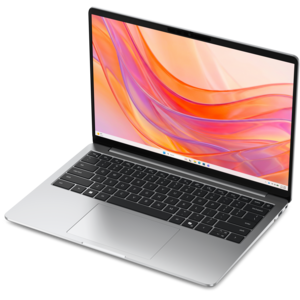
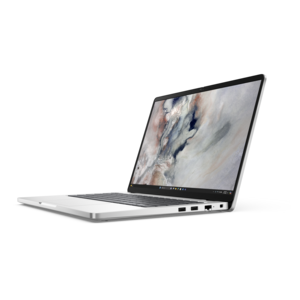
A laptop featuring Intel® 13th Gen processors, a built-in FHD camera, and an enlarged ergonomic keyboard.
Explore a diverse range of computer devices designed to meet the needs of every user, from casual web surfers to dedicated professionals and avid gamers. Whether you're setting up a home office, upgrading your gaming setup, or looking for portable solutions for on-the-go productivity, our selection offers something for everyone. Discover cutting-edge technology and innovative designs that enhance performance and elevate your digital experience. With options tailored to various preferences and requirements, finding the perfect fit among our computer devices is just a click away.
A laptop featuring Intel® 13th Gen processors, a built-in FHD camera, and an enlarged ergonomic keyboard.
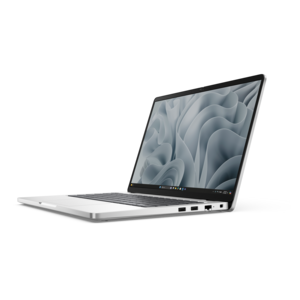
A remarkably thin, lightweight laptop designed for ultimate mobility and effortless everyday productivity.
A thin, lightweight laptop crafted from eco-friendly materials with Series 3 Intel Core processors for productivity.
A versatile 2-in-1 laptop with Intel Core processors, DDR5 memory, and multiple modes for creative work.
A thin, lightweight laptop crafted with eco-friendly materials and powered by AMD Ryzen 200 Series processors.
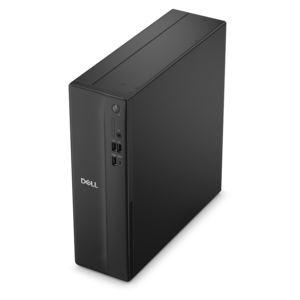
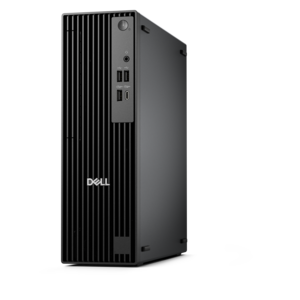
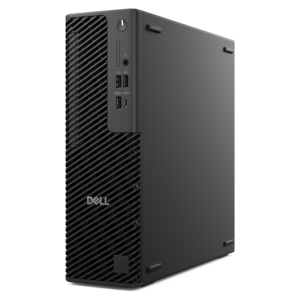
A space-saving desktop delivering reliable performance and security for everyday productivity.
A portable laptop with a sleek design, 16:10 display, and AI PC options for productivity anywhere.
A thin, lightweight laptop made with eco-friendly materials and Series 3 Intel Core processors for productivity.
A space-saving, business-ready desktop delivering reliable everyday performance with essential security features.
A sleek, portable laptop with an expansive 16:10 display for reliable productivity anywhere.
A slim, lightweight laptop with Intel® Core™ processors and graphics for productive work anywhere.
A modern laptop with AMD Ryzen™ processors, delivering effortless productivity and captivating entertainment in a design.
A laptop featuring an FHD camera, enlarged ergonomic keyboard, and AMD Ryzen™ processors for everyday productivity.
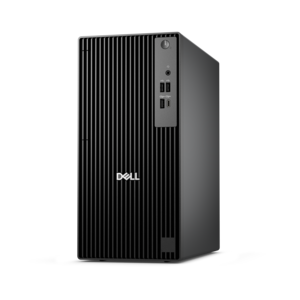
A business-ready tower desktop with Copilot+ PC options, robust security, manageable features, and expandable performance.
A sleek laptop powered by an AMD Ryzen AI 400 Series processor for demanding everyday performance.
A compact, high-performance desktop with AI PC options, robust security, and streamlined manageability for demanding workloads.
A sleek laptop powered by AMD Ryzen AI 400, designed for smooth, capable multitasking.
A space-saving desktop engineered for exceptional speed and efficiency in a sleek, compact design.
A stylish, lightweight AI-powered laptop designed to boost productivity for creatives and small businesses.
A high-performance laptop with AI-enhanced experiences and accelerated creative workflows in a sleek design.
A durable modular laptop with robust security, a spacious 16:10 display, and built-in AI options.
A slim desktop delivering exceptionally fast CPU and GPU performance for demanding professional workloads.
A durable, modular laptop featuring robust security, a spacious display, and built-in AI options for workdays.
A durable modular laptop with a 16:10 display, numeric keypad, robust security, and built-in AI options.
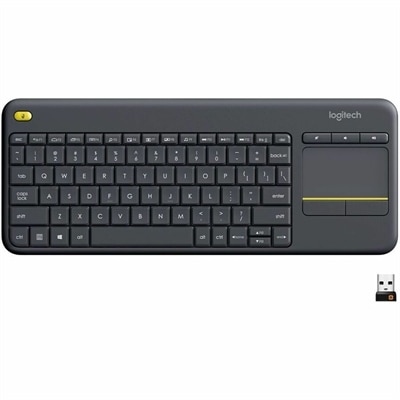
Computer devices are the physical tools that help people create, control, display, hear and preserve digital information. A complete computer setup may include a laptop or desktop computer, a monitor, a keyboard, a mouse, a microphone, a webcam, speakers, a printer and other accessories that connect to or support the main system. Each device has a distinct role: input devices send commands or information to a computer, output devices present the results, and file-saving hardware helps keep documents, photographs and other content available for later use. This broad category serves nearly every kind of computer user, from a student organizing classwork at a kitchen table to a professional moving between a home office and a shared workspace. A laptop can provide a flexible, portable foundation for writing, research, video calls and entertainment, while a desktop setup can offer a comfortable, dedicated place for longer work sessions, creative projects or household administration. When a computer will remain in one location, screen size, desk space and adjustability can make a noticeable difference. For a portable computer, consider the balance between display size, weight, battery life, processing capability and the number of connections needed for accessories. A monitor should be evaluated for resolution, viewing comfort and adjustability, especially when someone spends many hours reading, editing photos, reviewing spreadsheets or attending virtual meetings. Even small additions, such as a responsive keyboard, an accurate mouse or a clear microphone, can make everyday tasks feel more natural and reduce the friction of repeated actions.
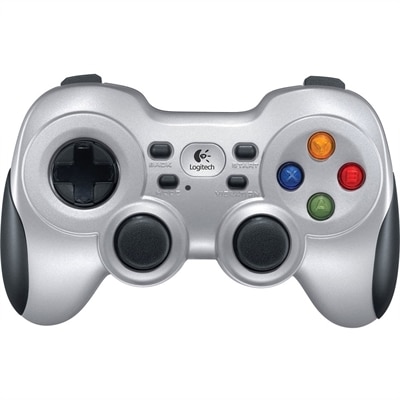
Choosing computer devices is often less about finding one universal configuration and more about matching the setup to the person and the way they work. A family may need a straightforward computer for school assignments, budgeting, browsing and video calls, while a creative user may value a bright display, precise controls and ample room for multitasking. Someone who works remotely may appreciate a webcam with a clear image, a microphone that helps their voice come through naturally and a monitor that keeps reference material visible beside a main document. For gaming and entertainment, display responsiveness, image quality, sound and comfortable controls can shape the experience, while a compact arrangement may suit a smaller room or a desk that serves several purposes. Accessibility is another important consideration. Large, readable text, adjustable screen positioning, backlit keys, high-contrast controls, voice input and easy-to-use pointing devices may help make a setup more comfortable and practical. Check compatibility before purchasing an accessory, including available ports, operating system support, connection types and the space available on the desk. Wireless options can help reduce cable clutter and make it easier to reposition equipment, and shoppers exploring connected technology can also browse Wireless Devices for additional ways to support a flexible setup. Sound levels, power requirements and the location of outlets matter as well, particularly when a computer is placed in a bedroom, shared living area or compact home office.
Computer devices can be thoughtful gifts for students, remote workers, first-time computer owners, creators and families preparing a comfortable workspace during the cooler months. A practical gift does not need to be complicated: an upgraded monitor may give a reader more room for documents, a comfortable keyboard may make writing less tiring, and a webcam or microphone may help a loved one stay connected when friends, classmates or colleagues are far away. Before selecting a gift, consider the recipient’s routines rather than guessing from appearance alone. A person who carries a computer between rooms may benefit from lightweight accessories and simple connections, while someone with a permanent desk may prefer a larger display, better ergonomics or equipment that supports several devices. Durability, warranty coverage, ease of setup and the ability to expand the workspace over time are useful considerations for any purchase. It is also wise to think about maintenance: screens are easier to enjoy when positioned away from harsh glare, keyboards and mice work best on a stable surface, and cables should be arranged so they do not pull against ports or create a tripping hazard. As indoor routines become more important during fall and early winter, a well-matched computer setup can turn a quiet corner into a productive office, a place for learning, a creative studio or a comfortable way to keep in touch. By considering how a device will be used, who will use it and which features support that routine, shoppers can build a computer environment that feels dependable from the first day and remains useful as needs change.
Add the products you would like to compare, and quickly determine which is best for your needs.