$749.99
A black 34-inch curved WQHD IPS monitor with built-in webcam, speakers, microphone, and eye comfort technology.
Elevate your business meetings and collaborative sessions with high-quality conference screens that transform the way you communicate. Designed to facilitate seamless interactions, these screens offer a dynamic platform for displaying presentations, sharing ideas, and engaging with colleagues or clients. Whether you're hosting a virtual meeting or an in-person brainstorming session, conference screens provide the clarity and versatility needed to ensure every detail is captured and understood. Explore our range of options to find the perfect solution that fits your professional environment and enhances productivity.
A black 34-inch curved WQHD IPS monitor with built-in webcam, speakers, microphone, and eye comfort technology.
A 75-inch 4K touch monitor with 20-point InGlass Touch and USB-C power for seamless collaboration.
A 55-inch 4K monitor designed for seamless team collaboration with USB-C power delivery and eco-friendly features.
An immersive 49-inch dual QHD monitor with IPS Black panel and eco-friendly, arsenic-free glass.
A 37.5-inch WQHD+ curved monitor with IPS Black panel and 21:9 aspect ratio for immersive viewing.
A black 23.8-inch Full HD IPS monitor with built-in webcam, speakers, microphone, and eye comfort technology.
A 40-inch curved monitor with a 5K display, 120Hz refresh rate, and Thunderbolt hub connectivity.
A 42.5'' 4K monitor with multi-PC connectivity and four unique FHD partitions for enhanced productivity.
A 34-inch curved monitor with 3440 x 1440 resolution and 120Hz refresh rate for enhanced comfort.
A 27-inch QHD monitor with Thunderbolt 4 connectivity, offering superior eye comfort and productivity.
A 27" monitor with enhanced IPS Black, 3000:1 contrast, and eye comfort technology for vivid visuals.
An advanced 31.5" 4K monitor with IPS Black, 3000:1 contrast, and enhanced eye comfort technology.
A 23.8-inch QHD monitor with extensive connectivity and TUV-certified eye comfort technology.
A Full HD 24-inch monitor offering enhanced eye comfort, productivity, and extensive USB-C connectivity.
An immersive 34.1-inch ultrawide curved monitor with WQHD resolution and USB-C power delivery up to 90W.
A 27-inch 4K monitor with extensive connectivity and TUV-certified eye comfort technology.
A dark gray FHD hub monitor with USB-C connectivity, 100W power delivery, and advanced eye comfort features.
A black 27-inch QHD IPS monitor with built-in webcam, speakers, microphone, and advanced eye comfort features.
A dark gray 27-inch FHD monitor with anti-glare, low blue light, and extensive connectivity features.
A black 23.8-inch FHD monitor with built-in webcam, speakers, microphone, and anti-glare display.
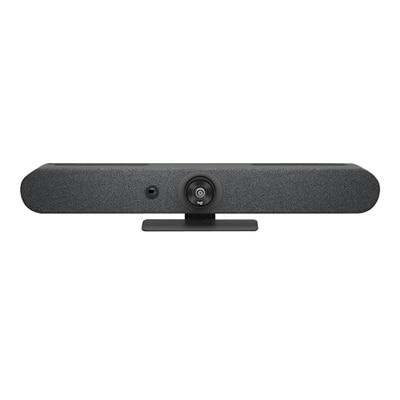
A graphite video conferencing camera offering AI-driven insights, seamless connectivity, and advanced audio engineering.
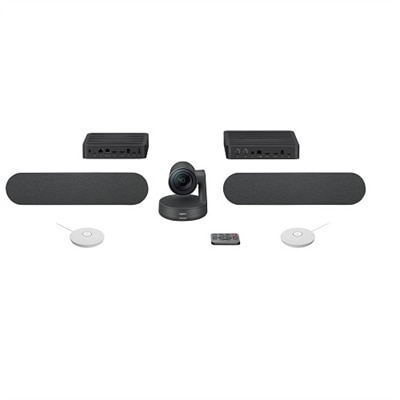
A studio-quality videoconferencing kit with white mic pods, ideal for medium to large meeting rooms.
A sleek projection screen with ambient light rejecting technology for ultra-high-definition viewing experiences.
A USB 3.1 Type C video conferencing camera with AI features for small meeting rooms.
Conference screens help bring meetings, presentations, training sessions, and remote conversations into clear view. Designed for offices, classrooms, shared workspaces, reception areas, and home offices, these displays give teams a central place to present information and stay connected. A well-chosen screen can make a spreadsheet easier to read from the end of a table, give a presenter more room for detailed visuals, and help remote participants feel like part of the room rather than a small window tucked into a corner. The right size depends on the space, seating arrangement, and type of content being shared. Compact meeting rooms and huddle spaces often work well with displays in the 55-inch to 65-inch range, while medium and larger conference rooms may benefit from 75-inch, 86-inch, or even larger screens that keep text legible for people seated farther away. Viewing distance matters as much as diagonal size: a screen that looks impressive near the wall may feel difficult to use if attendees must strain to read small type, while a properly scaled display can make charts, diagrams, captions, and speaker notes much easier to follow. For more options suited to professional collaboration spaces, explore Conference Room Displays and compare screen formats designed for different room layouts and meeting styles.
Resolution is another important consideration when choosing conference screens. 4K UHD is a practical choice for many meeting environments because it produces sharp text, fine lines, detailed images, and readable presentation slides on larger displays. This added clarity is especially helpful when a group is reviewing product designs, financial documents, maps, technical drawings, or dense spreadsheets. A traditional 16:9 aspect ratio works naturally with most presentation content, video calls, recorded training, and shared documents. Ultra-wide 21:9 displays can be useful in modern hybrid meeting spaces where participants need to view several elements side by side, such as a remote speaker, a shared file, meeting chat, and collaboration tools. Interactive touch displays add another layer of participation, allowing presenters and attendees to write over diagrams, move objects, mark up documents, and capture ideas directly on the screen. For rooms that support a range of presenters, connectivity can be just as important as image quality. Look for convenient inputs such as HDMI and USB-C, with USB-C power delivery helping compatible laptops stay charged while they send video and audio to the display through one cable. Wireless casting can make it easier for participants to share content from their own computers without passing cables around the table. Compatibility with common video conferencing platforms, presentation software, and collaboration tools also helps create a smoother experience from the first meeting of the day through the final session.
Different organizations may use conference screens in different ways, but the goal is usually the same: make shared information easier to see, hear, discuss, and act on. A small business might use one in a compact meeting room for client presentations and weekly planning, while a larger company may install several displays throughout offices, training areas, or flexible workspaces. Schools and community organizations can use them for instruction, workshops, announcements, and remote guest speakers. Healthcare, financial, design, and professional services teams may rely on large, high-resolution screens to review documents and visual materials with greater precision. All-in-one conference systems that include a camera, microphones, and speakers can simplify hybrid meeting setups by reducing the number of separate components on a table or wall. Separate displays may be a better fit when a room already has dedicated audio or video equipment, or when the screen needs to be paired with a particular camera placement. Consider the room’s lighting, wall space, mounting position, cable paths, viewing angles, and sound conditions before making a selection. A matte or low-glare finish can be useful in rooms with windows or overhead lighting, while strong built-in speakers may help in smaller spaces where additional audio equipment is unnecessary. During the warmer part of the year and into the cooler months, conference screens can support everything from project check-ins to remote training and community gatherings, helping teams maintain a consistent meeting experience wherever people are working. With the right combination of size, resolution, aspect ratio, touch capability, and connectivity, a conference screen becomes more than a place to display slides; it becomes a shared visual workspace that keeps ideas, people, and decisions together.
When selecting a conference screen for hybrid meetings, consider features such as high-resolution display for clear visuals, wide viewing angles for easy visibility from any seat, seamless connectivity options like HDMI, USB-C, and wireless casting, integrated speakers and microphones for clear audio, and touch or interactive capabilities for real-time collaboration.
Yes, most modern conference screens are designed to be compatible with popular video conferencing platforms such as Microsoft Teams, Zoom, and Google Meet. Many displays offer plug-and-play connectivity or built-in apps, making it easy to join meetings and share content without additional hardware.
Absolutely. Many conference screens are versatile enough to be used in both professional and educational settings. Features like interactive touchscreens, easy content sharing, and robust connectivity make them ideal for classrooms, training rooms, and business meeting spaces alike.
Conference screens facilitate collaboration by providing a shared visual workspace where team members can present, annotate, and discuss content in real time. This fosters engagement, ensures everyone is on the same page, and helps bridge the gap between in-person and remote participants.
Installation considerations include the layout and size of the room, available mounting options (wall-mounted, stand, or ceiling), cable management needs, and proximity to power and network sources. For larger spaces, consider displays with wide viewing angles and higher brightness to ensure visibility for all attendees.
Add the products you would like to compare, and quickly determine which is best for your needs.