$597.99
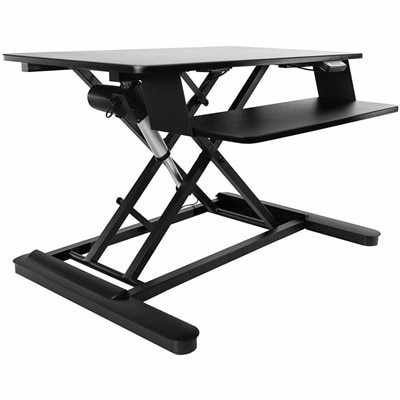
An electric sit-stand workstation with upper display and lower keyboard surfaces, arriving assembled for easy setup.
Desks for streaming provide a dedicated workspace designed to help content creators stay organized and comfortable during broadcasts. Whether you're building a gaming setup or creating a professional environment for live sessions, the right desk can enhance your workflow and support your equipment. Explore options that cater to various room sizes, styles, and preferences to find desks for streaming that fit seamlessly into your space.
An electric sit-stand workstation with upper display and lower keyboard surfaces, arriving assembled for easy setup.
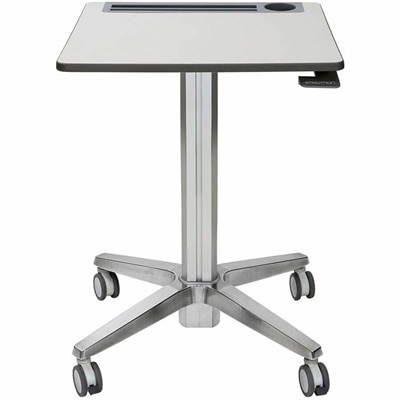
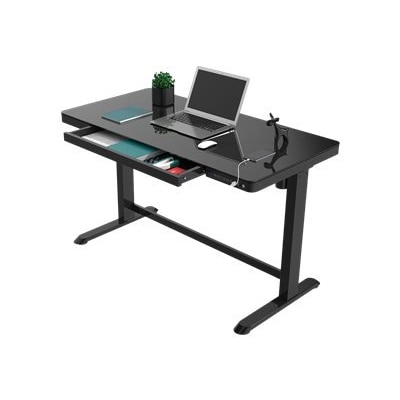
A mobile sit-stand desk enabling flexible, active learning and workspaces.
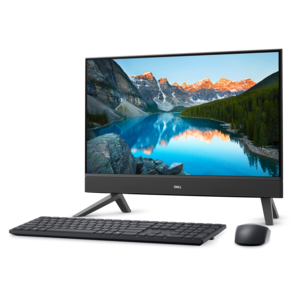
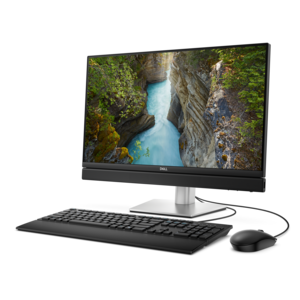
A compact all-in-one desktop designed for productive work and everyday entertainment.
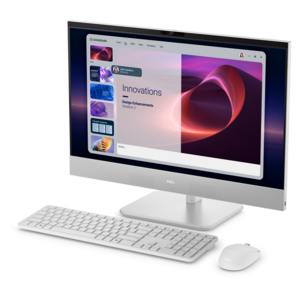
A space-saving all-in-one desktop designed for productive work and immersive entertainment.
A space-saving all-in-one desktop designed for productive work and immersive entertainment.
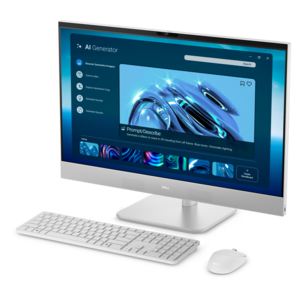
An AI-ready all-in-one desktop with an optional 5MP IR camera and streamlined security and manageability features.
Desks for streaming create a dedicated surface for the equipment, movement, and small routines that make a broadcast feel organized. Unlike a table used only for occasional laptop work, a streaming desk often needs to accommodate a monitor, keyboard, mouse, microphone, camera, and lighting while leaving enough open space to move comfortably. The most useful layout depends on what happens on camera. A gaming stream may call for a broad mouse area and room for a second screen displaying chat, while an art demonstration benefits from a clear central workspace beneath an overhead camera. Someone recording interviews or presenting live lessons might prefer a simpler arrangement, with a microphone within easy reach and notes positioned near the screen. Desk width determines how comfortably equipment can sit side by side, but depth matters just as much: a deeper surface can provide more flexibility for screen placement and help keep a keyboard from crowding the front edge. A compact rectangular desk can suit a bedroom corner or shared living space, while an L-shaped surface can separate the main broadcast area from equipment used between sessions. Neither shape is automatically better; the fit comes down to the room, the chair, and the equipment footprint. Usable space also depends on the base, since wide legs, crossbars, or built-in drawers can limit knee clearance even beneath a generous desktop. Rounded front edges can feel more comfortable against forearms during long sessions, and an uncluttered underside gives a chair room to move. For creators who switch between streaming, studying, and everyday computer work, a desk with a straightforward layout can make those transitions easier. The result is a workspace that supports the broadcast without taking over the entire room, whether it holds a modest single-screen setup or a more involved arrangement for regular live sessions. Even a small patch of clear surface beside the keyboard can be valuable for handwritten notes, a controller, or the materials needed for the next segment.
Materials and construction influence how a streaming desk feels during use, how it looks on camera, and how well it stands up to repeated adjustments. Solid wood brings natural variation and can develop visible character over time, though its care requirements depend on the finish. Wood veneer offers a real-wood surface over a supporting core, while laminate and other coated surfaces can provide a consistent appearance that is often straightforward to wipe clean according to the manufacturer's directions. Metal frames can provide strong support, but stability depends on the entire structure, including the joints, bracing, feet, and desktop attachment points—not simply the frame material. A desk that shifts when someone types or rests an elbow on the edge can disturb a mounted camera or microphone, making rigidity especially relevant for live broadcasts. Published weight limits matter, and the total load includes monitors, mounting hardware, lights, and anything else supported by the surface. Concentrated pressure deserves attention, too. A monitor arm or microphone boom uses a relatively small attachment area, so compatibility depends on desktop thickness, edge shape, material, and clearance underneath. A rear apron, beveled edge, or shallow overhang may interfere with a clamp even when there appears to be plenty of room above. Cable openings and under-desk trays can help keep cords away from the mouse area and reduce the tangle visible behind a setup, provided cables remain accessible and do not become pinched. Finishes affect the camera view as well: a matte surface generally produces less pronounced reflection than a glossy one, although lighting position still makes a difference. Routine care helps preserve both appearance and function. A soft cloth, prompt attention to spills, and cleaning methods approved for the finish are sensible starting points. Coasters and desk mats can protect frequently used areas, while occasional hardware checks can help identify loosened connections. Moving a desk without dragging it or lifting it by attached accessories also helps protect its frame, edges, and mounting points.
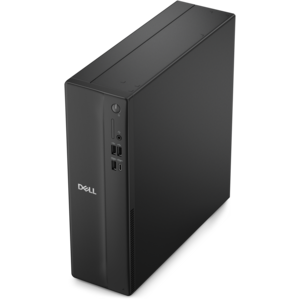
Comfort becomes particularly noticeable when a short recording turns into an evening of conversation, gameplay, or editing. Desk height works together with chair adjustment and screen placement; the surface should allow relaxed shoulders and comfortable access to the keyboard and mouse rather than forcing arms upward or leaving the user leaning forward. A height-adjustable desk can accommodate changes in posture and different users, though its adjustment range needs to suit the person using it. For a moving desktop, cables need enough slack throughout its travel, and camera framing may need to change when the surface rises. A fixed-height desk can also support a comfortable arrangement when paired with an appropriately adjusted chair and, when needed, a footrest. Room layout is another part of the experience. Space behind the chair makes it easier to sit down without bumping a nearby wall, while access to the back of the desk simplifies connecting equipment or repositioning a light. Keeping a desktop computer off the main work surface can free room for creative projects, but its placement still needs to respect ventilation requirements and leave ports accessible. The computers featured on Desktops For Streaming are another part of that workspace, with their dimensions and connection points helping inform the desk layout. For shared rooms, a restrained finish and neatly routed cables can help a broadcast station blend into its surroundings once the camera is off. Streamers who demonstrate crafts, discuss books, teach music, or host community conversations may value flexible open space more than a visibly gaming-focused design. A desk can also be a thoughtful gift for a college student, creative hobbyist, or someone establishing a dedicated broadcast space, particularly when room measurements and personal preferences are already known. Across these uses, the lasting value of a streaming desk lies in practical details: a steady surface, comfortable reach, sufficient clearance, and room for the setup to evolve. Those qualities remain useful long after the lights go off and the broadcast ends.
Add the products you would like to compare, and quickly determine which is best for your needs.