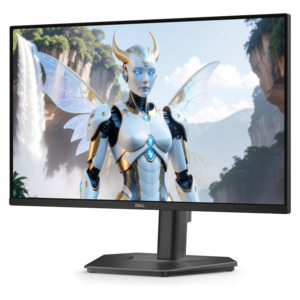
Desktops With HDMI Output
Desktops with HDMI output offer a seamless way to connect your computer to a wide range of external displays, projectors, and HDTVs. Whether you're setting up a home office, enhancing your entertainment system, or expanding your workspace, these desktops provide the connectivity needed for high-quality visuals and versatile performance. Explore a selection of desktops with HDMI output designed to support productivity, creativity, and immersive experiences at home or in the office.
This product is not available
Check out the following recommendations.




Desktops With HDMI Output
Desktop computers with HDMI output offer a straightforward way to connect a computer to a monitor, television, projector, or other compatible display. For many households, the HDMI port is the simplest part of a desktop setup: connect one cable for digital video and audio, select the correct input on the display, and the computer is ready for work, entertainment, or creative projects. When browsing desktops with HDMI output, begin by considering where the computer will be used and what the display needs to show. A compact desktop can fit neatly beside a monitor in a bedroom, apartment, or shared workspace, while a larger tower may provide more room for performance-focused components and future upgrades. Check the computer’s HDMI specifications alongside the display’s capabilities, since supported resolution and refresh rate can vary. Standard high-definition output works well for everyday computing, streaming, video calls, and schoolwork, while higher-resolution displays may benefit from a newer HDMI standard and compatible hardware. It is also worth checking whether the system includes additional display connections if a two-screen workspace is part of the plan. A dual-monitor arrangement can place a document on one screen and a spreadsheet, browser window, or video call on the other, reducing the constant shuffle between open windows. Before choosing, review the available ports, the included accessories, the operating system, and the physical dimensions so the computer works naturally with the rest of the room rather than forcing a complete rearrangement.
Performance should match the way the desktop will be used. Everyday tasks such as email, online research, word processing, budgeting, and video conferencing usually call for a capable processor, sufficient memory for several open applications, and solid-state storage that helps the system start quickly and load files with less waiting. Students may appreciate a dependable setup for assignments, virtual classes, and research, especially when paired with a second screen for notes and reference material. Remote workers can use HDMI output to connect a larger display for a more comfortable view of calendars, spreadsheets, project boards, and communication tools. Families often choose a desktop as a shared computer for organizing photos, completing forms, streaming content, and managing household tasks. For photo work, video editing, music creation, or other demanding applications, look for stronger processing, more memory, a generous storage capacity, and graphics hardware suited to the software. Gamers should pay close attention to graphics performance, supported resolution, refresh rate, and the connection between the desktop and display. A gaming-focused screen can make motion look smoother and help games feel more responsive; browse Gaming Monitors With HDMI when comparing compatible display options. The right combination depends on the experience you want, from a quiet workstation for focused tasks to an immersive entertainment area with room-filling visuals and sound. It can help to picture a typical afternoon at the desk: several browser tabs open, a document beside a reference image, music playing in the background, and enough responsiveness to move between everything without interruptions. That simple mental test often reveals whether a basic configuration is sufficient or whether additional memory, storage, or graphics capability would provide a better long-term fit.
A desktop with HDMI output can also be a practical choice for a thoughtfully assembled home office, study area, creative corner, or family entertainment space. When giving a computer as a gift, consider the recipient’s habits rather than choosing by appearance alone. A student may value a compact design and a clear display connection for homework, while someone working from home may need dependable multitasking and support for a larger monitor. A relative who enjoys organizing digital photos could benefit from ample storage, and a new computer user may appreciate a simple port layout that makes connecting a screen feel intuitive. Think about the full setup, including the monitor, keyboard, mouse, speakers or headset, webcam, and any required HDMI cable. Cable length matters more than it first appears; a little extra reach can keep the desk tidy and prevent the computer from sitting in an awkward position. Placement also affects comfort. Leave room for airflow, keep vents clear, and position the display so the top edge sits near eye level, with the screen close enough to read without leaning forward. During the cooler months, a comfortable workstation can become a natural place for evening classes, creative projects, gaming sessions, and staying connected with friends or family. As routines shift between work, learning, and relaxation, a desktop that supports the right display and accessories can make each activity feel more organized. Compare processor class, memory, storage, graphics capability, HDMI support, additional ports, upgrade potential, and warranty coverage before selecting a system. With those details in view, it becomes easier to choose a desktop that connects cleanly, fits the available space, and remains useful as everyday needs grow.
FAQs:
A desktop with HDMI output allows for easy connection to modern monitors, HDTVs, and projectors, enabling high-definition video and audio transmission. This feature is ideal for users who want to enjoy clear visuals for work, gaming, streaming, or presentations without the need for additional adapters.
Yes, many desktops with HDMI ports also include additional video outputs, such as DisplayPort or VGA, allowing you to set up multi-monitor workstations. This is especially useful for multitasking, gaming, or expanding your workspace for increased productivity.
All in one PCs with HDMI output are perfect for users seeking a clutter-free workspace, such as students, home office professionals, or families. They offer the convenience of a built-in display while allowing easy connection to external monitors or TVs for presentations, entertainment, or extended desktop setups.
To ensure compatibility with the latest external display technologies, check the desktop’s specifications for HDMI version (such as HDMI 2.0 or 2.1), supported resolutions, and refresh rates. Newer models typically support 4K displays and high refresh rates, making them suitable for gaming, content creation, and professional use.
A CPU with HDMI port (or more accurately, a desktop with HDMI output on its motherboard or graphics card) simplifies connecting to modern displays. While some monitors support other connections like DisplayPort or USB-C, HDMI remains the most universally compatible and widely used standard for high-quality audio and video.