DisplayPort 1.2 Cables
DisplayPort 1.2 cables are essential for delivering high-quality connections between monitors, computers, and other compatible devices. Ideal for both professional and home setups, these cables support seamless integration with a variety of electronics, ensuring reliable performance for work, gaming, and entertainment. Explore a selection of DisplayPort 1.2 cables designed to help you get the most out of your displays and peripherals.
This product is not available
Check out the following recommendations.




DisplayPort 1.2 Cables
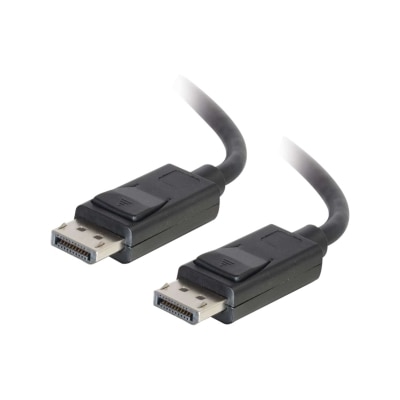
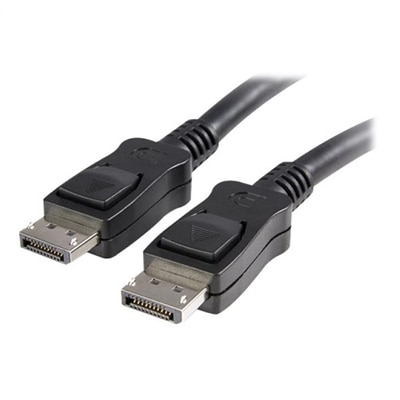
DisplayPort 1.2 cables provide a dependable connection between a compatible desktop or laptop and a monitor, projector, or other display with a DisplayPort input. Built around the DisplayPort 1.2 standard, these cables can deliver up to 21.6 Gbps of bandwidth, making them suitable for a wide range of everyday computing, creative, and entertainment setups. With the right computer graphics hardware and display, a DisplayPort 1.2 cable can support 4K resolution at up to 60 Hz, including common 3840 x 2160 Ultra HD configurations. It can also support higher refresh rates at lower resolutions, such as 1440p at rates that may reach 165 Hz or 1080p at rates that may reach 240 Hz, depending on the monitor, graphics card, settings, and cable quality. That combination makes these cables a practical choice for someone building a clean home office, refreshing a study area, or connecting a gaming desktop to a high-refresh-rate monitor. They are also useful for extending a workstation as cooler months encourage more time indoors, whether the screen is used for spreadsheets and video calls, photo editing, streaming, or fast-moving games. DisplayPort connections carry digital video and, when supported by the connected devices, digital audio through a single cable, helping reduce desk clutter compared with separate video and audio connections. Before purchasing, check the ports on both devices: a standard DisplayPort cable has a full-size DisplayPort connector, while some laptops and compact computers use USB-C with DisplayPort alternate mode or a different video connection altogether. A cable cannot add a feature that the computer or monitor does not support, so the graphics output, display input, resolution, refresh rate, and available settings should all be considered together.
Choosing the right DisplayPort 1.2 cable begins with matching the cable to the physical layout of the workspace. A short cable can keep a monitor stand area tidy when the computer sits directly beside or beneath the display, while a longer option may be helpful for a standing desk, a desktop tower positioned on the floor, or a shared family workspace where components are spaced farther apart. Extra length can be convenient, but excessive slack may gather behind a desk and place unnecessary bends near the connectors, so selecting a length that follows the intended route is usually the neatest approach. Look for durable insulation, firmly molded connector housings, and strain relief where the cable meets each plug. Some DisplayPort cables include a locking latch that helps keep the connection secure when a desktop is moved or a monitor is adjusted; these can be especially useful in a home office or gaming setup that is rearranged often. A latch should be released before unplugging rather than pulled forcefully, since pressing the release mechanism helps protect the port. For a reliable connection, choose a cable identified for DisplayPort 1.2 performance or the desired resolution and refresh rate, and consider products that have undergone recognized compliance testing when certification is important to the setup. Gold-colored contacts may help resist surface corrosion, but construction quality, proper specifications, and a good fit matter more than appearance alone. Shoppers comparing Displayport Monitor Cables can also consider whether the cable will connect one computer to one monitor or support a more advanced multi-display arrangement. DisplayPort 1.2 supports Multi-Stream Transport, commonly called MST, which can allow compatible computers and monitors to connect multiple displays in a daisy-chain arrangement. MST requires compatible hardware and suitable monitor settings, and not every monitor has a DisplayPort output for passing the signal onward, so reviewing the specifications of each display is essential.
DisplayPort 1.2 cables are a thoughtful practical gift for a student setting up a study desk, a remote worker improving a home office, or a PC enthusiast assembling a new desktop and monitor combination. They are small, easy to store, and useful when a new display is added or an existing cable has become too short for a rearranged room. A spare can also be helpful when moving a monitor between a work area and an entertainment space, especially when the original cable is misplaced during a move or packed away with other accessories. For gaming, DisplayPort 1.2 can pair well with compatible adaptive-sync technologies, including FreeSync or G-Sync implementations, although support depends on the graphics card, monitor, driver, and selected display mode. Users should confirm that their chosen resolution and refresh rate fit within the capabilities of the entire system; a 4K monitor may operate at 60 Hz through a suitable DisplayPort 1.2 connection, while a higher refresh rate may require a lower resolution or a newer connection standard. Backward compatibility with older DisplayPort connections can make a DisplayPort 1.2 cable useful with certain older computers and monitors, but performance remains limited by the capabilities of the connected devices and the older port. When installing the cable, turn off or disconnect equipment if recommended by the device manufacturer, align the connector carefully, and avoid twisting the plug or sharply bending the cable near either end. Once connected, the computer’s display settings can be used to select the intended resolution, refresh rate, audio output, and multi-monitor arrangement. With thoughtful attention to compatibility, length, construction, and the needs of the workspace, a DisplayPort 1.2 cable can provide a straightforward way to enjoy a clear, stable digital display connection for work, learning, gaming, and everyday entertainment.
FAQs:
DisplayPort 1.2 cables offer higher bandwidth (up to 21.6 Gbps), allowing for resolutions up to 4K at 60Hz and support for advanced features like Multi-Stream Transport (MST) for daisy-chaining multiple monitors. They also often include latching connectors for a more secure fit and are backward compatible with earlier DisplayPort versions.
Yes, DisplayPort 1.2 cables are backward compatible with previous DisplayPort versions, such as 1.1 and 1.1a. This means you can use them with older monitors or graphics cards, though the maximum resolution and features will be limited by the capabilities of the older hardware.
DisplayPort 1.2 cables are commonly used with desktop computers, laptops, professional workstations, and high-resolution monitors. They are especially popular for multi-monitor setups, gaming rigs, and work environments that require high-definition video and audio transmission.
Yes, DisplayPort 1.2 supports Multi-Stream Transport (MST), which enables you to daisy-chain multiple compatible monitors from a single DisplayPort output. This feature is particularly useful for creating extended desktop workspaces without the need for multiple video outputs from your computer.
Yes, DisplayPort 1.2 cables can transmit both high-resolution video and multi-channel digital audio, making them suitable for connecting devices where you want to combine both signals over a single cable.