$10.99
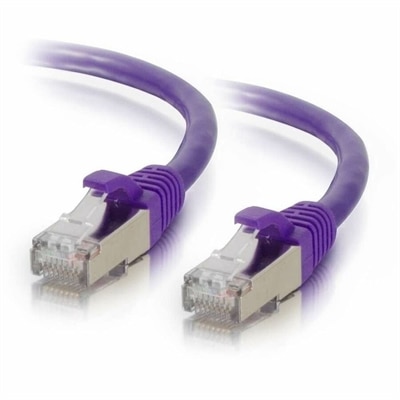
A purple shielded Cat6 network patch cable designed to reduce electromagnetic interference and crosstalk.
Elevate your business connectivity and ensure seamless communication with our comprehensive selection of enterprise network equipment. Designed to meet the demands of modern enterprises, our range of networking solutions supports efficient data flow, robust security, and scalable infrastructure. Whether you're upgrading an existing network or building a new one from scratch, our enterprise network equipment offers the reliability and performance your organization needs to stay ahead in today's fast-paced digital world. Explore options that cater to diverse business environments and find the right fit for your networking requirements.
A purple shielded Cat6 network patch cable designed to reduce electromagnetic interference and crosstalk.
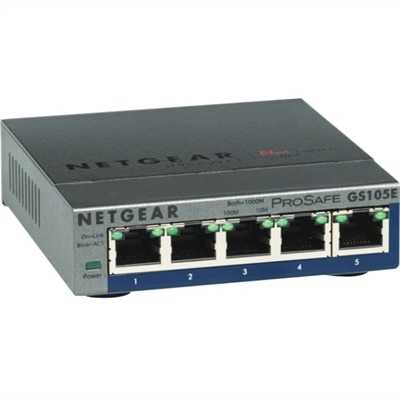
A 5-port Gigabit Ethernet switch featuring VLAN, QoS, IGMP snooping, link aggregation, and traffic monitoring.
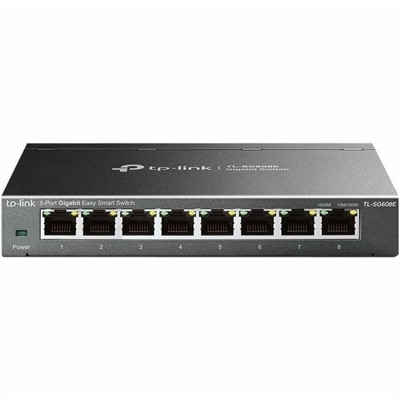
An 8-port Gigabit smart switch featuring durable metal construction, QoS, VLAN, IGMP Snooping, and fanless design.
Enterprise connectivity equipment forms the behind-the-scenes foundation of a dependable workplace. It helps employees connect computers, printers, phones, displays and other business devices, move information efficiently and maintain reliable access to essential applications. In a busy office, the right setup can make the difference between a smooth start to the day and a morning spent tracking down intermittent connections. A growing company may need equipment that supports a few workstations today while leaving room for additional employees, conference rooms, guest access and changing work patterns over time. Larger organizations often look for hardware designed to handle many simultaneous users, sustained traffic and a mix of wired and wireless connections without creating bottlenecks. When evaluating options, begin with the number of people and devices that need access, the size and layout of the workplace, and the kinds of activity the environment must support. A compact office with a few desks has different needs from a multi-floor location with meeting spaces, shared work areas and specialized equipment. Physical placement matters as well: walls, floors, distance and electrical access can all affect how reliably devices communicate. Consider equipment that can be monitored and configured from a central interface, particularly when an IT team is responsible for multiple locations or a large number of connected devices. Centralized controls can simplify routine updates, help identify unusual activity and provide a clearer view of performance than visiting each unit individually. Security should remain part of the purchasing decision from the beginning. Look for capabilities that help control access, separate guests from company resources, protect information moving between locations and support secure connections for employees working away from the office. Reliable operation is equally important. Features such as redundant power options, status alerts and straightforward recovery procedures can help keep essential services available when a component fails or a power interruption affects the building. During the cooler months, when more employees may work from home or spend longer stretches indoors, a well-planned setup can support productive collaboration without making every connection feel like a troubleshooting project.
The best choice depends on the people using the equipment as much as on the equipment itself. An IT professional may prioritize detailed configuration, remote administration, compatibility and expansion capacity, while a small business owner may value clear setup instructions, manageable controls and dependable performance with minimal maintenance. A school, clinic, studio or branch office may need careful access policies, consistent coverage and a design that accommodates visitors or shared devices. Before purchasing, create a simple inventory of computers, monitors, printers, phones, cameras and other connected equipment, then note which devices require a physical connection and which rely on wireless access. Estimate future growth rather than planning only for the current headcount; adding capacity later can be more disruptive than selecting a flexible foundation at the outset. Compatibility also deserves close attention. Check connection types, supported speeds, power requirements, management software and the operating environment in which the equipment will be used. If several pieces are being added to an existing setup, confirm that they can work together and that the available power and cabling are suitable. Documentation, technical support and warranty coverage can be especially valuable for organizations without a dedicated IT department. For smaller workplaces seeking related guidance, explore Small Business Network Equipment to compare options suited to everyday business environments. Although this category is primarily a practical business purchase rather than a gift, it can be a thoughtful choice for someone opening a studio, launching a home-based company or outfitting a new office, particularly when dependable connectivity is central to their work. A careful plan should also include labeling, cable organization, secure placement and a record of settings so future maintenance is easier. Think of the finished setup as the quiet framework beneath a productive day: employees move between meetings, shared files open when needed, remote colleagues join conversations and customers receive timely service without having to think about the equipment making it possible. With the right capacity, security, manageability and room to grow, an organization can build a more consistent technology experience that remains useful as its people, spaces and routines evolve.
Add the products you would like to compare, and quickly determine which is best for your needs.