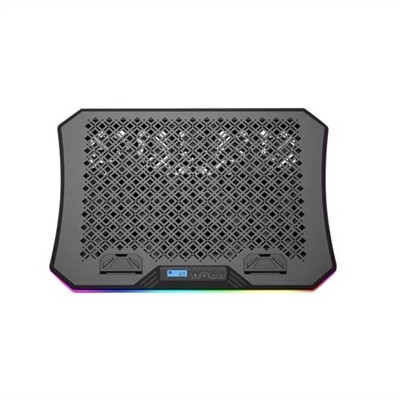
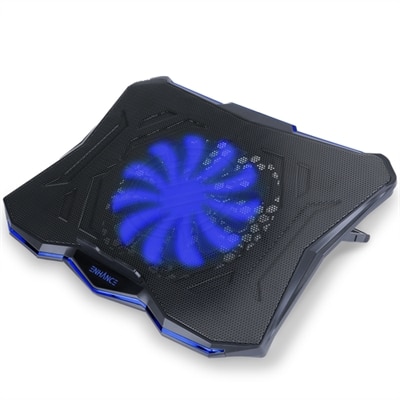
Gaming Cooling Pads
Gaming cooling pads are essential accessories for anyone looking to enhance their gaming setup and maintain optimal performance during intense sessions. Designed to help keep your laptop cool, these practical solutions can contribute to a smoother and more comfortable gaming experience. Explore a range of gaming cooling pads that offer reliable support for extended play, helping you focus on what matters most: winning your next game.
This product is not available
Check out the following recommendations.




Gaming Cooling Pads
Gaming cooling pads are designed to help gaming laptops manage heat during demanding play, streaming, video editing and other sustained workloads. A laptop’s internal fans can work hard when a game pushes the processor and graphics hardware, and heat may build up around the underside of the chassis if airflow is restricted by a desk, blanket or soft surface. A cooling pad raises the computer above the work area while adding active airflow beneath it, giving bottom-facing intake vents more room to draw in cooler air. The result can be a more comfortable surface, steadier performance and less frequent fan ramping, although the amount of cooling varies by laptop design, room temperature, game settings and the pad itself. Shoppers comparing Gaming Laptop Coolers will find several approaches, from slim mesh platforms with multiple smaller fans to larger high-output designs built around a sealed air chamber. Standard multi-fan pads are often a practical choice for everyday gaming because they can be relatively quiet, easy to carry and useful for improving posture. Their temperature reduction may be modest—sometimes only a few degrees compared with using a laptop on a flat hard surface—but even a small improvement can help airflow and make long sessions feel more comfortable. More powerful sealed turbo-fan pads use a foam gasket or flexible edge to form a closer seal around the laptop’s underside, directing high-velocity air toward the intake vents. These models can produce much larger temperature changes in compatible systems, potentially reducing heavy-load temperatures by roughly 10°C to 30°C in favorable conditions, but they are generally bulkier and louder. Because laptop ventilation layouts differ, a dramatic result depends on whether the cooling pad’s airflow lines up with the computer’s intake area.
Compatibility should be the first consideration when choosing a gaming cooling pad. Check the supported screen-size range, the width and depth of the platform, the weight it can hold and the placement of the laptop’s ventilation openings. A pad that is too small may leave the computer unstable, while one with poorly positioned fans may move air across the chassis without reaching the most important intake vents. Sealed designs should be measured carefully because their gasket needs to sit against the underside without covering exhaust openings, rubber feet or access panels. Look for a stable surface with raised edges or retaining tabs that keep the laptop in place when the angle is adjusted. Height and tilt settings can also make a meaningful difference: elevating the screen may reduce neck strain, and a slight incline can make the keyboard more comfortable during a long campaign or competitive match. Consider how the pad connects as well. Many models draw power through USB and may include pass-through ports for a mouse, headset or other accessory, while some offer separate controls for fan speed, display lighting or automatic temperature response. A wide speed range lets users balance airflow and sound, since maximum cooling is not always necessary for a light game, video playback or schoolwork. Fan noise is especially important in shared rooms and streaming spaces, where a strong cooling system can become part of the microphone background. A quieter multi-fan pad may be preferable for casual play, while a high-pressure model can be worthwhile for a powerful laptop that regularly reaches high temperatures under extended loads.
A gaming cooling pad can suit anyone who spends substantial time using a laptop at a desk, including players who enjoy graphically demanding titles, creators who record gameplay, students who alternate between coursework and entertainment, and travelers who want a more reliable setup away from home. It can also be a thoughtful accessory for a gaming laptop owner because it supports the computer without requiring internal modifications. During the cooler months, a pad can help maintain a comfortable workstation when indoor heating, limited ventilation or long evening sessions contribute to a warmer desk area; its value remains practical year-round in any room where the laptop needs better clearance beneath it. For gifting, consider the recipient’s laptop size, desk space and preference for quiet operation before selecting a style. Someone who carries a laptop between rooms may favor a thin, lightweight platform, while a desktop gamer with a large performance laptop may appreciate a sturdier cooling base with a stronger fan and adjustable tilt. Keep the underside of the computer and the pad’s intake surface free of dust, and place both on a firm, level surface rather than bedding or upholstery. A cooling pad works alongside the laptop’s built-in thermal controls, but it does not replace clear vents, sensible performance settings or routine cleaning. With the right fit, airflow design and comfort features, it can become a simple part of a dependable gaming setup—raising the laptop, supporting smoother airflow and making extended sessions easier on both the system and the person using it.
FAQs:
Gaming cooling pads help dissipate heat more efficiently, which can prevent thermal throttling and maintain consistent performance during long gaming sessions. They also contribute to the longevity of your laptop’s components and can provide a more comfortable and quieter gaming experience.
Yes, many gaming cooling pads feature adjustable height and tilt settings. This allows you to customize the angle of your laptop for better posture, reducing strain on your wrists and neck during extended play.
Absolutely. Any task that puts a heavy load on your laptop’s processor and graphics card—such as streaming, video editing, or running multiple applications—can benefit from the enhanced airflow and cooling provided by a gaming cooling pad.
Cooling pads require minimal maintenance. It’s recommended to periodically clean the fans and vents with compressed air or a soft brush to prevent dust buildup and ensure optimal airflow.
Gaming cooling pads are specifically designed for laptops, but some users find them useful for keeping other devices, like gaming consoles or tablets, cool during heavy use. However, for desktop computers, internal cooling solutions are generally more effective.