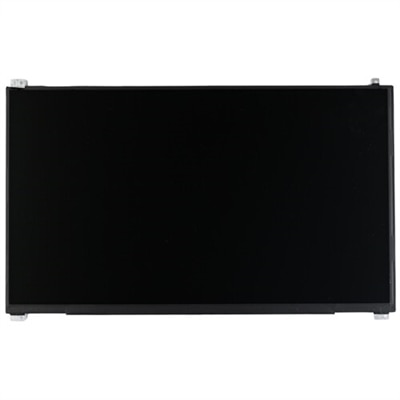
HD Screens For Laptops
Discover a wide selection of HD screens for laptops designed to enhance your viewing experience whether you’re working, streaming, or gaming. Explore options that deliver crisp visuals and vibrant colors, making every task more enjoyable. Find the perfect fit for your laptop and upgrade your display with reliable HD screens that suit your needs and preferences.
This product is not available
Check out the following recommendations.




HD Screens For Laptops
HD screens for laptops can make everyday computing more comfortable, productive and visually engaging, whether you are adding a portable external display or replacing a worn laptop panel. An HD display generally provides a dependable level of clarity for documents, web pages, video calls, streaming and schoolwork, while Full HD resolution, typically 1920 x 1080, gives text and images noticeably more definition on common laptop-sized screens. A second screen can sit beside a laptop on a home office desk, kitchen table or temporary workspace, allowing one display to hold a video meeting, reference document or research tab while the other shows notes, spreadsheets or creative tools. It can also be useful for travelers who need more room to work without carrying a full-size desktop monitor. A lightweight portable monitor with a built-in kickstand is easy to position next to a laptop, and an attachable display can create a compact multi-screen setup that folds away with the computer. For a replacement display rather than an additional screen, compare the dimensions, aspect ratio, connector location and mounting points with the existing laptop panel before purchasing. The range of LCD Laptop Screens can help shoppers explore display options suited to different laptop configurations. Matching the panel correctly matters: even two screens with the same diagonal measurement may use different bezels, cable connectors or mounting brackets, and an incompatible panel may not fit or communicate properly with the laptop.
Resolution is only one part of choosing an HD screen for a laptop. Look at the panel size and pixel density together, since a larger display can make windows easier to read while a smaller, higher-density screen can look exceptionally crisp. IPS panels are often a strong choice for work and shared viewing because they maintain color and contrast more consistently when viewed from the side. That wider viewing angle is useful when showing a presentation to a colleague, reviewing photos with family or watching a film from a nearby chair. Brightness also deserves attention, especially for people who move between a dim office, a sunlit room and outdoor seating during the warmer and cooler parts of the year. A matte or anti-glare surface can reduce distracting reflections near windows, while a glossy finish may make photos and video appear more vivid under controlled lighting. Check the refresh rate for fast-moving content, though standard refresh rates are generally sufficient for email, writing, research and office applications. For gaming or video editing, response time, color coverage and refresh rate may be more important than basic HD capability. Eye comfort features such as flicker reduction, low-blue-light modes and adjustable brightness can make long work sessions feel less tiring, particularly when a laptop is used in the evening. A screen with a stable stand or adjustable viewing position can also help keep the top of the display closer to eye level, reducing the hunched posture that often develops when a laptop is placed flat on a desk.
Connectivity and power determine how smoothly an external HD laptop screen fits into a daily routine. USB-C is convenient when the laptop supports video output through DisplayPort Alt Mode, since one cable may carry the picture and, depending on the monitor and computer, provide power as well. Not every USB-C port supports display output, so confirm the laptop’s specifications before choosing a single-cable setup. HDMI is widely compatible and can deliver a reliable image, but many HDMI-connected portable monitors need a separate USB cable or power adapter. Some screens include additional USB ports, built-in speakers or a headphone connection, which can reduce the number of accessories needed on a crowded desk. Consider cable length and direction as well; a short cable can work well for a close portable setup, while a longer lead may be more practical when the display is positioned on a stand beside the laptop. Freestanding screens are versatile and can be moved from a desk to a dining table, whereas magnetic or clip-on models keep the second display attached to the laptop during transport. Check the screen’s weight, folded thickness and case or cover before carrying it between classrooms, offices or rooms at home. These displays can be thoughtful gifts for students, remote workers, frequent travelers and family members who manage several applications at once, especially when their laptop feels cramped but a permanent monitor would take up too much space. During the cooler months, a portable HD screen can turn a quiet corner, guest room or shared living space into a more capable workstation without requiring a complicated installation. The best choice balances resolution, panel quality, portability, mounting style, available ports and the laptop’s own capabilities, creating a clear, practical setup that feels natural to use every day.
FAQs:
An HD screen provides sharper visuals, enhanced color accuracy, and greater detail, making it ideal for activities such as streaming, video conferencing, creative work, and everyday browsing. The improved clarity reduces eye strain and creates a more immersive viewing experience, whether you're working or enjoying entertainment.
Students, professionals, creatives, and anyone who spends extended periods on their laptop will appreciate the clarity and comfort of an HD screen. It's also an excellent choice for those who enjoy watching movies, editing photos, or gaming, as the higher resolution brings out finer details and richer visuals.
In many cases, it is possible to upgrade your laptop with an HD screen replacement, especially if you have a compatible model. This can extend the lifespan of your device and enhance your viewing experience without needing to purchase a new laptop.
An HD screen allows for clearer text, more workspace for multitasking, and precise visuals for tasks like editing documents, coding, or designing graphics. The increased sharpness and color accuracy can help reduce errors and make working long hours more comfortable.
Many HD laptop screens feature anti-glare technology and higher brightness levels, which help maintain visibility in well-lit environments. This makes them a practical choice for those who need to work on the go, whether in a sunlit room or at an outdoor café.