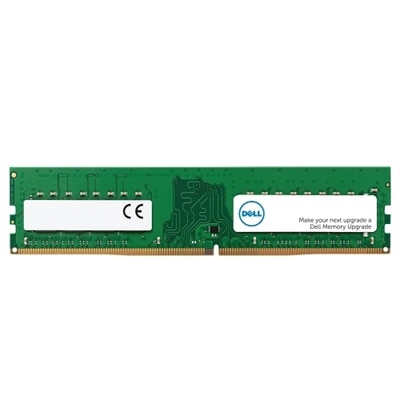
High Capacity DDR5 Memory Kits
High-capacity DDR5 memory kits are designed to meet the needs of users seeking advanced performance and seamless multitasking for their desktops or workstations. With the latest advancements in memory technology, these kits offer an ideal solution for demanding applications, gaming, and creative workloads. Explore a wide selection of high-capacity DDR5 memory kits to find the perfect upgrade for your system and experience enhanced speed and efficiency in every task.
This product is not available
Check out the following recommendations.




High Capacity DDR5 Memory Kits
High Capacity DDR5 Memory Kits give compatible desktop PCs the headroom to handle demanding applications, large creative projects and extensive multitasking without relying as heavily on slower storage-based virtual memory. Capacities commonly found in this category range from 64GB and 96GB to 128GB, 192GB, 256GB and beyond, depending on the kit design, module size and platform support. That extra memory can be useful for video editing, 3D modeling, software development, photography workflows, music production, data analysis and other tasks that keep several sizable applications open at once. It can also help users work with high-resolution source files, complex scenes or large project libraries while maintaining a smoother desktop experience. Gamers who stream, record gameplay, run browsers and voice chat alongside demanding titles may appreciate additional capacity as well, although gaming alone does not always require an especially large memory pool. For systems intended primarily for gaming, visit DDR5 RAM For Gaming PCs to explore memory options suited to that kind of setup. High-capacity memory can also be a thoughtful gift for someone building a new PC, refreshing a creative workstation or learning professional software, particularly when their current computer slows down as projects become more ambitious.
Compatibility should be the first consideration when selecting a high-capacity DDR5 kit. DDR5 is not interchangeable with DDR4, and a system must have a motherboard and processor platform designed for DDR5. Check the motherboard’s documentation for its maximum supported memory, recommended module arrangement and supported capacities per slot. A board with four memory slots may support different maximum capacities depending on whether two or four slots are populated, and some systems may run at a lower rated speed when all slots are filled. A matched kit is generally preferable because its modules are tested to operate together under the same specifications. For dual-channel desktop platforms, installing a properly matched pair in the recommended slots can help maintain the intended memory configuration. Larger kits with four modules may offer substantial capacity, but they can place more demand on the memory controller and may require conservative settings for dependable operation. Very high-capacity configurations can also depend on the motherboard firmware, processor generation and operating system. Before purchasing, compare the kit’s total capacity, number of modules and capacity per module with the manufacturer’s compatibility list. It is also important to distinguish standard unbuffered desktop memory from registered or load-reduced modules intended for specialized systems; these designs are not universally interchangeable, even when they share the DDR5 generation. Error-correcting support varies by platform and module type, so users who need additional data integrity should confirm that the motherboard and processor support the specific ECC implementation rather than assuming it will work automatically.
Speed, latency and voltage help determine how a kit behaves once installed. A higher transfer rate can improve responsiveness in workloads that move large amounts of data, but the advertised rating may depend on enabling a memory profile in the system firmware. Intel XMP and AMD EXPO are common profile standards, though support varies by motherboard and processor. A system may start at a conservative default speed until the profile is selected, and the highest listed speed is not guaranteed on every configuration. Latency should be considered alongside transfer rate rather than viewed by itself; a kit with a higher data rate and a different timing set may deliver a balance similar to another kit with a lower rate and tighter timings. Users who prefer a simple installation can choose settings validated for their platform and leave advanced tuning disabled. Those building a performance-focused PC may adjust frequency, timings or voltage, but stability testing is essential after any change. Confirm that the modules fit beneath the processor cooler, particularly when the kit has a tall heat spreader or the system uses a compact case. After installation, update the motherboard firmware if recommended, enable the appropriate memory profile, verify the full capacity in the operating system and run a memory diagnostic or extended stability test. For many people, the best high-capacity DDR5 kit is not simply the one with the largest number on the specification sheet; it is the matched configuration that the motherboard can support reliably, at a speed appropriate for the processor, while leaving a practical path for future upgrades.
FAQs:
Upgrading to high capacity DDR5 memory kits provides significant improvements in multitasking, application performance, and future-proofing your system. These kits are ideal for demanding tasks such as video editing, 3D rendering, AI development, and high-end gaming, ensuring smoother workflows and faster data processing.
High capacity DDR5 memory kits are commonly used by professionals in creative industries, engineers, researchers, and gamers who require robust system performance. They are also popular among enthusiasts building advanced workstations for AI, scientific computing, and content creation.
Before installing a high capacity DDR5 memory kit, check your motherboard’s documentation for supported RAM capacities and speeds. Some high-density kits may require a BIOS update or specific motherboard models to function optimally. Additionally, consider the physical size of the modules, especially if your system uses large CPU coolers.
When selecting a high capacity DDR5 memory kit, look for features such as high data transfer speeds (measured in MT/s), low latency timings, advanced heat spreaders for thermal management, and compatibility with your platform’s memory profiles like Intel XMP 3.0 or AMD EXPO.
Yes, high capacity DDR5 memory kits can enhance gaming performance, particularly in modern titles that utilize large amounts of RAM or when running multiple applications simultaneously. They help reduce load times, prevent stuttering, and provide a smoother overall gaming experience, especially in open-world or resource-intensive games.