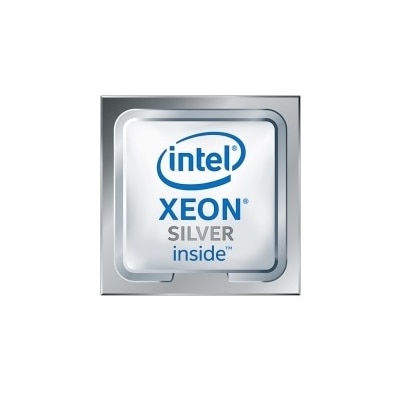
Laptop Processor Upgrades
Enhance your computing experience with laptop processor upgrades designed to boost performance and keep up with your evolving needs. Whether you're looking to improve speed for multitasking, handle demanding applications, or simply extend the life of your device, upgrading your laptop's processor can make a noticeable difference. Explore a wide selection of options to find the right fit for your system and take your productivity to the next level with laptop processor upgrades.
This product is not available
Check out the following recommendations.




Laptop Processor Upgrades
Laptop processor upgrades center on a component that helps determine how quickly a computer handles calculations, runs applications, and responds when several tasks compete for attention. The processor, also called the CPU, plays a part in everything from opening a complicated spreadsheet to exporting a finished video. However, most modern laptops have processors soldered directly to the motherboard, so the CPU cannot be removed and replaced as a conventional component upgrade. For these systems, a different processor generally requires a compatible replacement motherboard assembly, where supported, rather than a standalone CPU swap. Some older laptops and certain designs use removable, socketed processors, but even these machines accept only a limited range of replacements. A processor must match the laptop’s supported socket, chipset, firmware, electrical requirements, and cooling capabilities; matching the socket alone does not establish compatibility. This distinction makes laptop processor upgrades different from the more familiar process of changing a CPU in a desktop computer. A laptop’s internal layout is tightly coordinated, with the motherboard, heat pipes, fans, and chassis designed around particular configurations. A chip that looks similar or belongs to the same general processor family may still fail to start, operate incorrectly, or exceed the system’s thermal limits. The laptop manufacturer’s documentation and validated processor configurations provide a stronger basis for compatibility than appearance or a broad family name. For a wider view of this component category, Processor Upgrades offers a related place to explore, while laptop suitability remains specific to the individual computer. For shoppers comparing processor options, the central consideration is therefore not simply which CPU is faster, but whether the existing machine supports a processor replacement at all. Where a supported replacement is possible, its value lies in improving the work the laptop actually performs, within the boundaries of the original system design.
Processor performance becomes easier to understand when connected to a typical day at the keyboard. A student might move between lecture recordings, research tabs, and a document with several large images. Someone working from home might keep a video meeting open while updating a spreadsheet and searching through a lengthy presentation. A photographer may spend more time applying adjustments and exporting batches of pictures, while a programmer may regularly wait for code to compile. These activities place different demands on a CPU, so an upgrade that helps one workload may have a smaller effect on another. Core count can matter for applications that divide work across multiple processing cores, whereas responsiveness in lightly threaded tasks can depend more heavily on performance per core. Clock speed contributes to performance, but a higher frequency does not automatically mean a faster processor across different architectures or generations. Cache, software optimization, power limits, and the laptop’s ability to sustain its operating speed also influence the result. Brief bursts of speed can make everyday interactions feel quick, while lengthy tasks reveal how well the processor and cooling system maintain performance over time. That distinction matters during a long video export or a large software build, when the machine may run under a steady load rather than alternating between short bursts and idle periods. A faster CPU also does not remove every source of sluggishness. Limited memory, demanding background applications, graphics limitations, and software problems can all affect the experience. Gaming performance, for example, depends on the game and its settings as well as the balance between the processor and graphics hardware. Integrated graphics capabilities can vary by processor, but display support and overall operation still depend on the laptop’s complete configuration. The most meaningful comparison is between supported processors running the applications that matter to the intended user, not between isolated specifications. For everyday browsing and writing, consistent responsiveness may matter more than additional cores that rarely see substantial use.
Physical fit, thermal design, and careful handling are just as important as computing capability in a compatible laptop CPU replacement. A processor is a precision electronic assembly built around a silicon chip, with packaging and electrical contacts designed for a particular connection. Depending on the design, delicate pins or contact surfaces can be damaged by incorrect handling, contamination, or force. Unlike an exterior accessory, a replacement CPU does not become suitable simply because its dimensions appear to fit the available space. Socket details, processor generation, motherboard revision, and BIOS support can narrow the supported choices considerably. Thermal design power and manufacturer-defined power limits need particular attention because a thin laptop has limited room to move heat away from the processor. A replacement with greater power demands may overwhelm the intended cooling arrangement, leading the system to reduce operating speed to manage temperature. Even processors with similar published thermal ratings are not necessarily interchangeable, since power behavior and platform requirements can differ. The cooling assembly must make proper contact, and any required thermal interface material must be applied according to the manufacturer’s service procedure. Installation is therefore best treated as compatibility-sensitive component work rather than a routine accessory change, with qualified technical assistance appropriate when the design or procedure calls for it. Long-term care also supports consistent operation: unobstructed vents, a firm working surface, and maintenance performed according to the laptop’s documentation help the cooling system function as intended. A blanket or deep sofa cushion can block airflow during an otherwise ordinary evening of streaming or coursework. Processor durability depends less on cosmetic materials than on correct installation, stable operating conditions, and protection from physical or electrical damage. For someone choosing a component as a gift for an experienced computer enthusiast, confirmed compatibility is especially important; a processor is not a universal laptop accessory. Whether the intended use is study, creative work, professional applications, or everyday multitasking, a suitable laptop processor upgrade begins with a supported hardware match and realistic expectations about the improvement it can deliver.
FAQs:
Most modern laptops have processors that are soldered directly to the motherboard, making it extremely difficult or impractical to upgrade the CPU. In most cases, upgrading the processor would require replacing the entire motherboard, which can be costly and may introduce compatibility issues with other components.
If a processor upgrade isn’t feasible, you can often improve your laptop’s performance by increasing the RAM, upgrading to a solid-state drive (SSD), or replacing the battery. These upgrades are generally easier to perform and can make a noticeable difference in speed and responsiveness.
Users who frequently run demanding applications, such as content creators, gamers, engineers, or professionals working with large datasets, benefit most from laptops with more powerful processors. Students and remote workers may also notice improved performance during multitasking or virtual meetings.
Yes, attempting to upgrade a laptop processor can void your warranty and may result in damage to the device if not performed by a qualified professional. Compatibility issues with the cooling system, chassis, and power supply can also arise, potentially leading to overheating or system instability.
Some older laptops with socketed CPUs may allow for processor upgrades, but compatible parts can be difficult to find. It’s important to check your laptop’s specifications and consult with a professional before attempting any upgrades to ensure compatibility and proper installation.
FAQs:
Upgrading your laptop processor can significantly enhance overall system performance, allowing for faster multitasking, smoother application launches, and improved capabilities for demanding tasks such as photo editing, video rendering, and gaming.
Compatibility depends on your laptop's motherboard, chipset, and socket type. Check your laptop's technical specifications or consult your manufacturer’s documentation to verify which processors are supported.
Upgrading to a more powerful processor may impact battery life, depending on the processor’s power consumption. Some modern processors are designed for energy efficiency, so choosing the right model can help maintain or even improve battery performance.
Processor upgrades typically require technical knowledge and specialized tools, as many laptops have processors soldered onto the motherboard. It is often recommended to have upgrades performed by a professional technician.
Upgrading your processor can boost graphics performance, especially if your laptop relies on integrated graphics. However, for significant graphics improvements, consider laptops with dedicated graphics cards.